Refresh settings from admin and apply before downloading outputs
Refresh the latest admin settings, apply them, then download the output files to confirm the outputs have no major problems.
When settings have been updated, refresh them from the admin panel and apply them so the system reflects the latest configuration.
✓ Checked in the product on 20 October 2026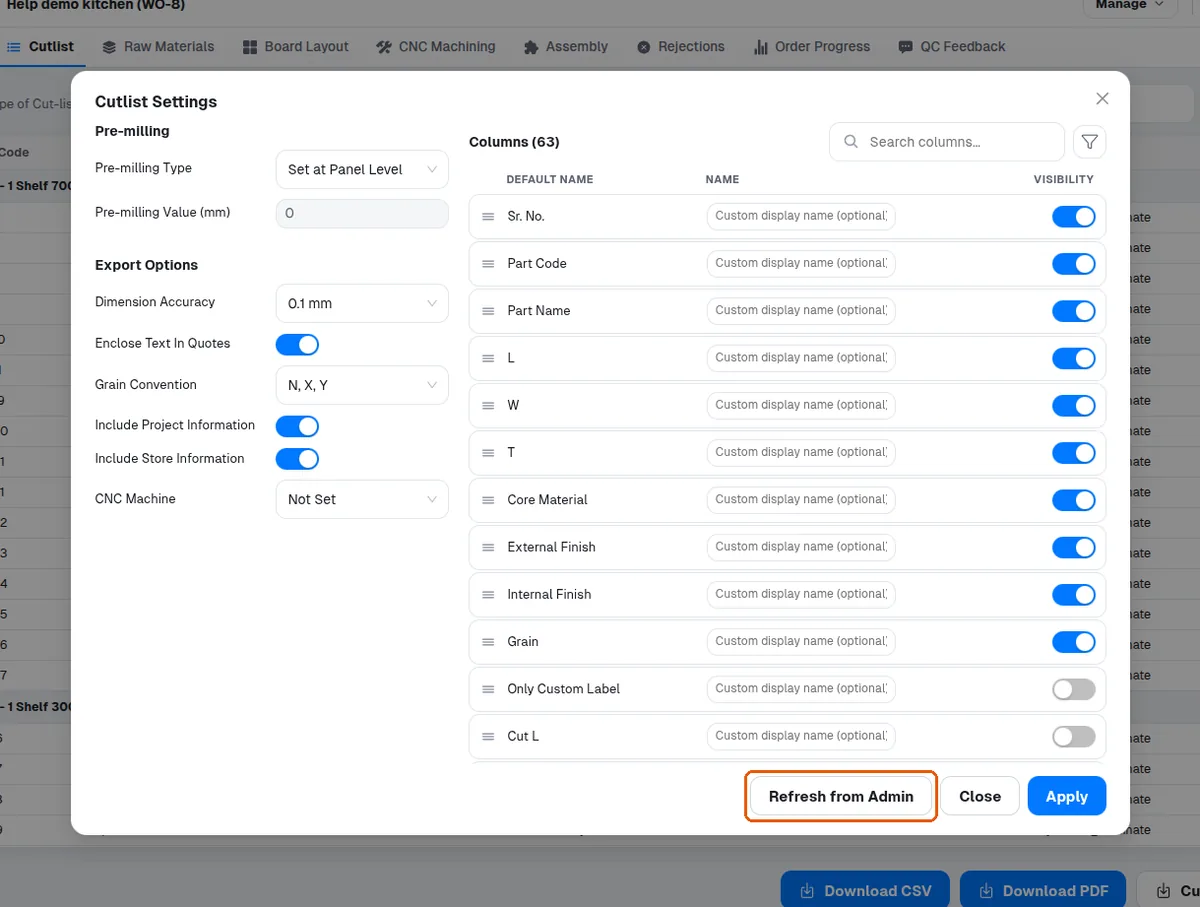
After applying, download the output files; a successful download indicates there are no major problems with the outputs.