Fix a station created with the wrong station type
Since a station's type is fixed at creation and cannot be edited, create a correctly-typed replacement, move its operators over, and switch off the old station.
New stations such as Dispatch or CNC are added from the Stations section using the add-new-station option, and the station type is chosen there at creation.
✓ Checked in the product on 20 October 2026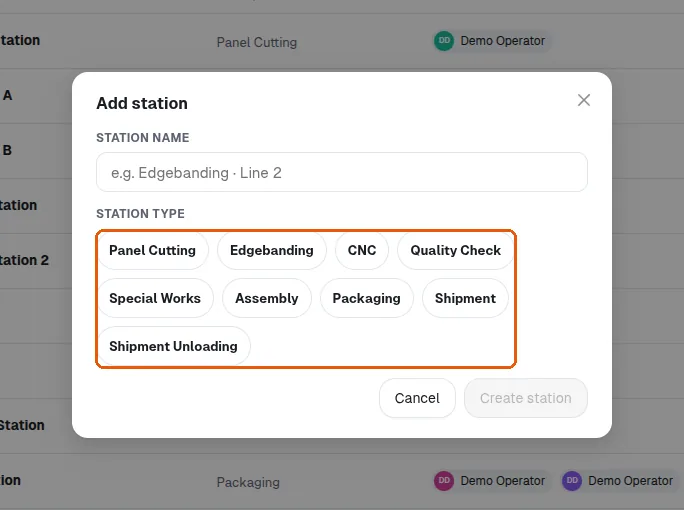
When an admin edits a tracking station under Settings > Tracking Stations, the Edit station dialog offers only the station name and its Operators — it has no Station type field, so the type cannot be changed. This is intentional: the type is fixed at creation time, and the server ignores any type change sent on update, so there is no workaround. If a station was created with the wrong type (for example an Edgebanding station accidentally created as CNC), the fix is to (1) create a new station with the correct type, (2) assign the same operators to it via Edit station > Operators, and (3) switch off the wrongly-typed station with its active toggle. Deactivating the old station is safe: panels already tracked there keep their history and continue to count in order progress. Note that the add and edit controls are visible to everyone who can open the Stations page — the new screen does not restrict editing to MES admins, so a client who cannot see them is more likely looking at a different page or a read-only view than missing a role. In 'Add station' the Station type is chosen from its options (Panel Cutting, Edgebanding, CNC, Quality Check, Special Works, Assembly, Packaging, Shipment, Shipment Unloading); editing an existing station does not show it.