Control which layers are visible per view with view-specific layers
Set which layers each view shows so internal text, external text and dimensions appear only where you want them.
View-specific layers in the design portal control which layers (for example internal or external text, or dimensions) are visible for a particular view.
View-specific layers prevent confusion and remove the need to switch back and forth between design and presentation.
Open the view manager to access the different views in a project.
✓ Checked in the product on 22 October 2026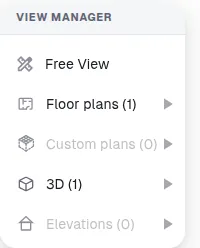
Within each view, use view-specific layers to control which elements are visible.
✓ Checked in the product on 10 October 2026Layers marked as overridden behave differently depending on the view's settings, so visibility can be tuned per view rather than globally.
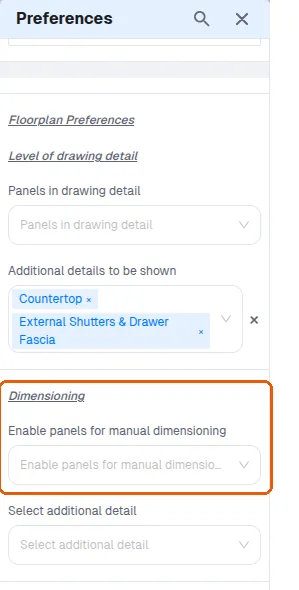
✓ Checked in the product on 22 October 2026Global preference settings can also be used to choose which panels to dimension for floor plans and elevations.
✓ Checked in the product on 22 October 2026