Understand the nine station types and how panels are tracked
Learn which station types are scan stages, which are box-based, and how default and extra stations behave as one stage.
There are nine station types: Panel Cutting, Edgebanding, CNC, Special Works, Assembly, Quality Check, Packaging, Shipment Loading (shown as 'Shipment' internally in type lists), and Shipment Unloading.
✓ Am 20. Oktober 2026 im Produkt geprüft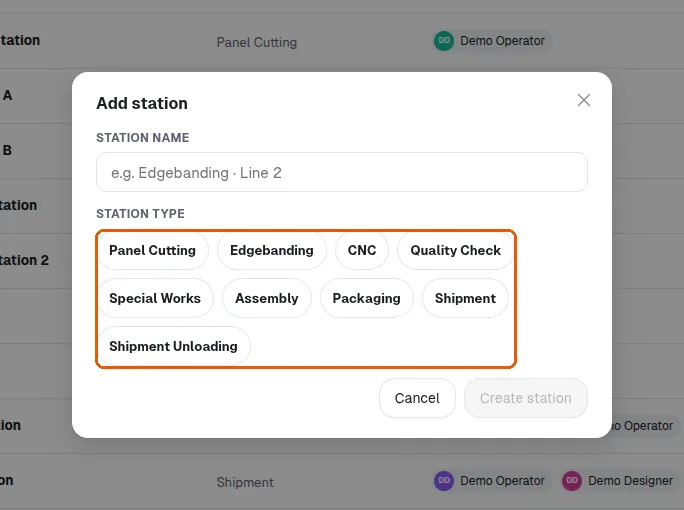
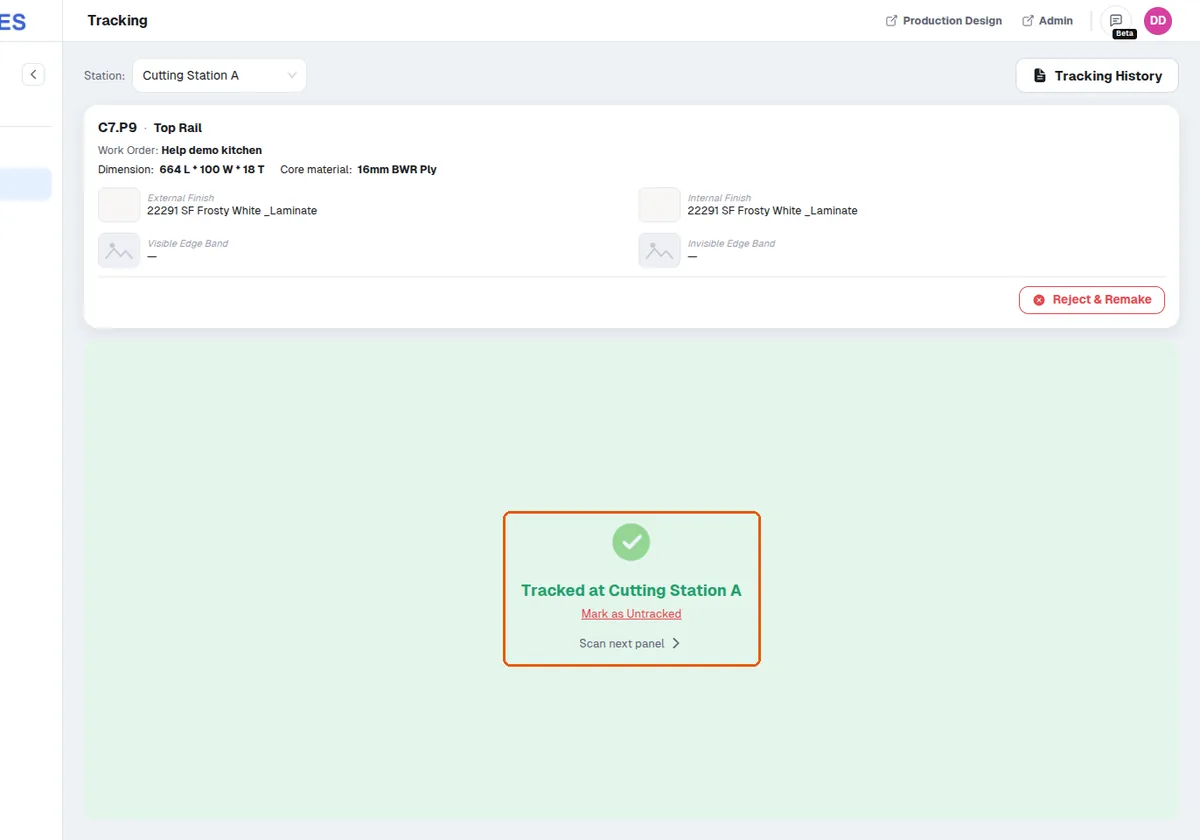
The first six are per-panel scan stages: an operator on the Tracking page scans the panel QR and the panel is marked tracked at their selected station.
The last three are box-based stages that are NOT tracked by scanning the panel again: Packaging completes when the panel is put into a box (Packaging page), Shipment Loading completes when that box is scanned as loaded, and Shipment Unloading when the box is scanned as unloaded at the destination (both on the Shipment page).
✓ Am 20. Oktober 2026 im Produkt geprüft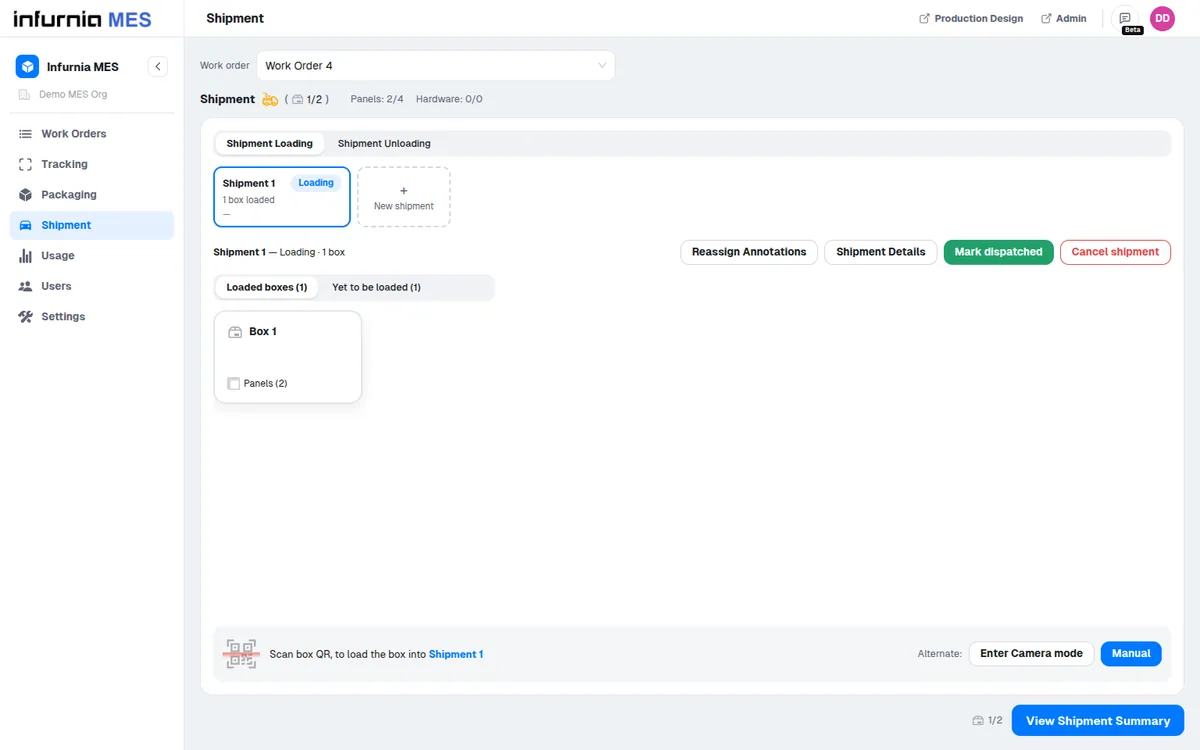
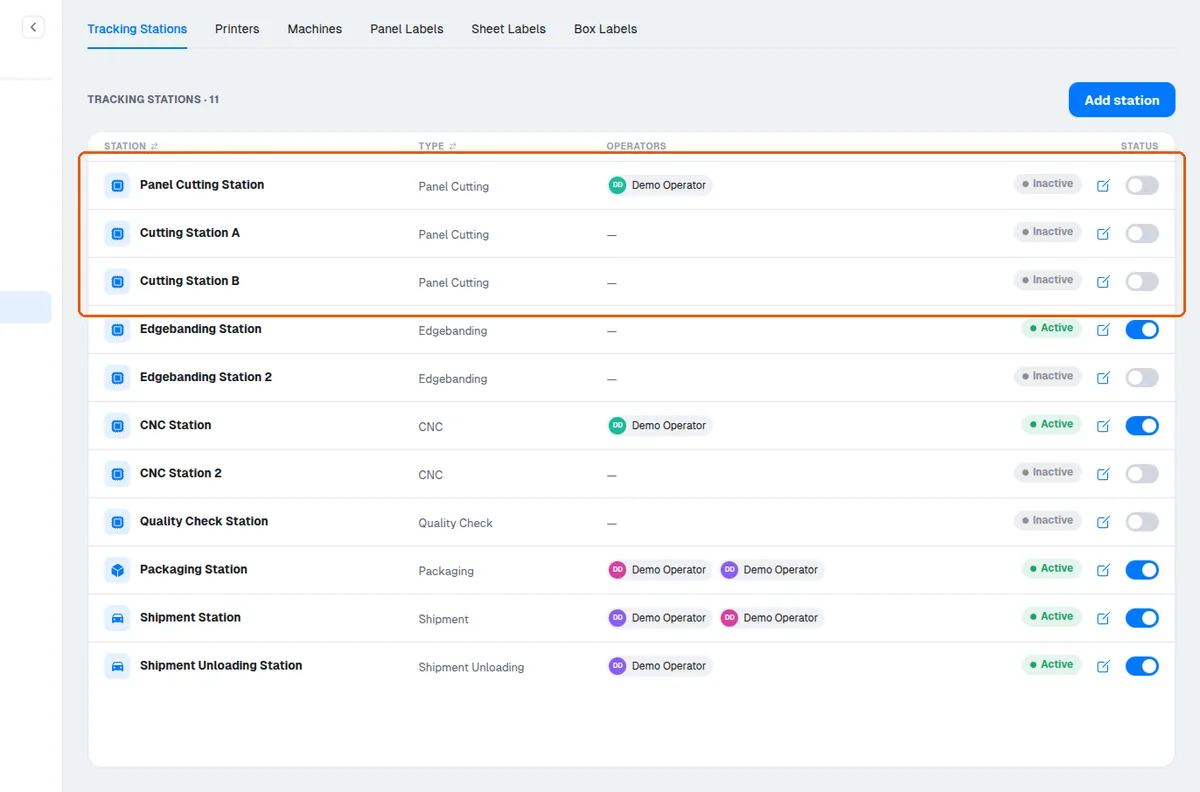
A default set of stations is created automatically for new accounts, and admins can add more stations of the same type (e.g. two Panel Cutting stations); stations of the same type behave as one stage — tracking a panel at either one completes that stage, and a panel is never counted twice for the same stage.
There is no forced sequence: the system does not stop an operator from scanning a panel at CNC before Edgebanding.
✓ Am 20. Oktober 2026 im Produkt geprüftThere is no fixed cap on the number of stations: you can create as many stations as you need, including several of the same type.
Stations can be added at any time from the MES settings station screen, not only before a work order is created.
✓ Am 20. Oktober 2026 im Produkt geprüft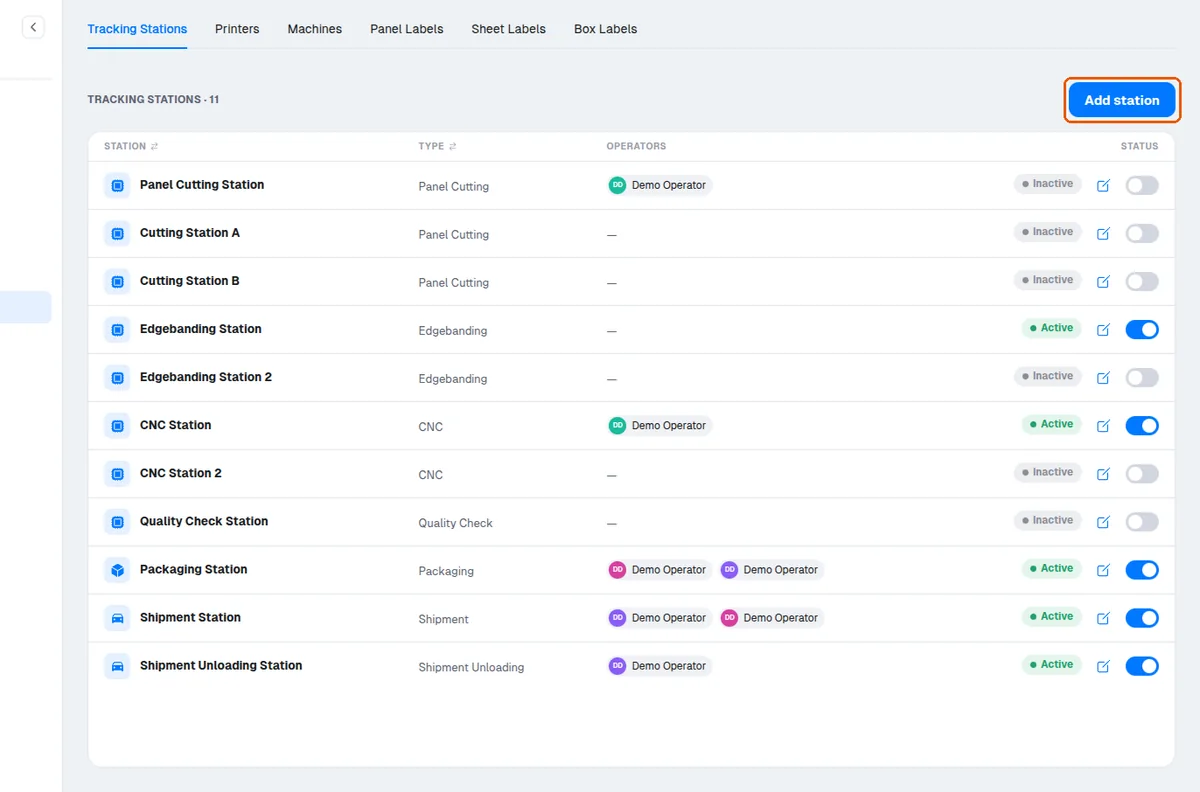
A newly added station immediately appears in the station list so a new machine or process stage can be introduced mid-production.
✓ Am 19. Oktober 2026 im Produkt geprüft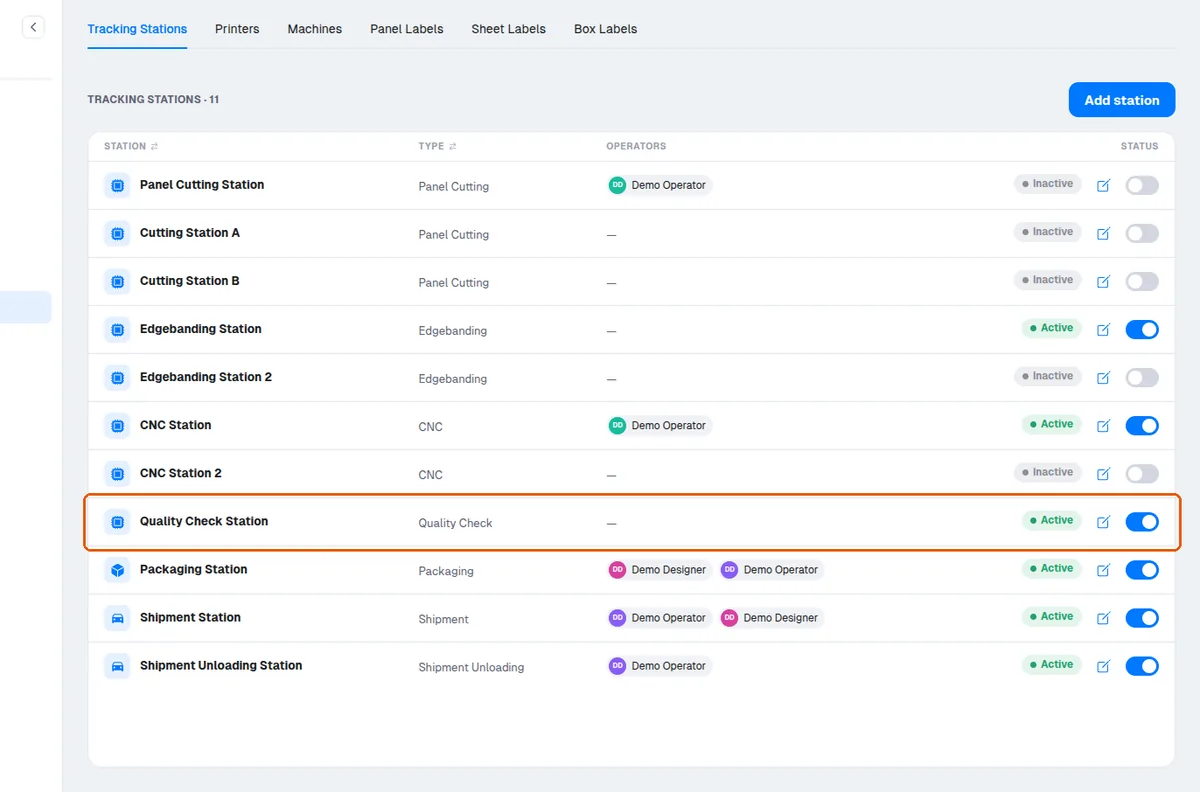
A panel that was missed at an earlier station can be scanned manually at a later station.
✓ Am 20. Oktober 2026 im Produkt geprüft