Understand exempt panels at edgebanding and CNC stations
Learn why some panels are not trackable at edgebanding and CNC stations and where they appear.
At edgebanding and CNC stations the picker also separates panels that design data says are not required there into a read-only 'Exempt Panels' tab; those are excluded from that station's progress counts and cannot be tracked from the manual list.
Panels that design data says are not required at an Edgebanding or CNC station (no edge band on any side, or no machining) are not listed as trackable there.
✓ Am 20. Oktober 2026 im Produkt geprüft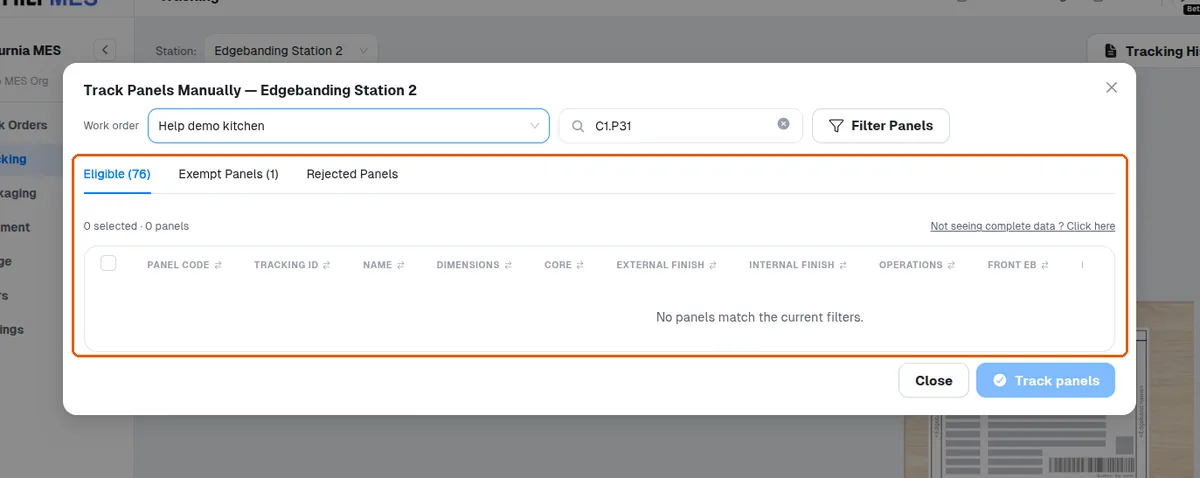
Panels that design data says are not required at an Edgebanding or CNC station appear only in a read-only 'Exempt Panels' tab.
✓ Am 20. Oktober 2026 im Produkt geprüft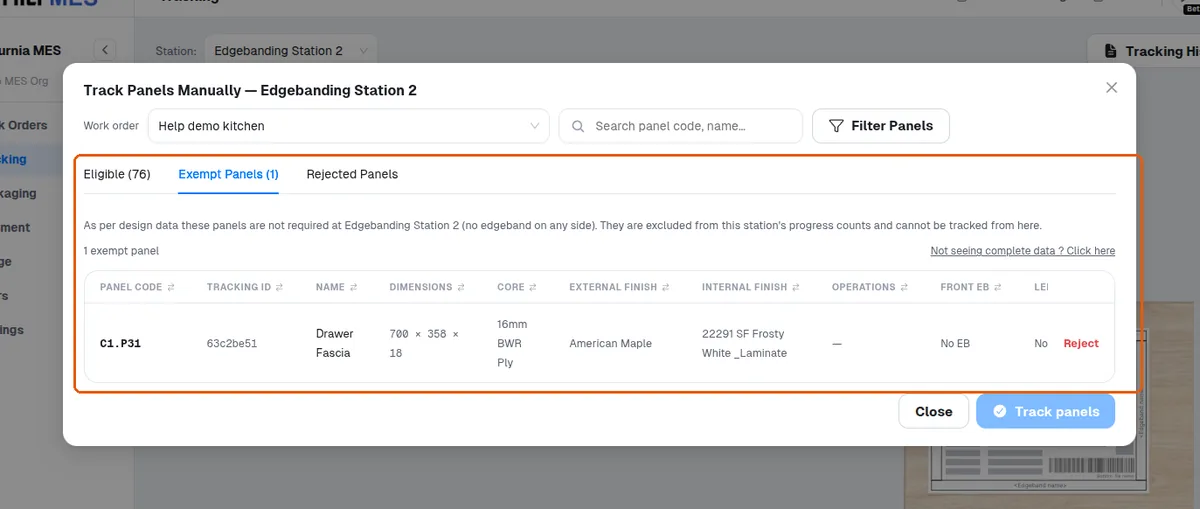
Panels that design data says are not required at an Edgebanding or CNC station are left out of that station's progress counts.
✓ Am 20. Oktober 2026 im Produkt geprüft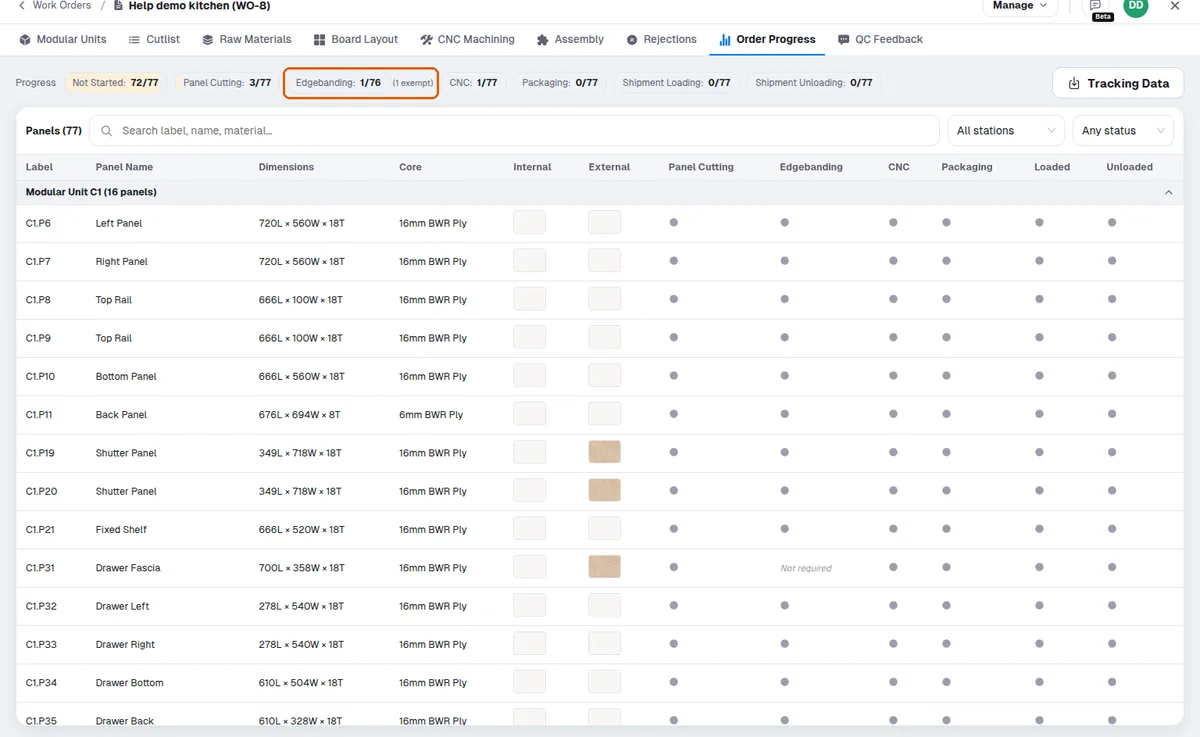
At a CNC station the exempt reason shown is 'no machining operation' — the panel has no machining operation in the design data.
The exempt list is informational, not a rejection list.
At a station, the panel list shows only the panels that need that station's operation: panels the design data exempts from a station type (for example no edge band for Edgebanding, no machining for CNC) are not listed as trackable there.