Understand when back-panel grooves appear in CAM output
Learn how inset back panels generate groove operations on surrounding panels and which preferences and machine settings decide whether and how those grooves reach CAM/MES output.
When a cabinet's back panel is inset into the carcass, the surrounding panels (left, right, top, bottom — and with split top/bottom panels, each split piece paired with its own back piece) automatically receive a groove operation, computed by intersecting the back panel's geometry with each surrounding panel; partition-level back planks groove their partition's surrounding panels the same way.
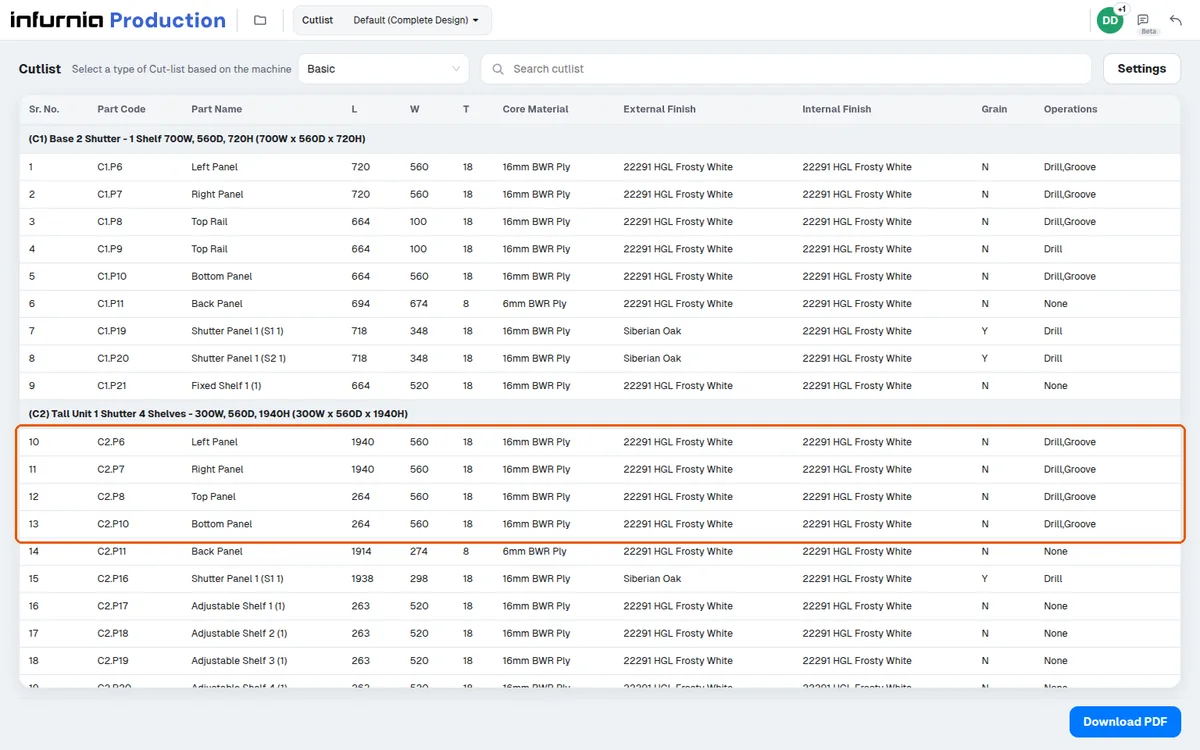
Back-panel grooving operations appear as grooving operations in CAM/MES output.
✓ تم التحقق منه في المنتج في 19 أكتوبر 2026Back-panel grooving is emitted only when the Groove Cut CAM preference is enabled in design preferences.
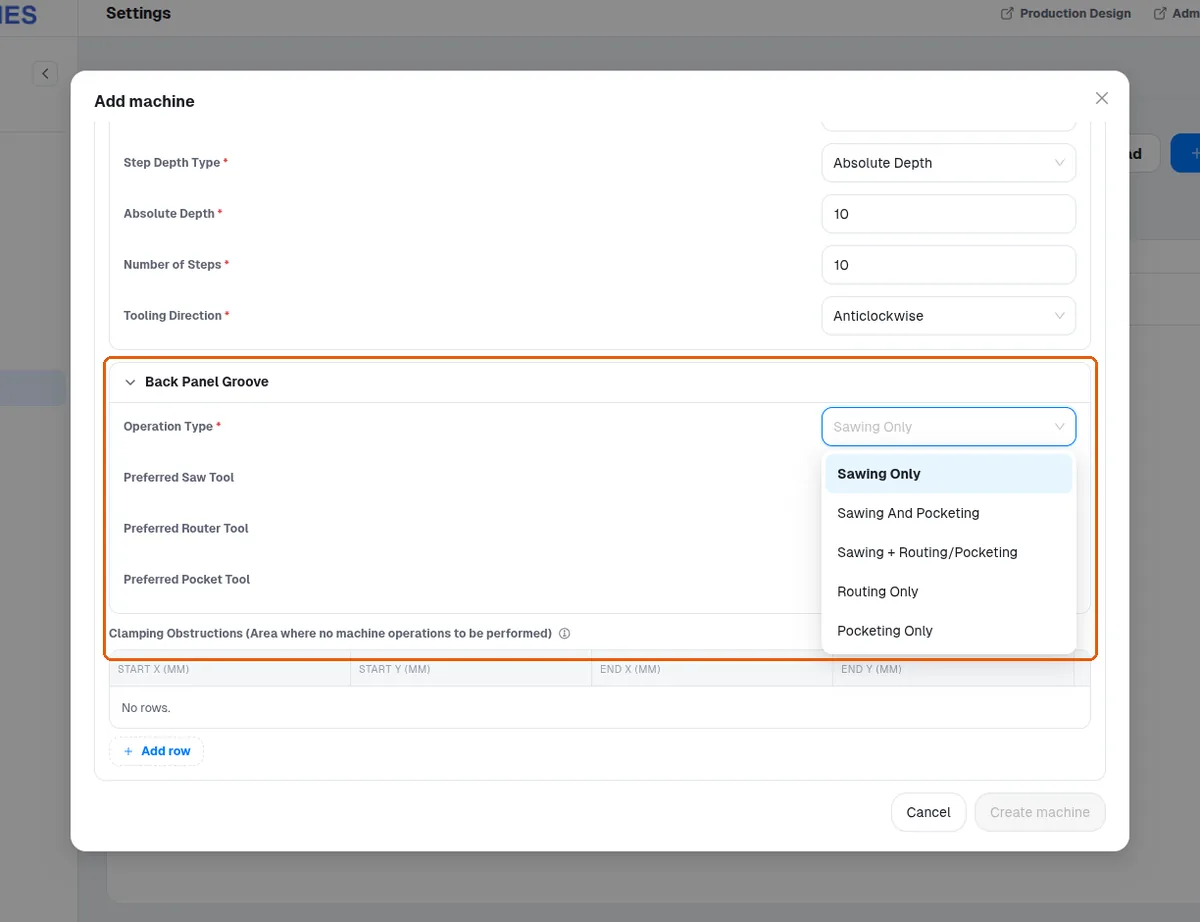
✓ تم التحقق منه في المنتج في 19 أكتوبر 2026Each machine's grooving preferences (Settings > Machines > the machine > Back Panel Groove: Operation Type — Sawing Only, Sawing And Pocketing, Sawing + Routing/Pocketing, Routing Only, Pocketing Only — and Preferred Saw / Router / Pocket Tool) select the method and the tool for back-panel grooving, so the same design can legitimately produce different groove programs on different machines. With no preferred router, routing uses the machine's router whose diameter matches the groove width (an 8 mm groove: the 8 mm router). A Preferred Router Tool no wider than the groove is used instead (a 6 mm router for an 8 mm groove); one wider than the groove is not used (with a 10 mm router preferred, an 8 mm groove is still routed with the 8 mm router). A new machine of every post-processor (Generic MPR, Homag MPR, Biesse CIX, Felder TCN, SCM XCS) starts at Sawing Only with no preferred tools.
An operation can pin a preferred face which reorders which panel face the groove is computed on.
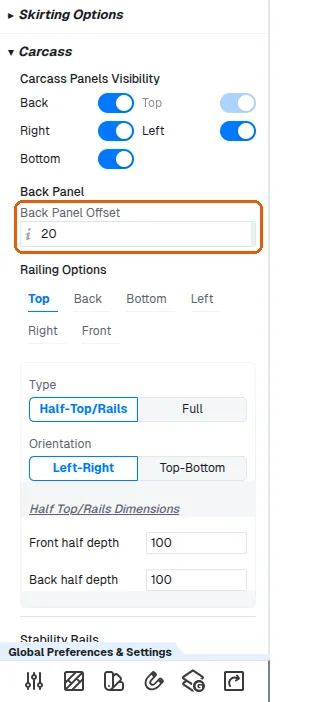
Back-panel grooving and back-panel offset are exposed as cabinet-level settings.
✓ تم التحقق منه في المنتج في 19 أكتوبر 2026Back Panel Grooving applies the groove allowance on all sides of the back panel.
✓ تم التحقق منه في المنتج في 19 أكتوبر 2026Back-panel grooving and back-panel offset can be set per cabinet or in bulk to match a manufacturer's standard.
✓ تم التحقق منه في المنتج في 19 أكتوبر 2026Grooves are shown both in the board layout and in the CNC file.
✓ تم التحقق منه في المنتج في 19 أكتوبر 2026Grooves are shown only on the panel that actually carries the groove.
✓ تم التحقق منه في المنتج في 19 أكتوبر 2026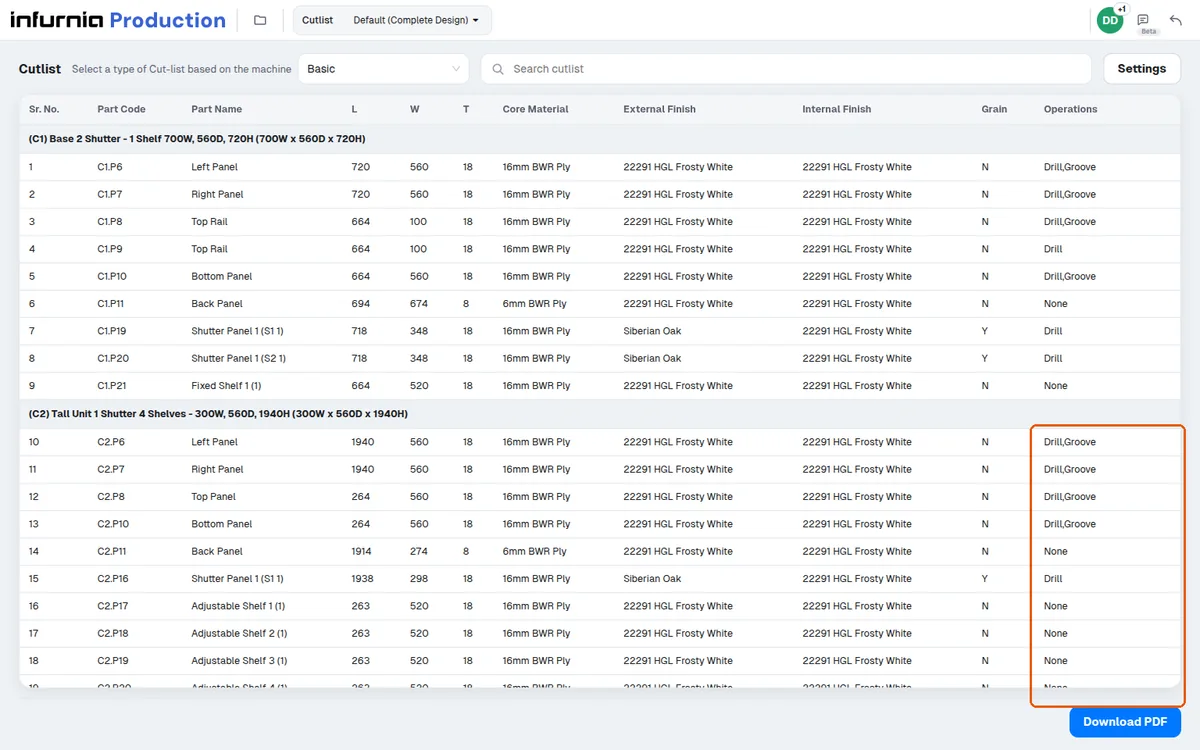
Check the carcass panel's board layout to see the groove.
✓ تم التحقق منه في المنتج في 19 أكتوبر 2026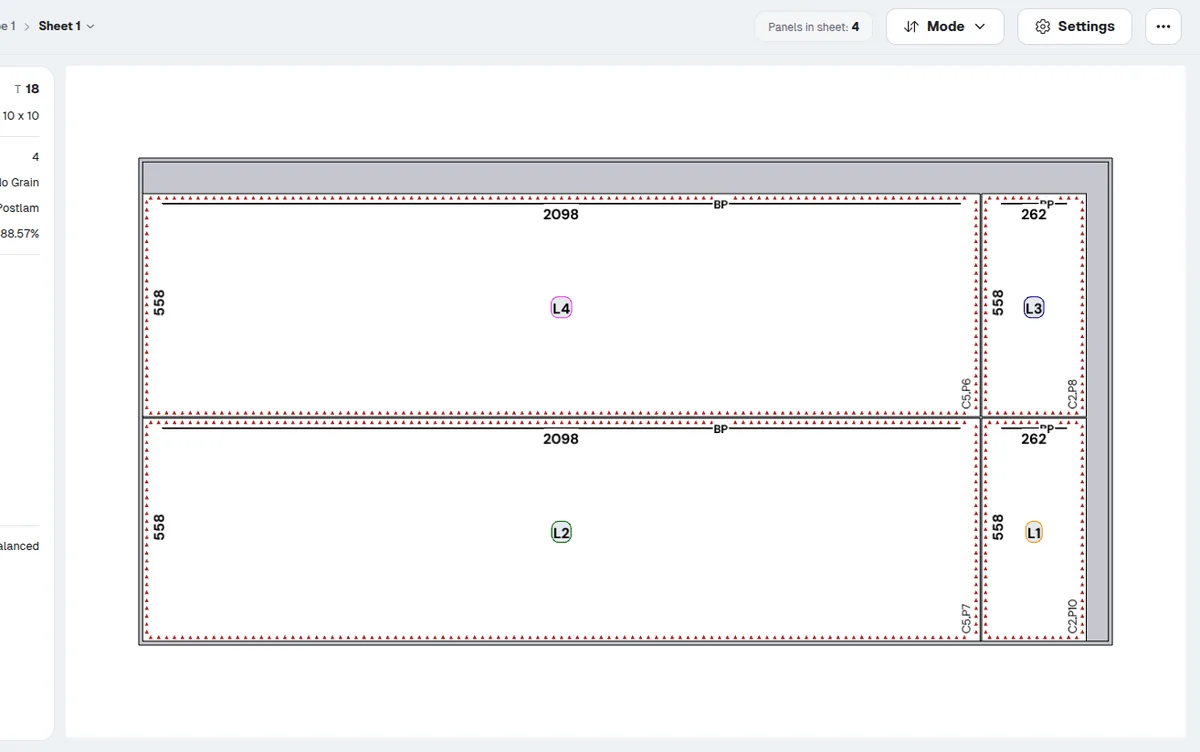
If a groove lands on the wrong face or wrong offset from the panel edge, check the back-panel construction (inset vs covering) and the back-panel offset value rather than the CAM settings.