Create dynamic text parameters with @ symbol in templates
Make template text dynamic by creating @ parameters for details like the client name, designer details or the date.
Text on a presentation template can be made dynamic by creating a parameter using the @ symbol, for example for the client name or designer details.
✓ 已于 2026年10月21日 在产品中核实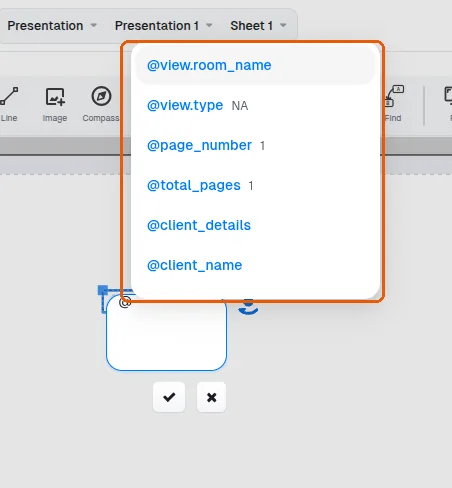
In presentation, the date is available to be set as a parameter, so it can be placed and updated dynamically within the presentation rather than typed as fixed text.
✓ 已于 2026年10月10日 在产品中核实The text height and color can also be changed.
✓ 已于 2026年10月21日 在产品中核实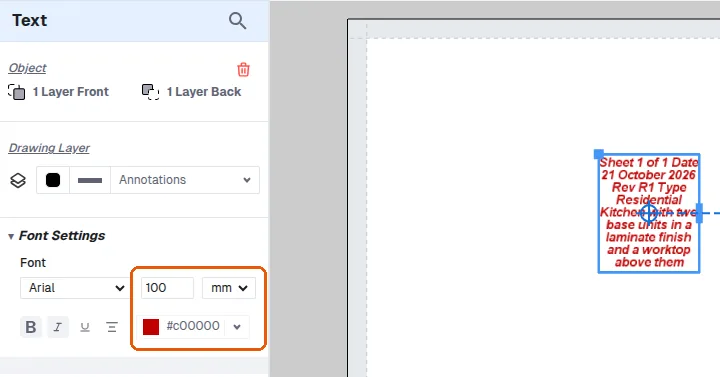
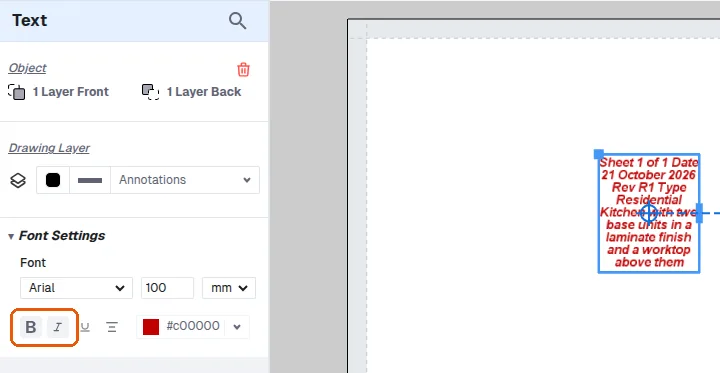
Text can be made bold or italic.
✓ 已于 2026年10月21日 在产品中核实