Open the raw materials output and download lists as CSV or PDF
Open the raw materials output from the outputs tab and download the material and hardware lists you need.
The raw materials view can be downloaded as CSV or PDF.
✓ 20 اکتوبر، 2026 کو پروڈکٹ میں جانچا گیا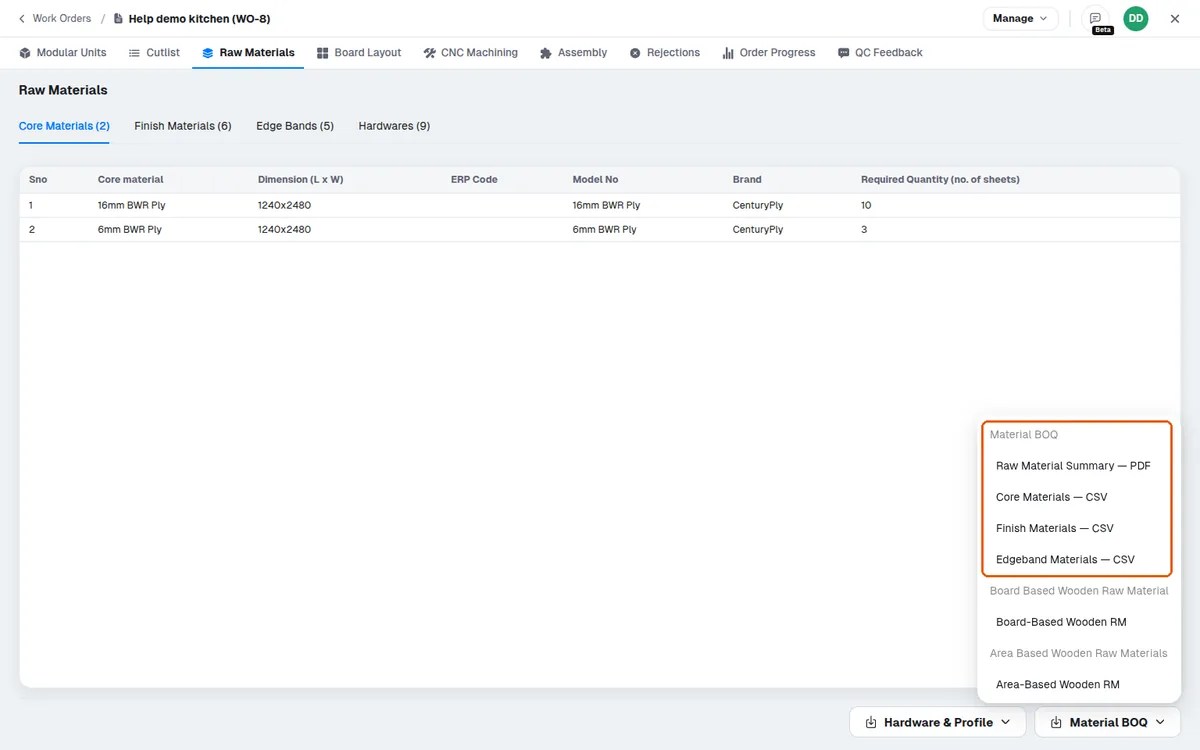
The raw material and hardware lists can be downloaded from the design portal as CSV files.
✓ 20 اکتوبر، 2026 کو پروڈکٹ میں جانچا گیاMaterial layout lists and panels by cabinet can also be viewed and exported.
The panel materials PDF and the hardware PDF are both downloaded from the Raw Materials page's download menu.
✓ 20 اکتوبر، 2026 کو پروڈکٹ میں جانچا گیاThe hardware PDF lists required hardware quantities together with the units considered.
The raw materials output is opened from the outputs tab.
The raw materials output shows the generated board layout together with the materials and quantities to procure — core material, finish materials, edgeband and hardware.
✓ 20 اکتوبر، 2026 کو پروڈکٹ میں جانچا گیا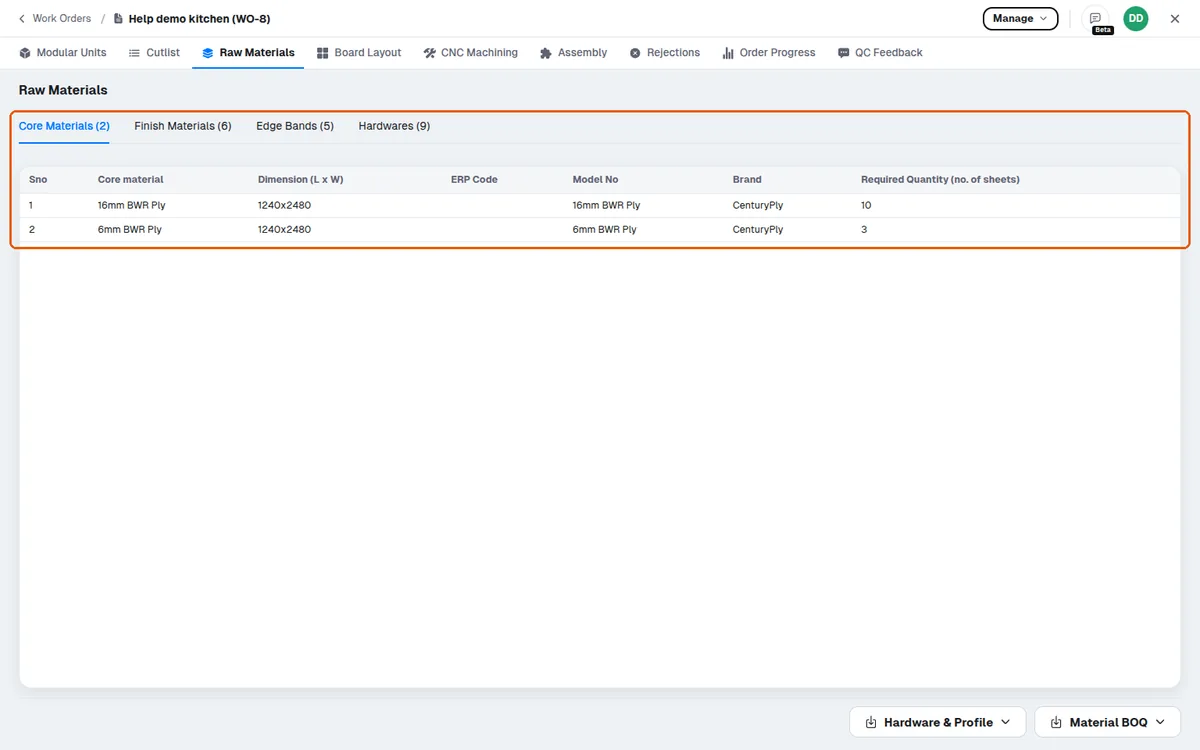
The raw material list can be downloaded as a PDF procurement list to send to vendors.
Separate lists can be downloaded for different vendors, e.g. edgeband and laminate separately.