Add a machine in MES machine settings
Add a machine by choosing its type, category and output format, then enter its name and settings.
In MES machine settings you add a machine by choosing its type (cutting or CNC), then the machine category (e.g. beam saw, panel saw, or nesting/CNC), and then the output format for that machine.
✓ 18 اکتوبر، 2026 کو پروڈکٹ میں جانچا گیا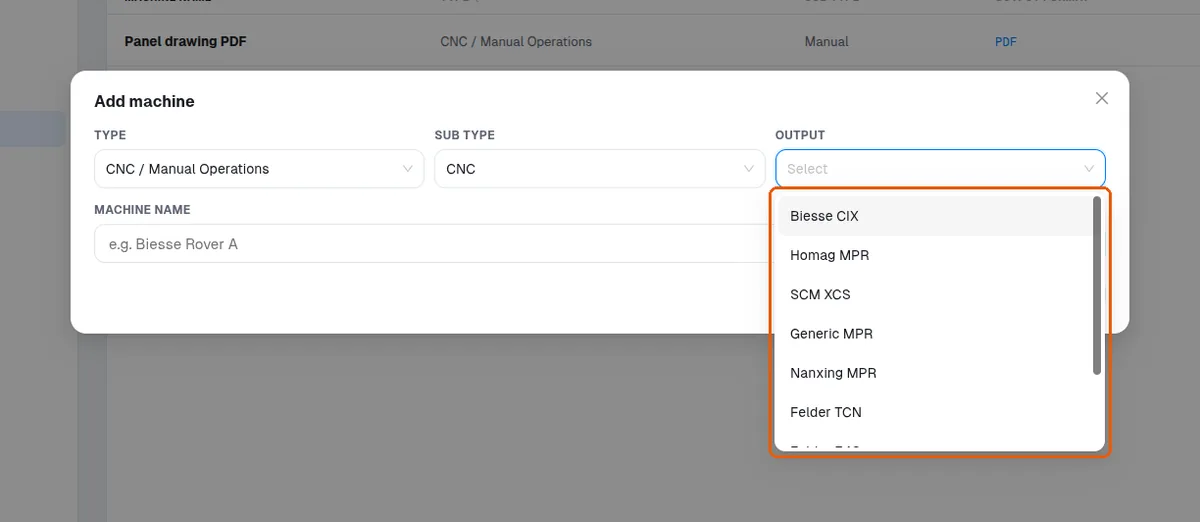
For CNC machines you also enter the machine name and settings such as separate top and bottom files and the machine file convention.
✓ 18 اکتوبر، 2026 کو پروڈکٹ میں جانچا گیا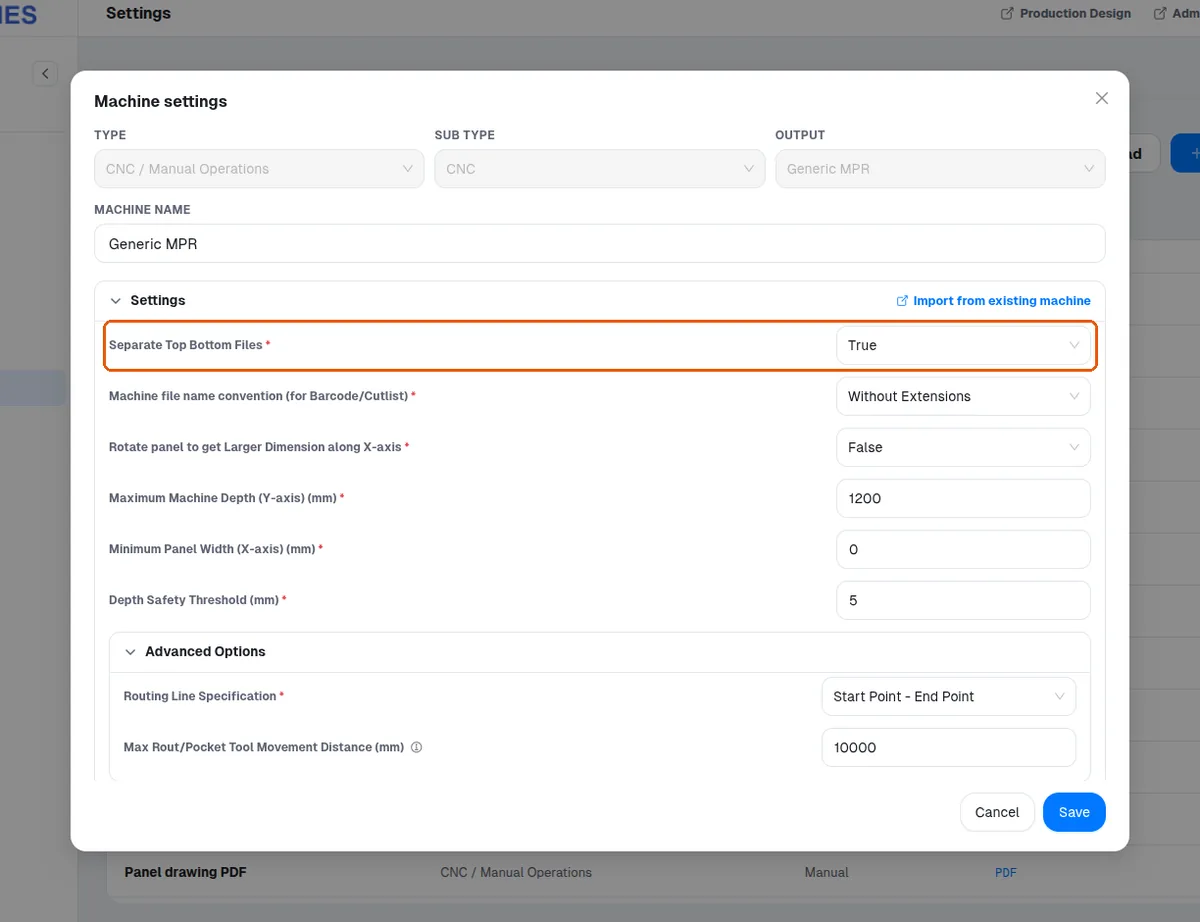
Manual machines produce PDF instruction files, so a downloaded manual file is a PDF.
✓ 18 اکتوبر، 2026 کو پروڈکٹ میں جانچا گیا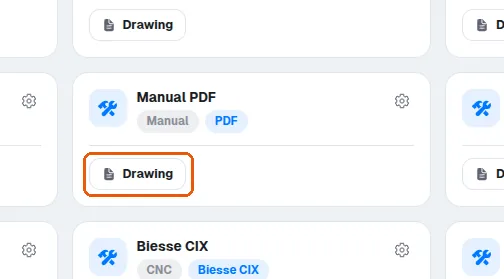
To run production on a machine, a machine set must first be added in MES machine settings.
✓ 18 اکتوبر، 2026 کو پروڈکٹ میں جانچا گیاAssembly files are separate from the downloaded manual files and are intended for on-site assembly reference.