Show Cut L and Cut W for pre-milling and edge bands
Add the Cut L and Cut W columns so the cutlist shows cutting size alongside finished size.
Two of the columns available in Cutlist Settings are Cut L and Cut W, which show the panel's cutting length and cutting width, as opposed to the finished size shown by default.
✓ 19 Ekim 2026 tarihinde üründe doğrulandı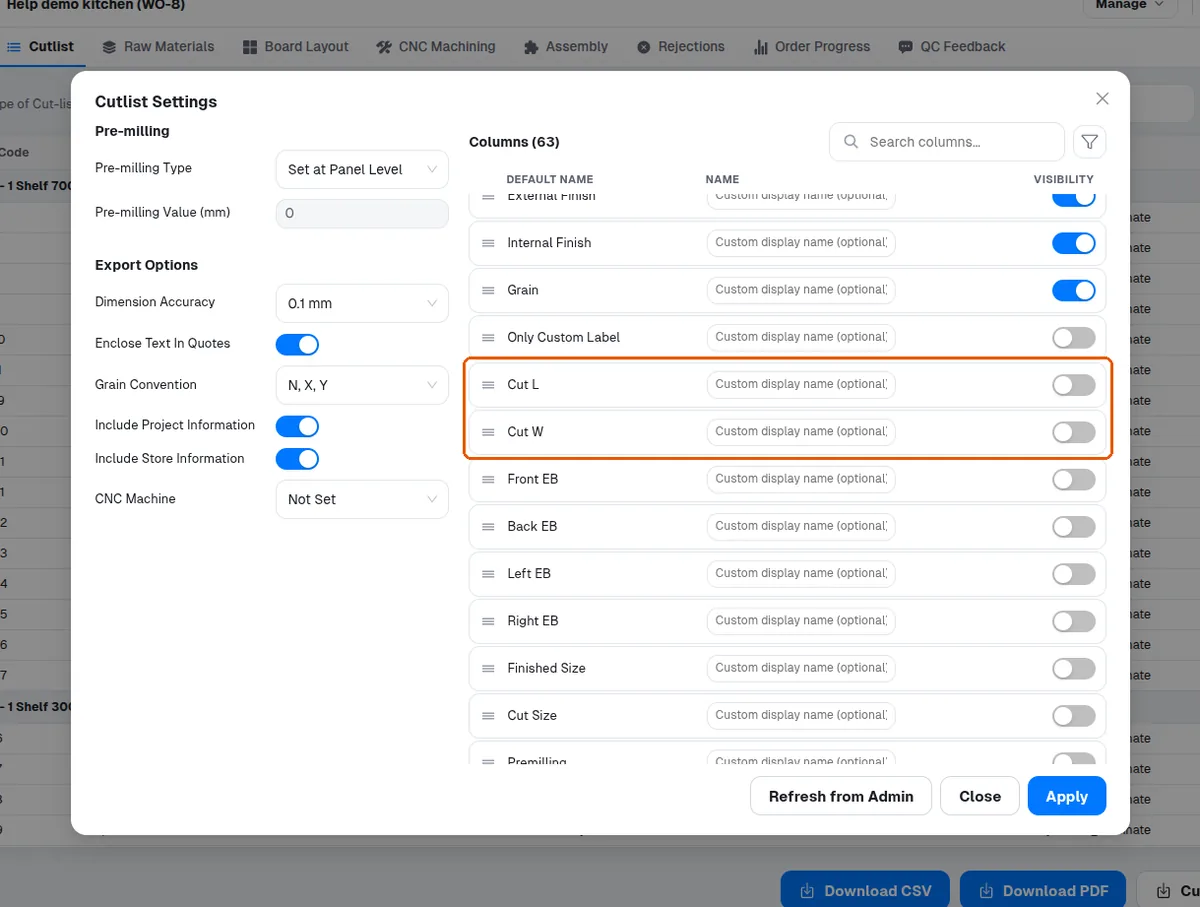
The cutlist column set includes Cut L and Cut W (the panel's cutting length and cutting width) alongside the default finished-size columns.
✓ 19 Ekim 2026 tarihinde üründe doğrulandıThe cutting length and cutting width are separate Cut L and Cut W columns that are switched on in Cutlist Settings.
✓ 19 Ekim 2026 tarihinde üründe doğrulandı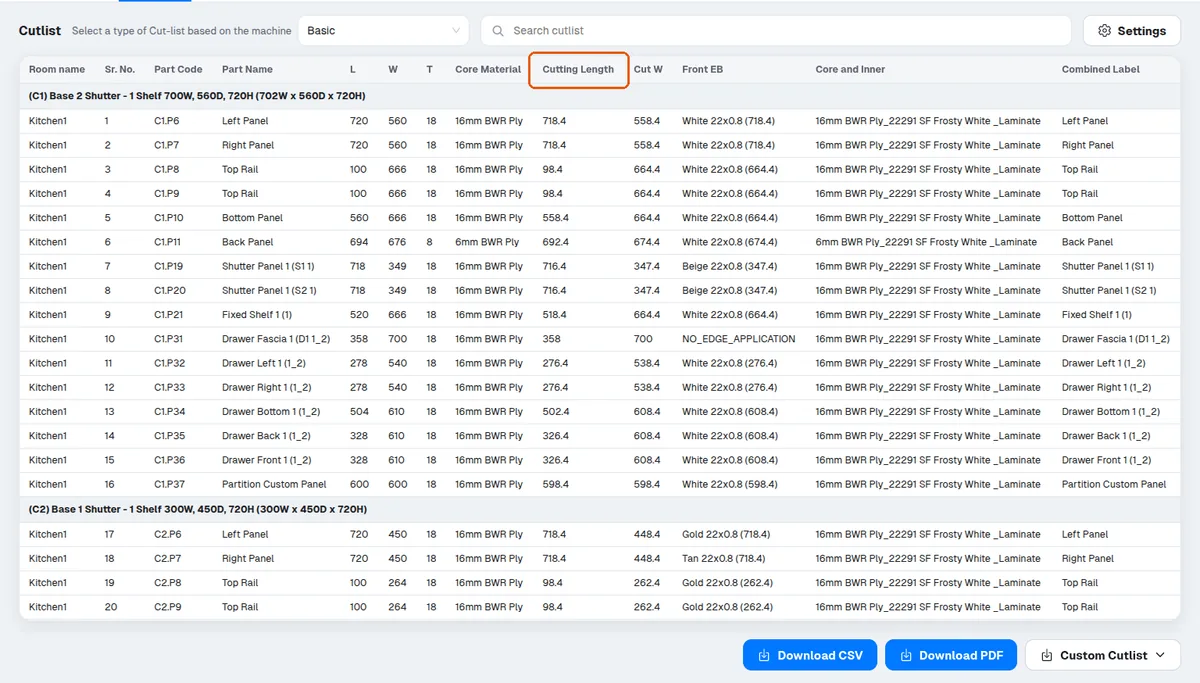
Cut Length and Cut Width are not only for pre-milling: on an edge-banded panel they are smaller than the finished size by the edge band thickness, even with no pre-milling (with 0.8 mm bands on all four edges, a 720 x 560 panel is cut 718.4 x 558.4). A panel with no edge band and no pre-milling has the same cut and finished size.
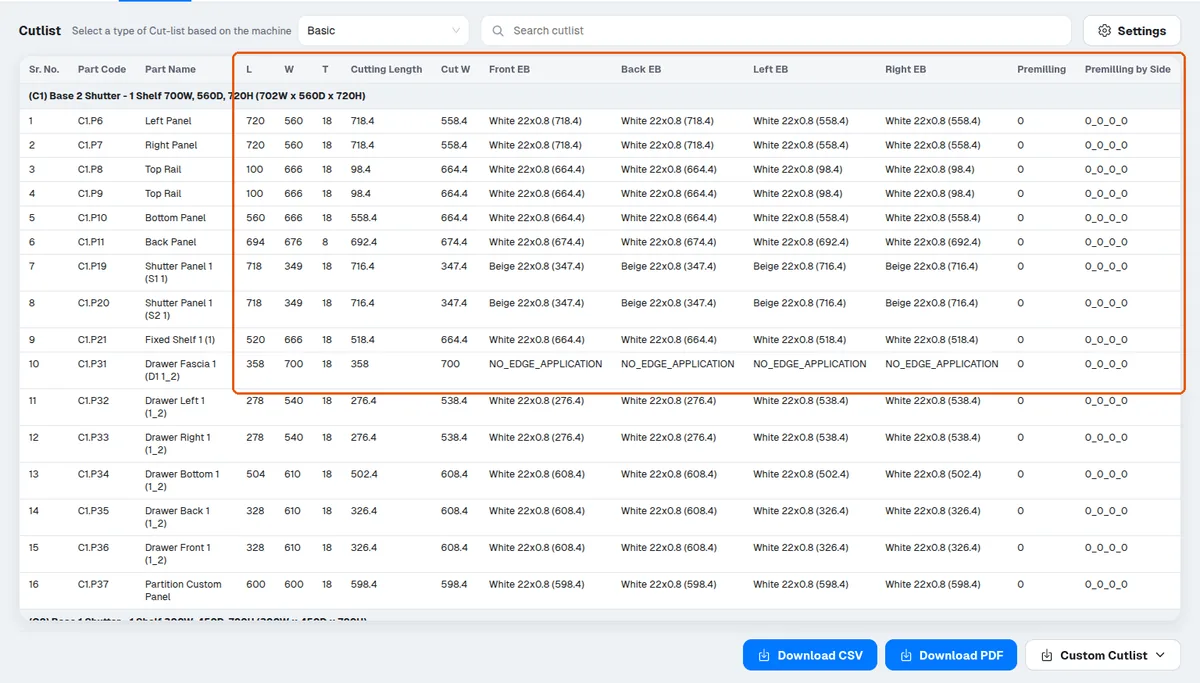
The edge-band thickness that reduces a panel's cut size is the thickness stored on the edge-band SKU assigned to the panel, so a copied edge-band SKU keeps the original thickness unless it is changed on the SKU itself.
If pre-milling is not required, Cut Length and Cut Width can be turned off in Cutlist Settings so they do not appear in the output.
✓ 19 Ekim 2026 tarihinde üründe doğrulandı