Set up a CNC machine with its machine type and settings
Use the Add Machine option and fill in the machine type and the settings the setup stores per machine.
To set up a CNC machine, use the Add Machine option and fill in the machine details; the setup is stored per machine.
✓ 18 Ekim 2026 tarihinde üründe doğrulandı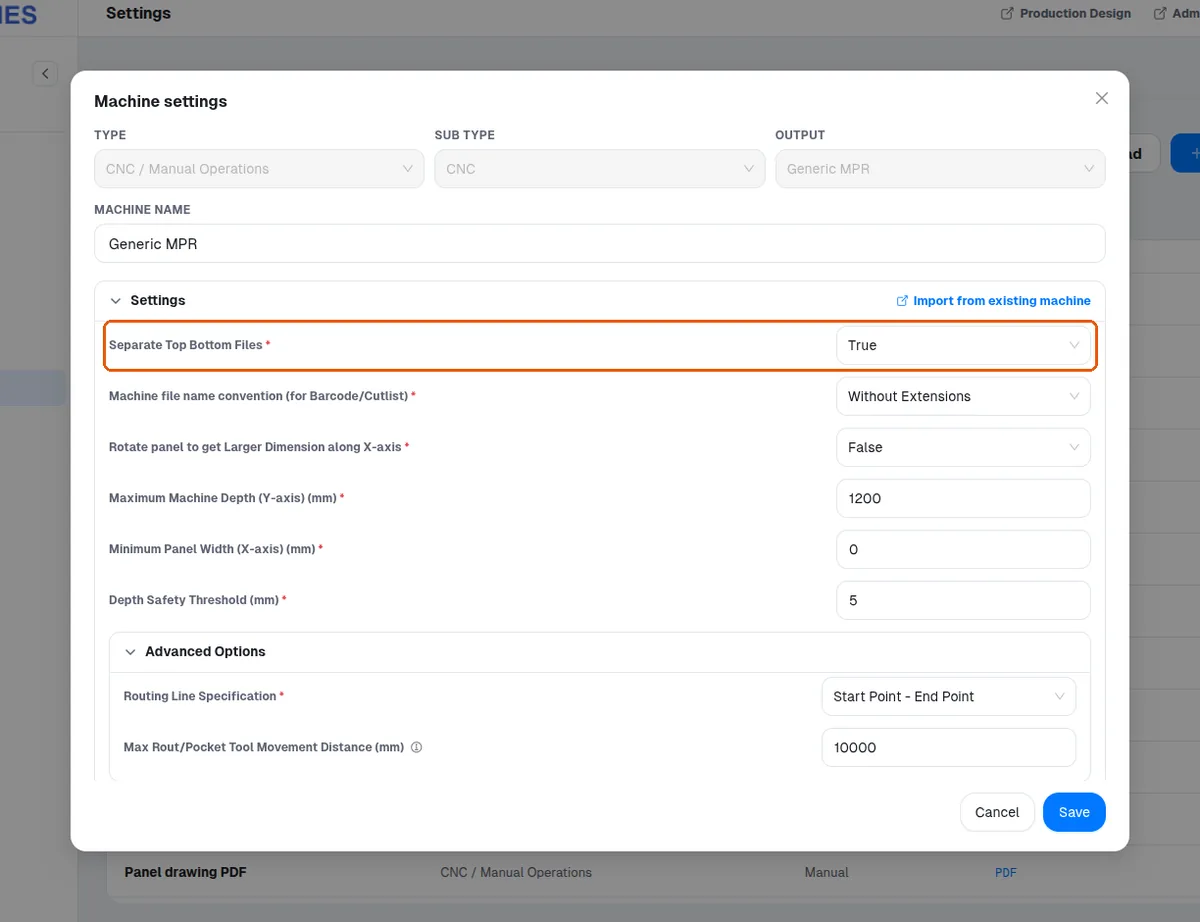
When adding a CNC machine you also specify the machine type, which records whether drilling happens on both top and bottom and whether the machine has four edgeband faces or five faces (top and sides).
When adding a generic MPR CNC machine, the settings screen also exposes separate top and bottom files.
✓ 18 Ekim 2026 tarihinde üründe doğrulandıWhen adding a generic MPR CNC machine, the settings screen also exposes panel rotation.
✓ 18 Ekim 2026 tarihinde üründe doğrulandı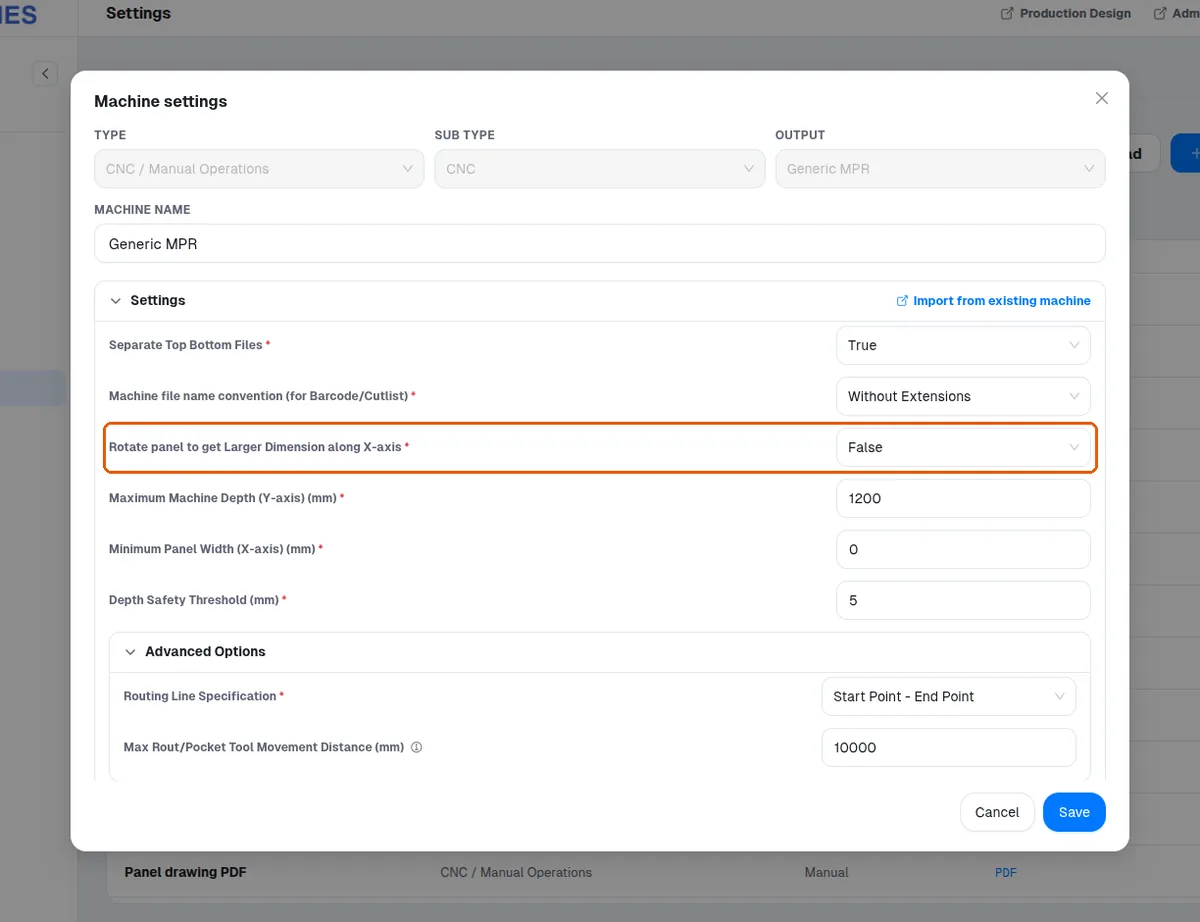
When adding a generic MPR CNC machine, the settings screen also exposes the depth safety threshold.
✓ 18 Ekim 2026 tarihinde üründe doğrulandı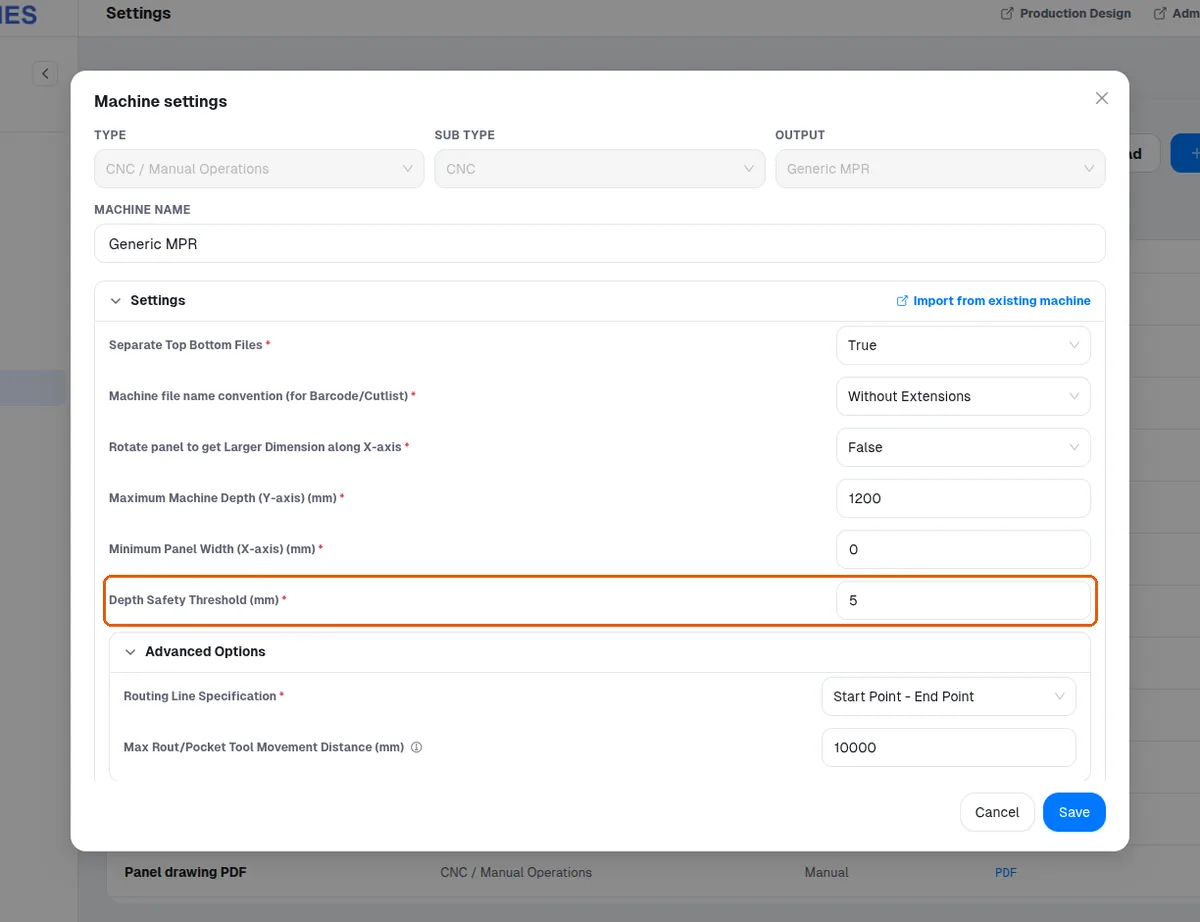
When adding a generic MPR CNC machine, the settings screen also exposes the tool name and routing tool diameter.
✓ 18 Ekim 2026 tarihinde üründe doğrulandı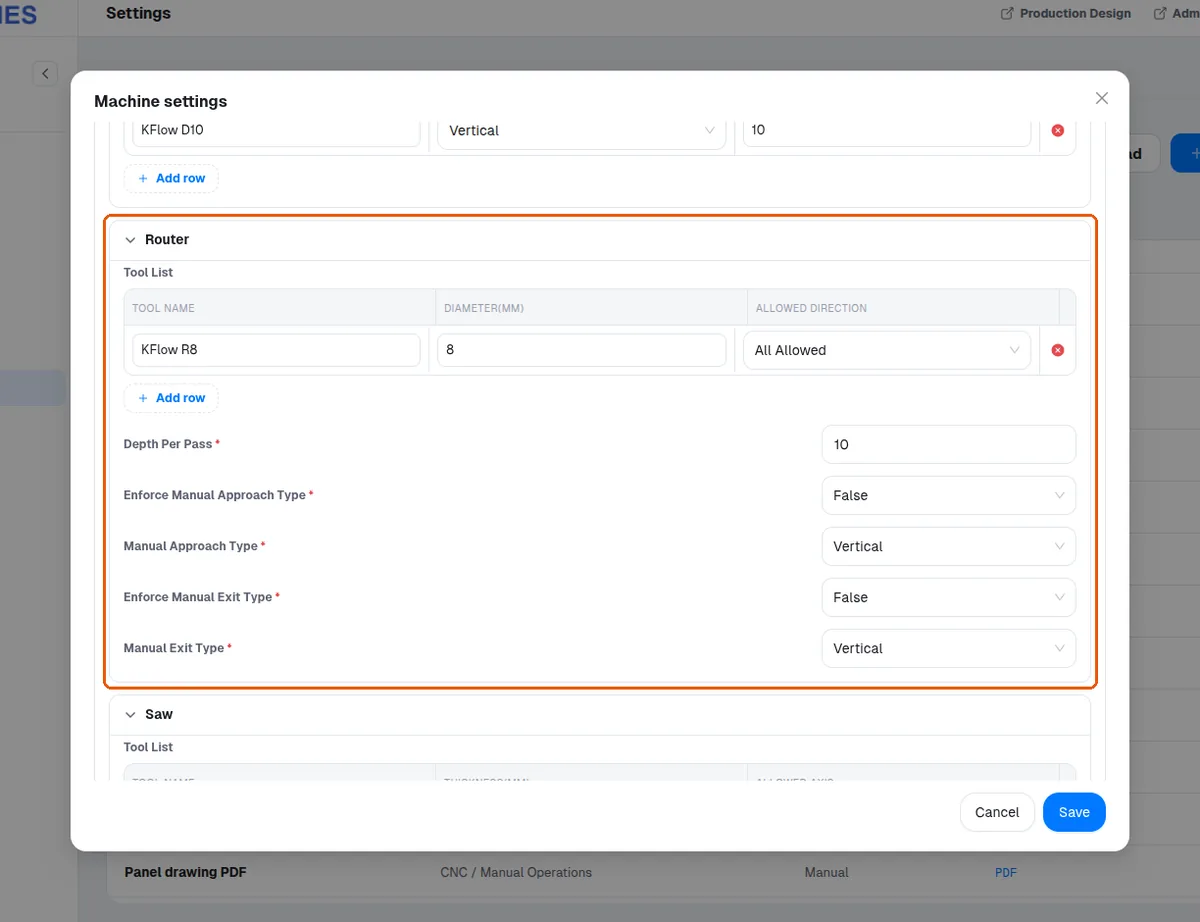
When adding a generic MPR CNC machine, the settings screen also exposes ATC tool mapping (tool number and diameter).
When adding a generic MPR CNC machine, the settings screen also exposes the machine axis maxima (X/Y).
The machine settings also include a machine file name convention for barcode/cutlist files, which defaults to 'Without Extensions' and can be switched to 'With Extensions' if a machine requires it.
✓ 18 Ekim 2026 tarihinde üründe doğrulandı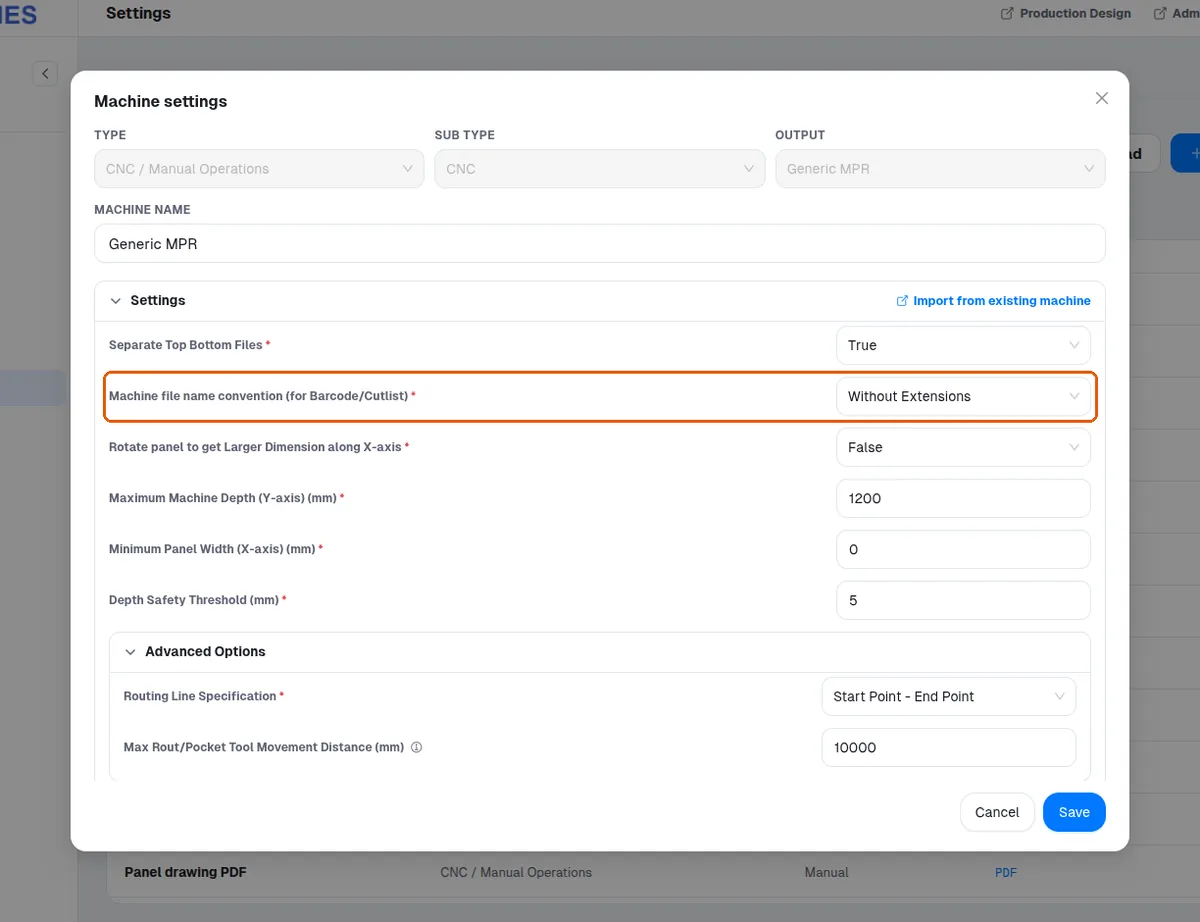
When adding a CNC machine you pick the ma