Turn on auto-generated dimensions for presentation sheets
Control auto-generated dimensions per sheet type inside an auto-presentation template so each sheet prints with the dimensions you want.
Auto-generated dimensions are controlled per sheet type inside an auto-presentation template.
✓ 21 Ekim 2026 tarihinde üründe doğrulandı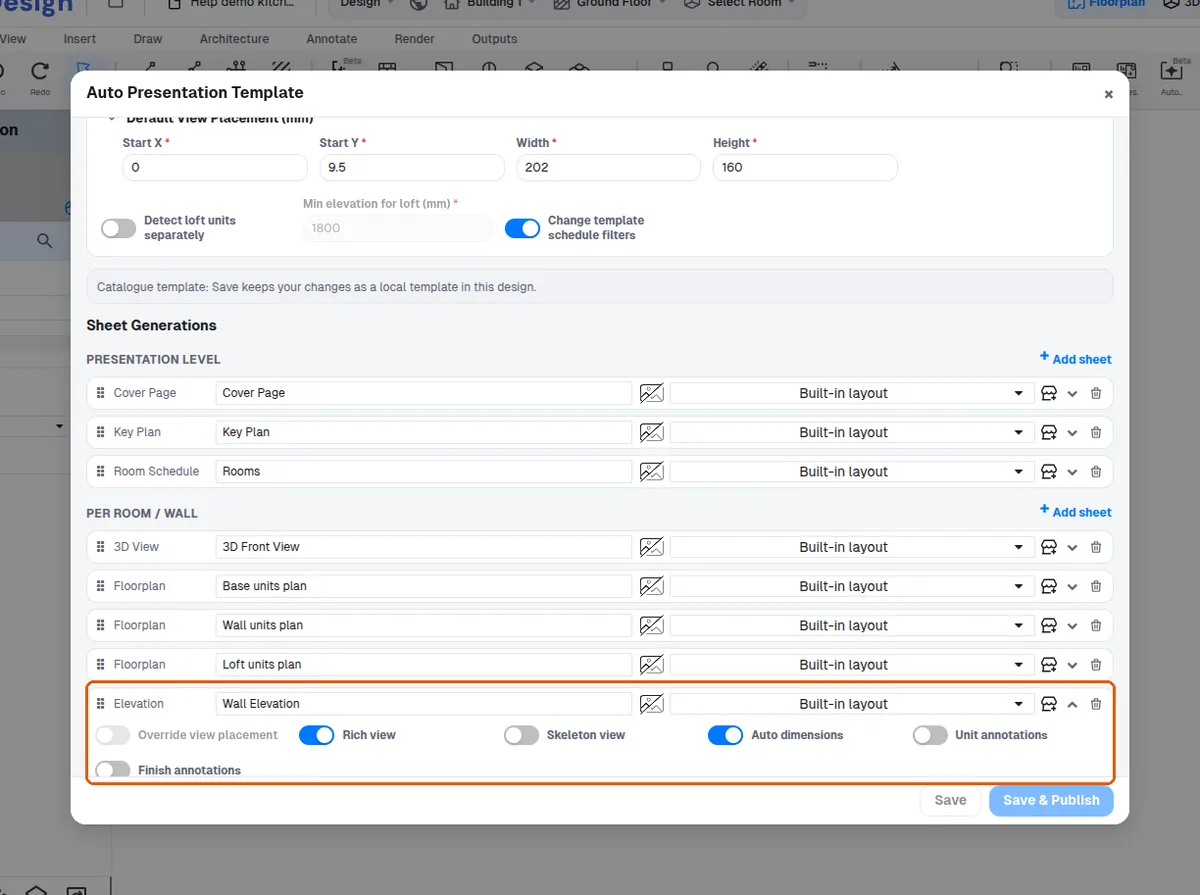
Open "Preferences" from the left menu, then go to "Presentation" → "Auto Presentation" → "Manage Templates".
✓ 21 Ekim 2026 tarihinde üründe doğrulandı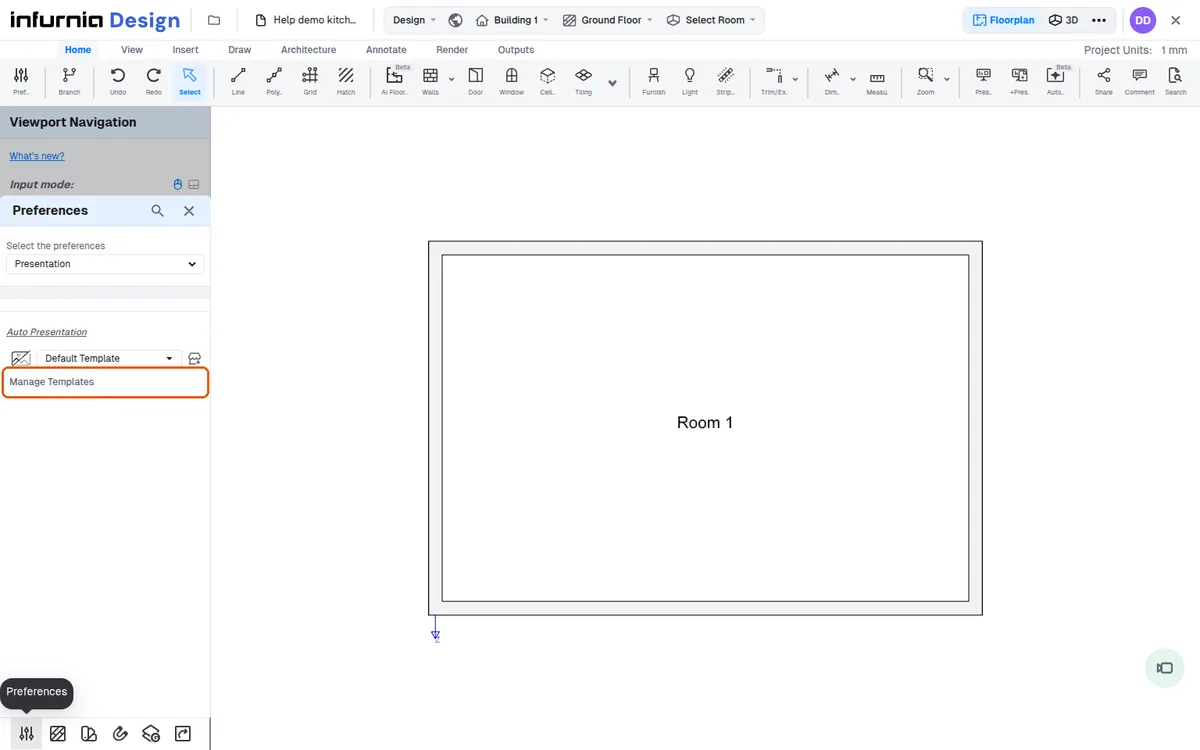
In the template form, find the "Sheet Generations" list. Each sheet type has its own settings.
✓ 21 Ekim 2026 tarihinde üründe doğrulandı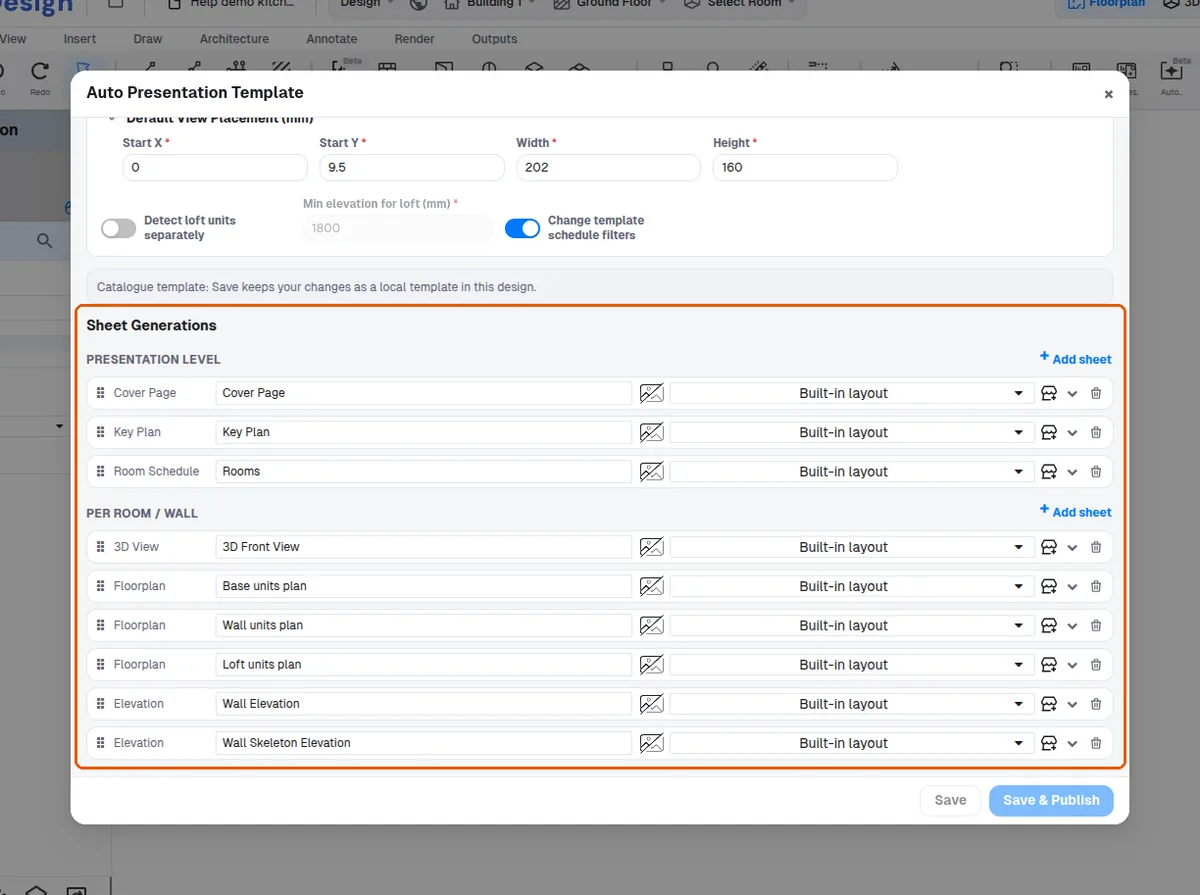
For "Key Plan", turn on "Auto dimensions" (on by default).
✓ 21 Ekim 2026 tarihinde üründe doğrulandı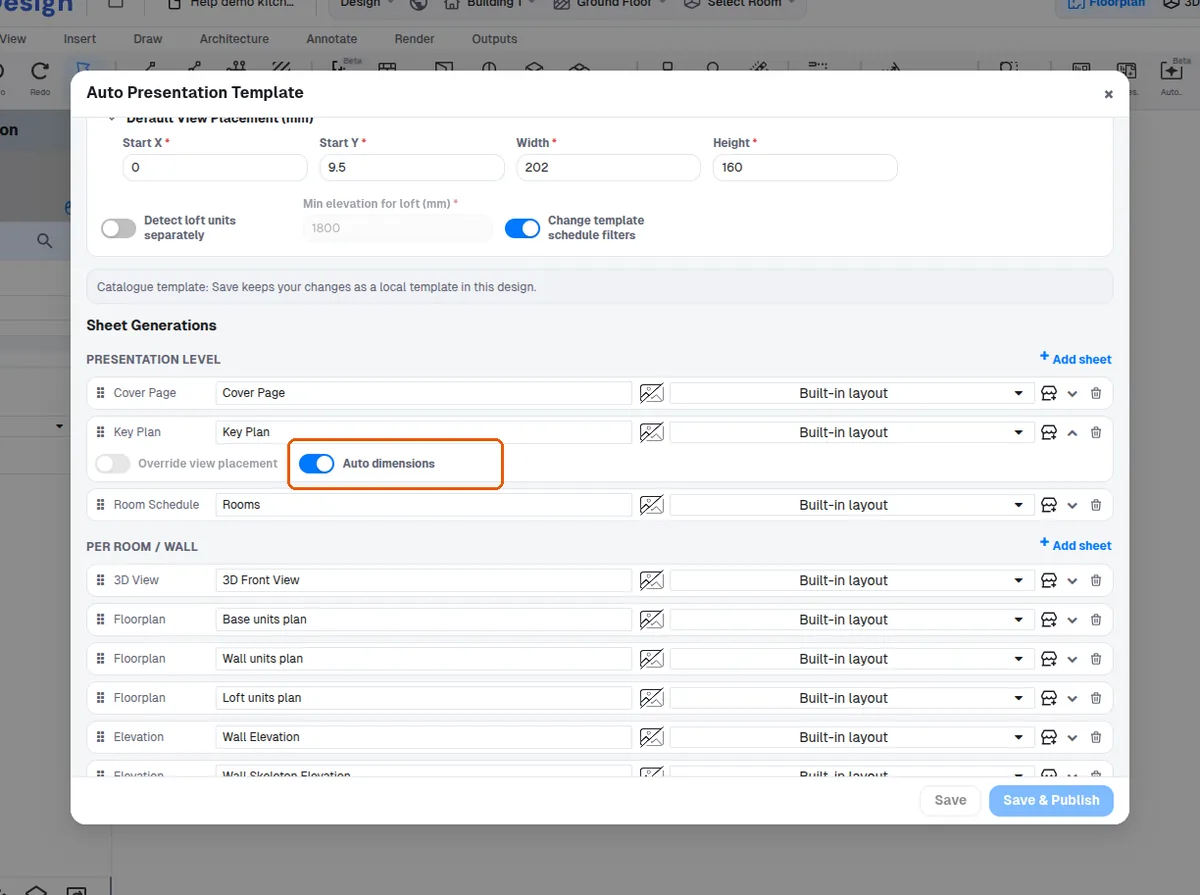
For "Floorplan", turn on "Auto dimensions" (off by default).
✓ 21 Ekim 2026 tarihinde üründe doğrulandı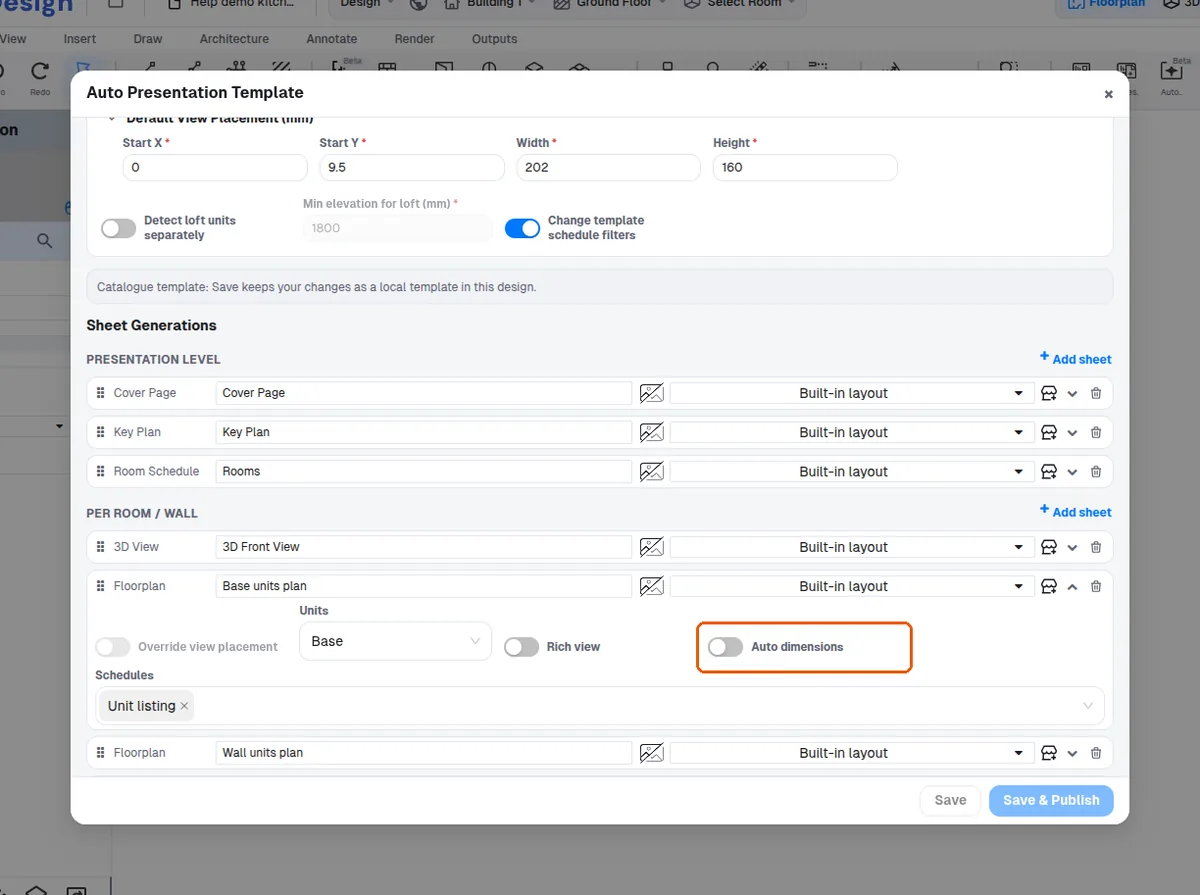
For "Elevation", turn on "Auto dimensions" (on by default).
✓ 21 Ekim 2026 tarihinde üründe doğrulandı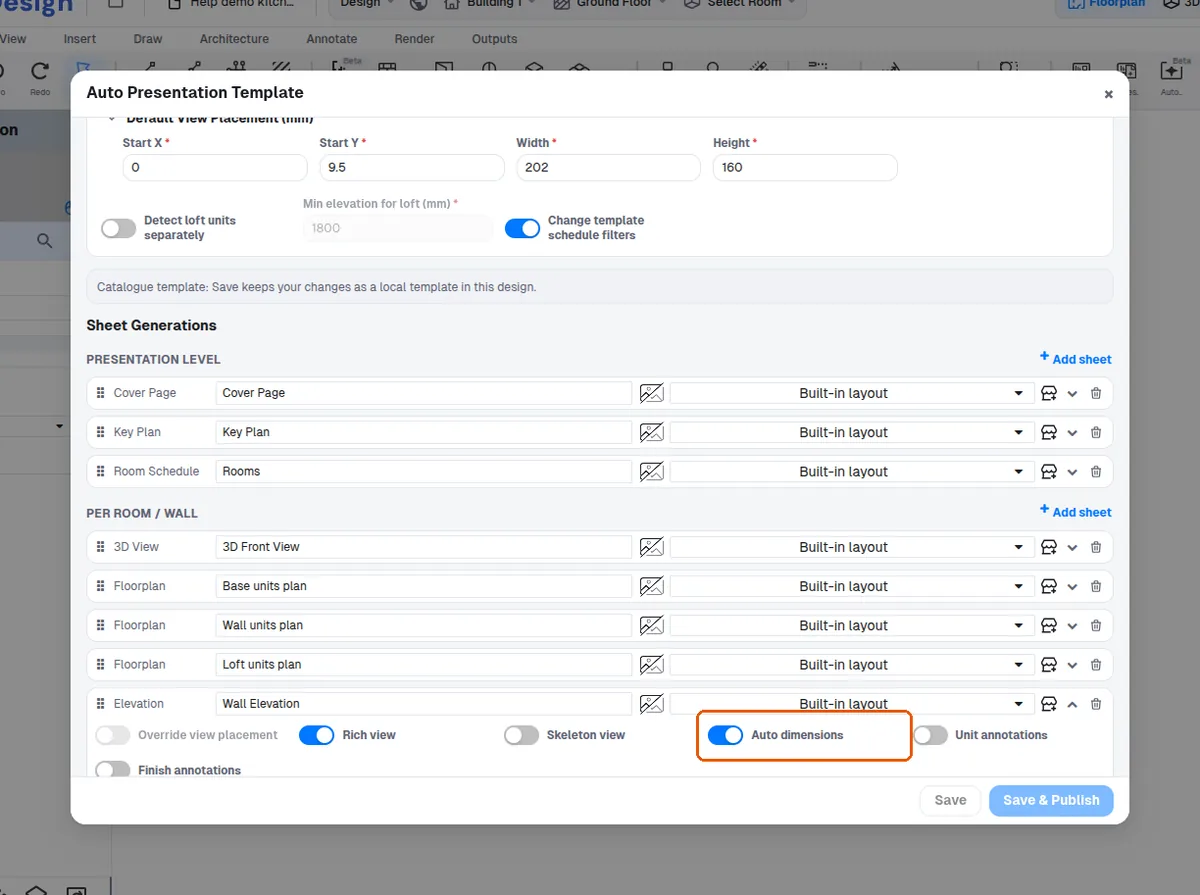
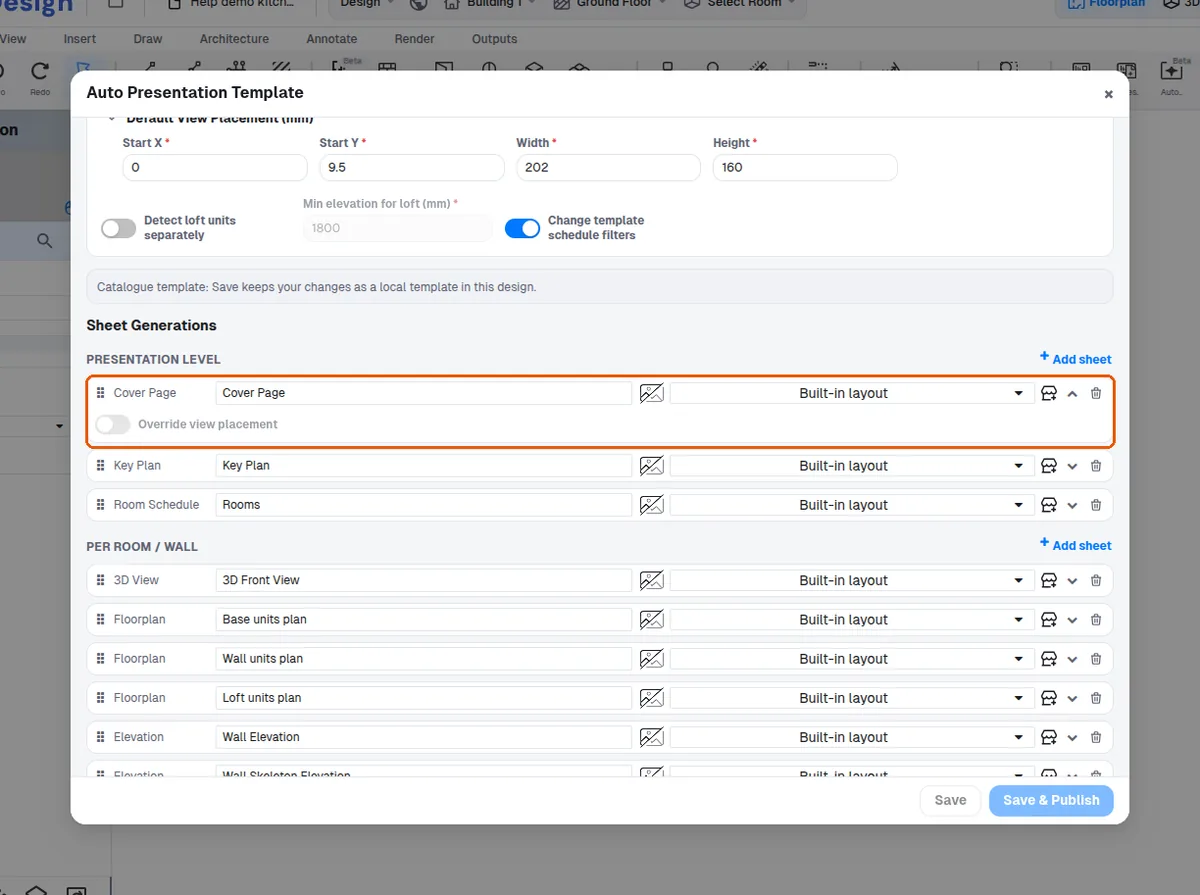
Sheet types such as "Cover Page", "Ceiling Plan", "Room Schedule" and "3D View" have no "Auto dimensions" setting.
✓ 21 Ekim 2026 tarihinde üründe doğrulandı