Show base, wall and loft units on separate plans
Give each bucket its own plan by hiding the other buckets per view, then dimension and lock the view.
A view can be set to display one bucket's layer while common elements such as walls remain visible across views.
✓ 22 Ekim 2026 tarihinde üründe doğrulandı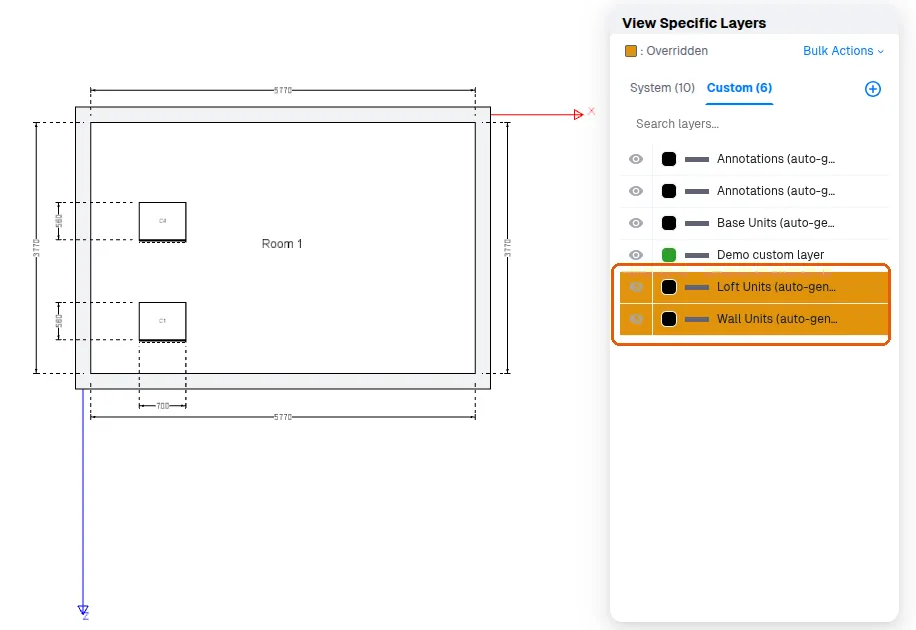
To show base, wall and loft units on separate floor plans, use the per-view "View Specific Layers" control to hide the buckets not needed in that view (rather than global layer settings).
Then add auto dimensioning to the visible bucket.
Then delete unneeded dimensions, and lock the view.