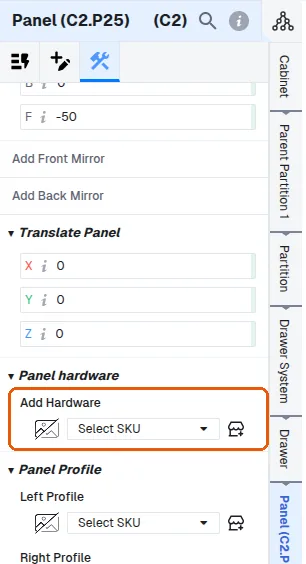
Add locks, grills and other fittings with Panel Hardware
Add fittings such as locks, ventilation grills, stiffeners and hooks to a selected panel through Panel Hardware instead of separate commands.
Hardware such as locks, ventilation grills, stiffeners, wire managers, hooks, tower bolts, detergent holders and gas cylinder stands are added through Panel Hardware rather than as separate commands.
You select the panel, open Panel Hardware and pick the required fitting from the list.
To place hardware such as a lock or locker on an internal drawer fascia, work at panel level: select the panel, then open Panel > Construction > Panel Hardware, and add the hardware there.
✓ 21 Ekim 2026 tarihinde üründe doğrulandı