Set internal finishes and single-face finishes
Use Prelam Internal for glass-fronted units and set the prelam option to the opposite side to finish only one face.
To set the internal finish, open the SKU properties and set the lamination type to 'Prelam Internal' on the Lamination Type tab; this is useful for glass-fronted units where the external finish is visible but the internal finish has many varieties.
✓ 20 Ekim 2026 tarihinde üründe doğrulandı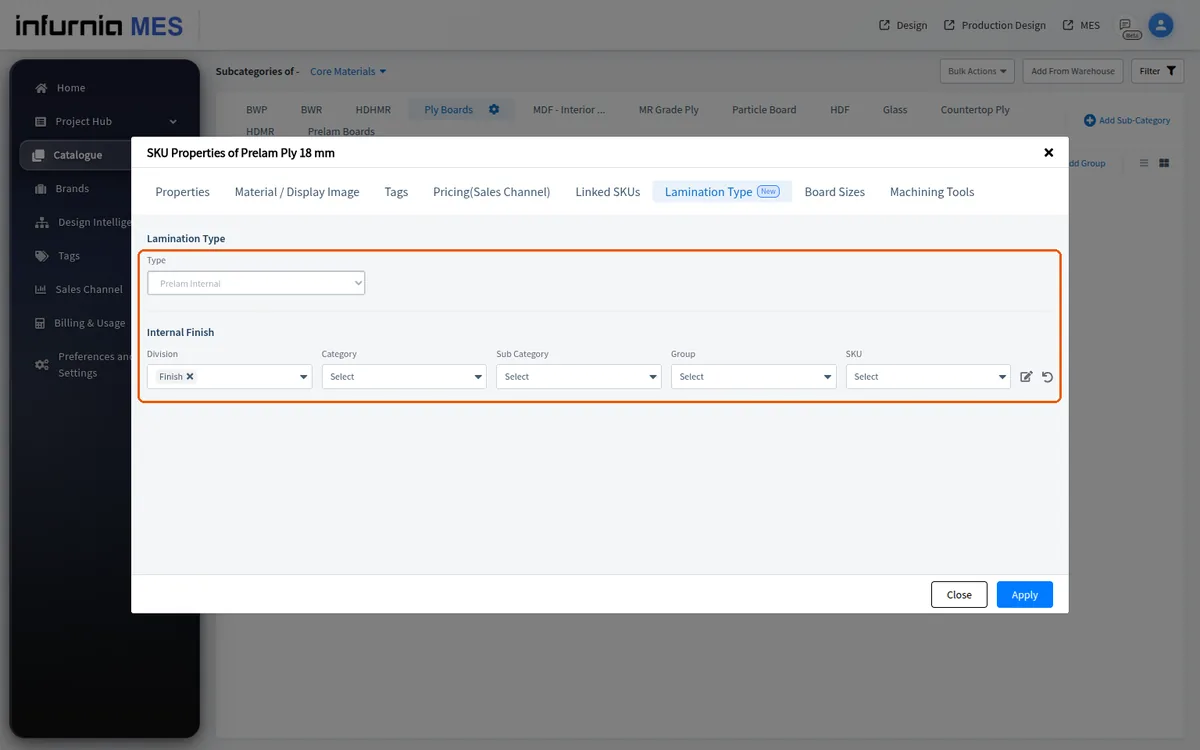
To have a finish calculated on only one side of a panel, set the prelam option to the opposite side and link the finish on the side that is not pre-laminated — for example, set Prelam External and link the external finish so the internal raw side carries the fabric finish; if the prelam option is set to the wrong side, the material procurement quantity will not change.
The internal and external finishes are chosen independently, so a board can be given a finish on only one face.
✓ 20 Ekim 2026 tarihinde üründe doğrulandı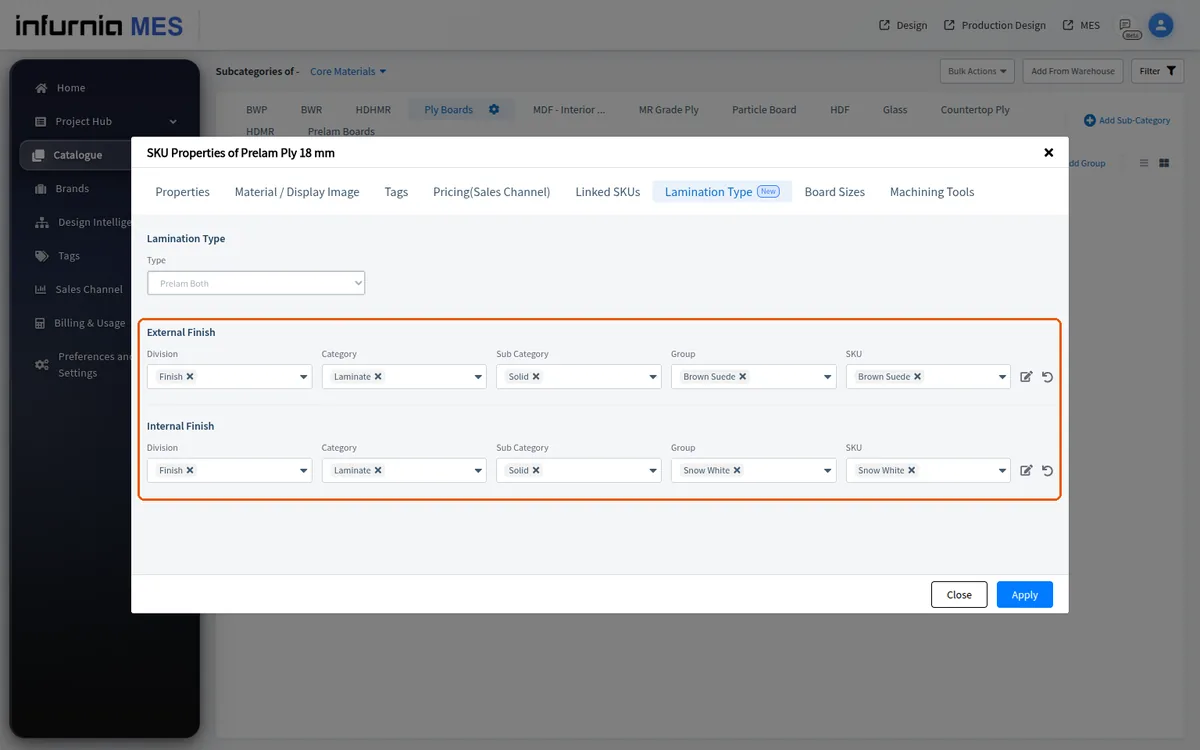
A board can be given a finish on only one face suits boards supplied finished on one side only, where the other face is painted or finished on site.