Fix a disabled wall tool when drawing walls
Switch to the floor level and 2D floor plan so the wall tool becomes available again.
The wall tool is disabled while you are inside the room level (and at building level or in 3D/elevation views); switch to the 2D floor plan to draw walls.
✓ 19 அக்டோபர், 2026 அன்று தயாரிப்பில் சரிபார்க்கப்பட்டது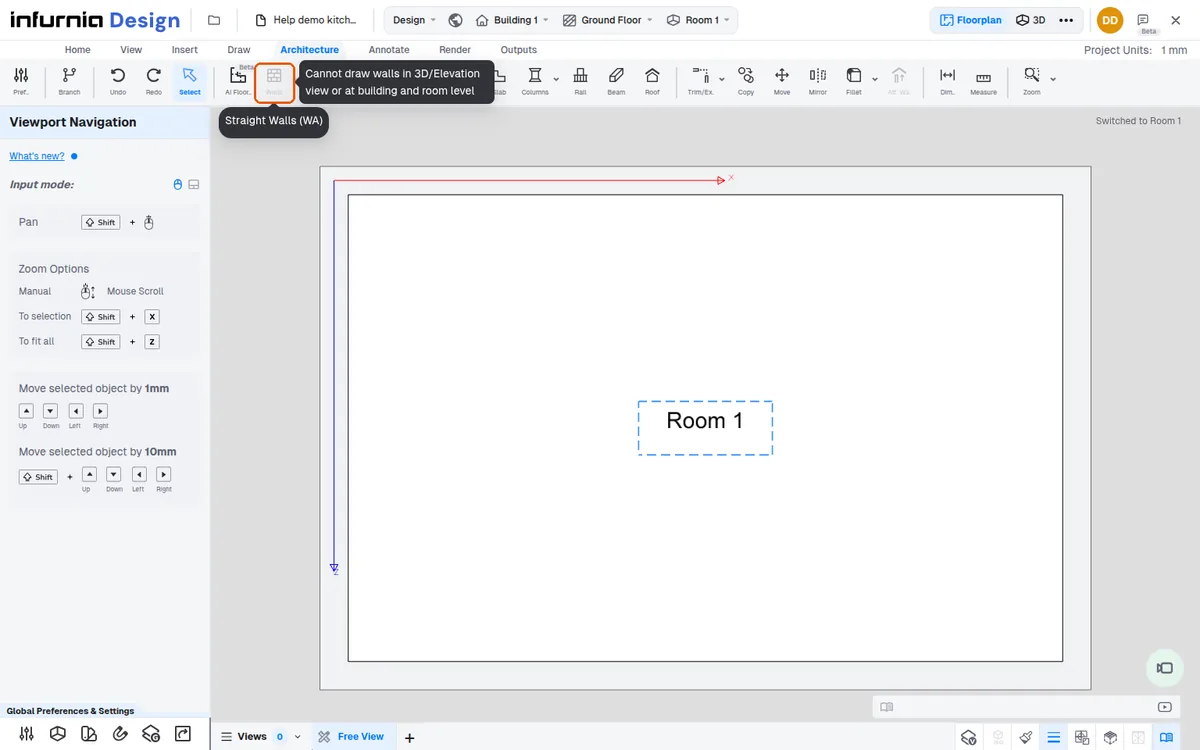
Drawing tools (the Draw tab) are unavailable in 3D mode and show the prompt to enter floorplan mode.
✓ 19 அக்டோபர், 2026 அன்று தயாரிப்பில் சரிபார்க்கப்பட்டது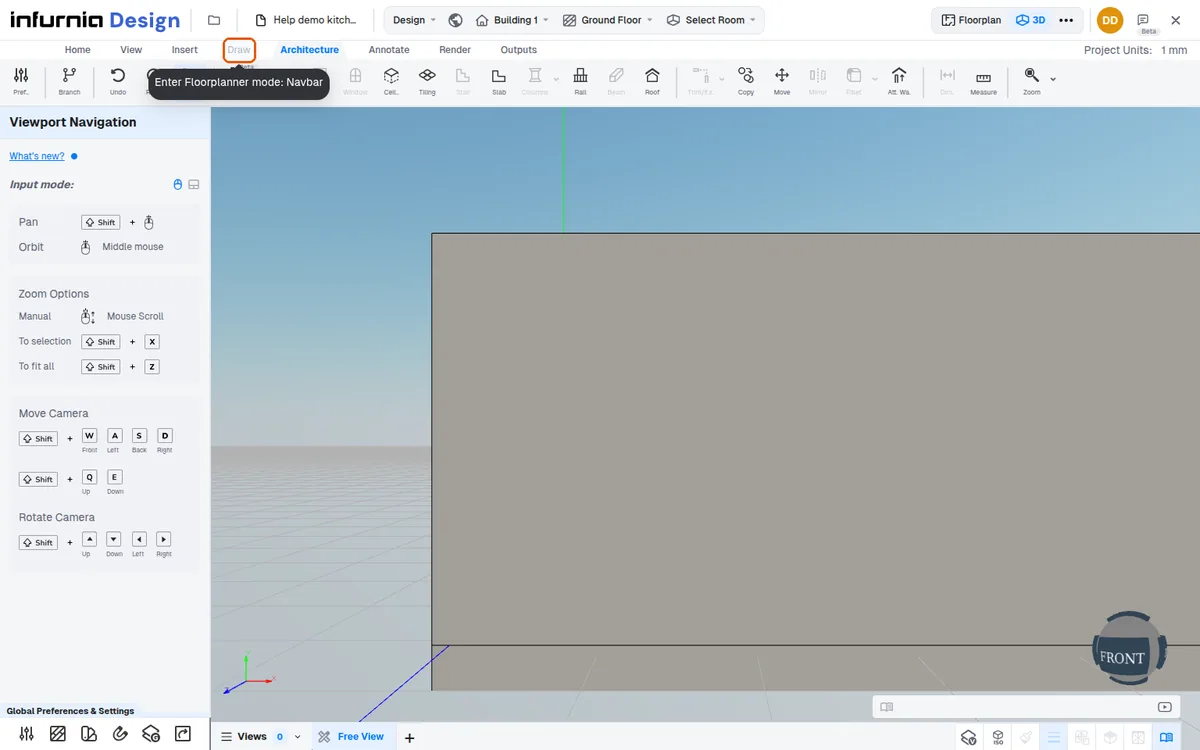
In the 3D view the Architecture tab's Walls, Door and Window tools are disabled ('Cannot draw walls in 3D/Elevation view or at building and room level, switch to floorplan'); they are drawn in the floor plan. Ceiling, Tiling, Slab, Rail and Roof stay available in 3D.
Switch to the 2D floor plan to use drawing tools.
The wall tool is blocked because of the active level, not the view: even if the canvas looks like a floor plan, walls cannot be created while a room (or building) is the active level.
✓ 19 அக்டோபர், 2026 அன்று தயாரிப்பில் சரிபார்க்கப்பட்டதுSwitch to the floor level first, then activate the wall tool.