Create MES users and stations with the right roles and types
Set up MES admins, MES operators and stations so tracking access can be assigned correctly.
Managing MES users and mapping stations requires the MES admin role.
Only MES admins can add or edit stations and their operators.
When creating the station, set its Station Type to Panel Cutting (the name can be anything, e.g. 'Panel Cutting').
✓ Проверено в продукте 20 октября 2026 г.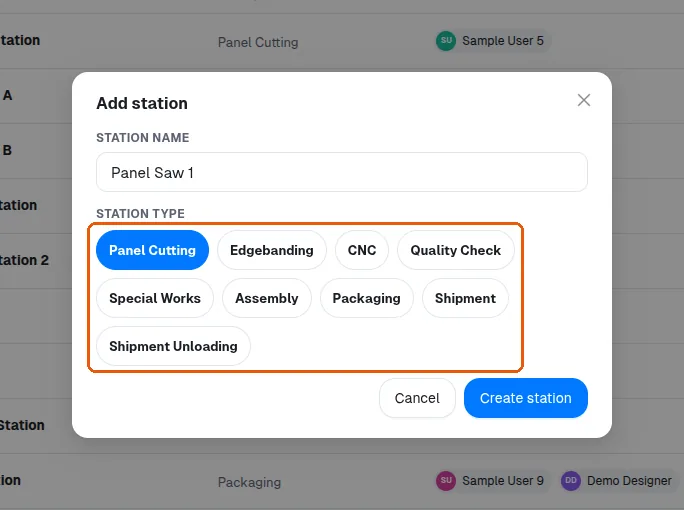
The type is chosen at creation and cannot be changed afterwards.
✓ Проверено в продукте 20 октября 2026 г.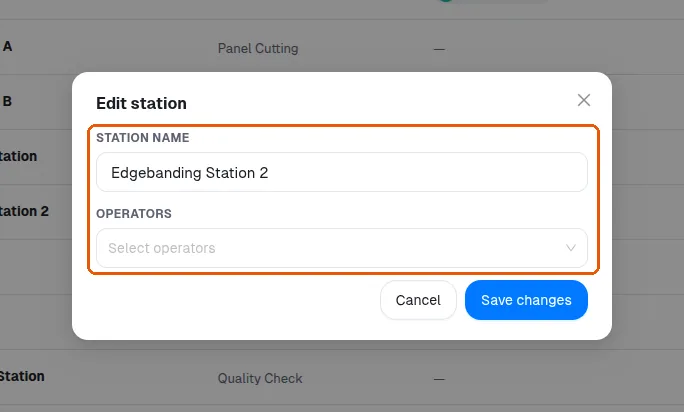
MES operators are added from the admin portal's Manage Users area by creating a user with their name and email ID and setting the access level to MES Operator.
✓ Проверено в продукте 20 октября 2026 г.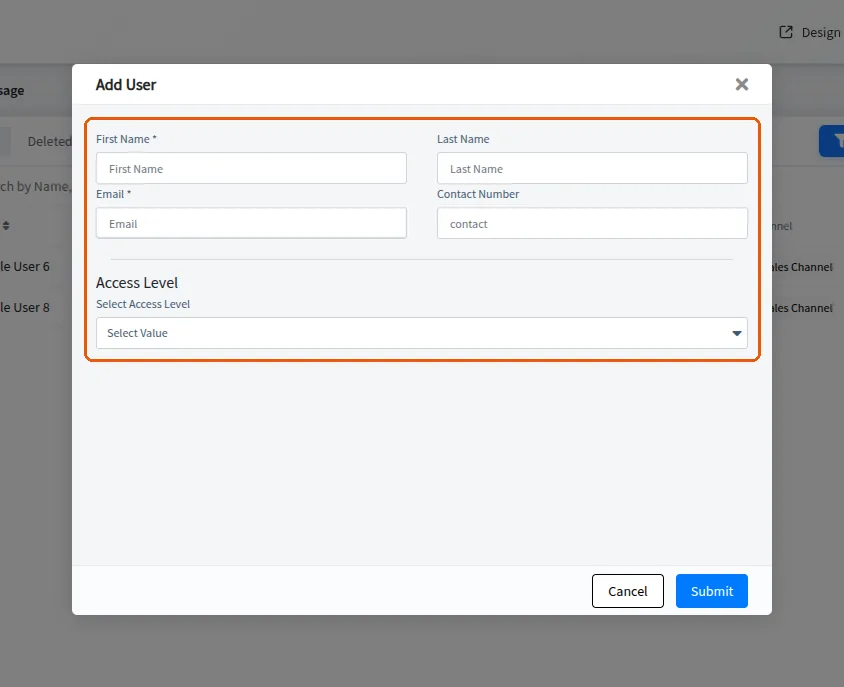
Any number of MES operators can be added.
Removing a user is done from the admin portal.
✓ Проверено в продукте 20 октября 2026 г.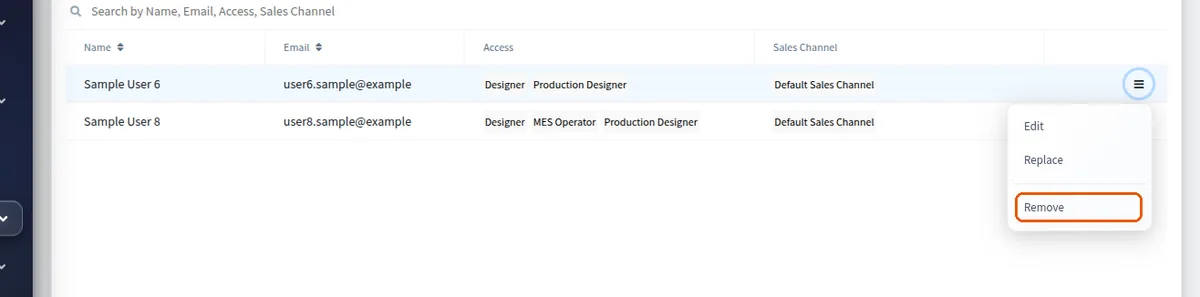
Access levels are assigned by role when the user is created: MES admin is intended for the factory floor manager only, while station operators are given MES operator access.