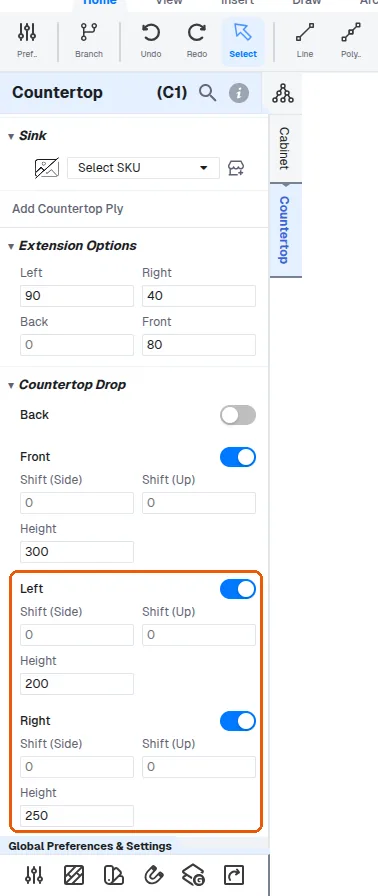
Add countertop drops and extensions per side
Extend the countertop on chosen sides and switch on drops with a height so the extension aligns with the design.
Countertop drops (front/back/left/right aprons) automatically use the same thickness and material as the main slab.
✓ Проверено в продукте 9 октября 2026 г.Adding an end panel widens the countertop slab, its ply and its front drop together by the end panel's thickness. Widening the slab's Extension Left widens the slab and the drop, while the countertop ply keeps its width.
Back extensions and countertop drops are added from the unit's Countertop menu.
✓ Проверено в продукте 22 октября 2026 г.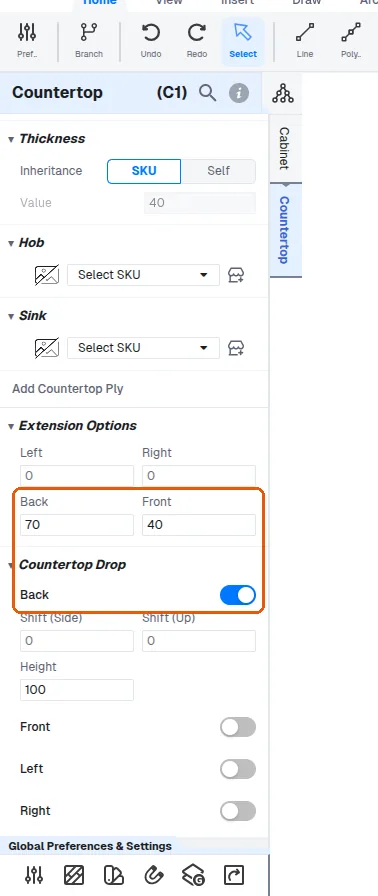
In the unit's Countertop menu, the drop's height and shift values can be set so the extension aligns with the design.
✓ Проверено в продукте 22 октября 2026 г.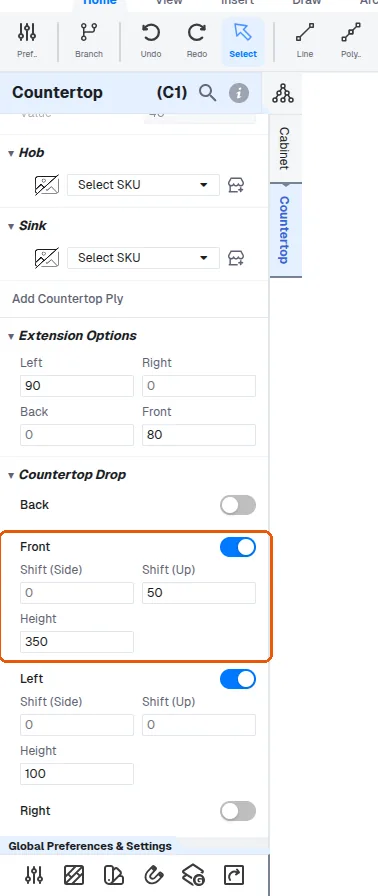
Countertop extensions are set per side (left, right, back and front) with a chosen extension length, and the drop height is entered as a value that sets how far the drop extends.
✓ Проверено в продукте 20 октября 2026 г.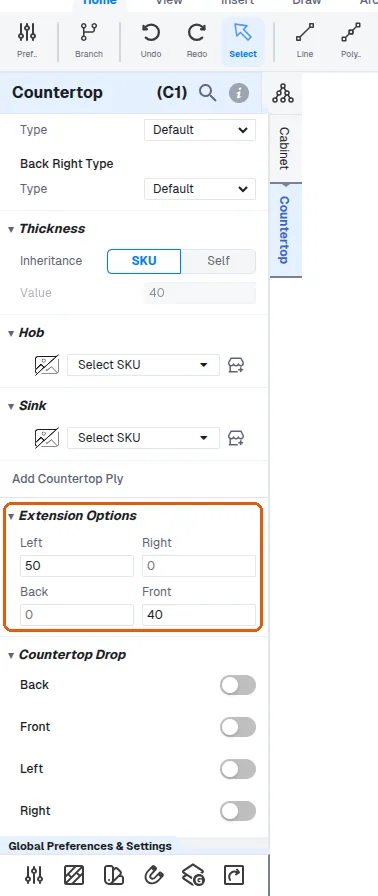
Countertop drops are enabled per side (for example left and front) from the unit's Countertop Drop menu, where each side is switched on individually and its drop height is entered as a value.
✓ Проверено в продукте 20 октября 2026 г.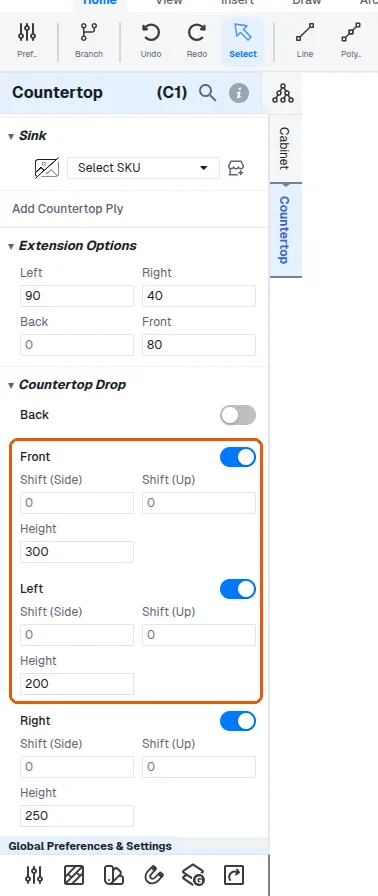
Left and right side drops can be switched on individually on a countertop.
✓ Проверено в продукте 22 октября 2026 г.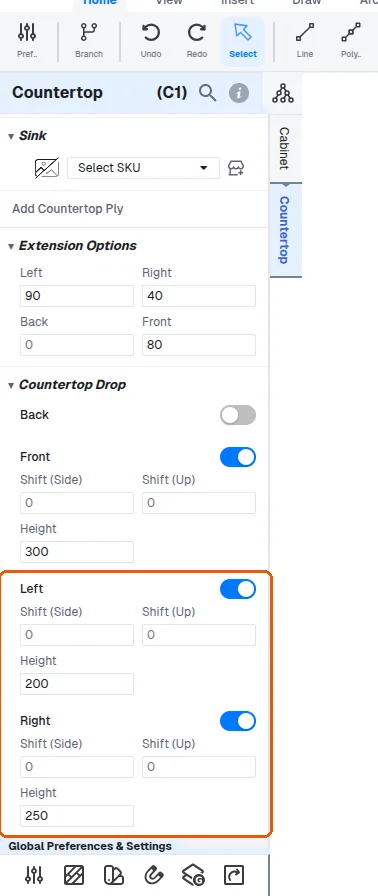
Left and right side drops can be given a height.
✓ Проверено в продукте 22 октября 2026 г.Left and right side drops switched on individually and given a height is how a breakfast counter with granite on all three sides is built.
Left and right side drops can be switched on individually on a countertop and given a height while editing the individual cabinet.
✓ Проверено в продукте 20 октября 2026 г.