Reach the bulk SKU-structure editor and set structure values
Open the bulk SKU-structure editor from the catalogue bulk-actions menu and fill in the structure fields for your selected units.
The bulk SKU-structure editor is reached from the catalogue bulk-actions menu ('Bulk Edit SKU Structure') after selecting the items.
✓ 19 ਅਕਤੂਬਰ 2026 ਨੂੰ ਪ੍ਰੋਡਕਟ ਵਿੱਚ ਜਾਂਚਿਆ ਗਿਆ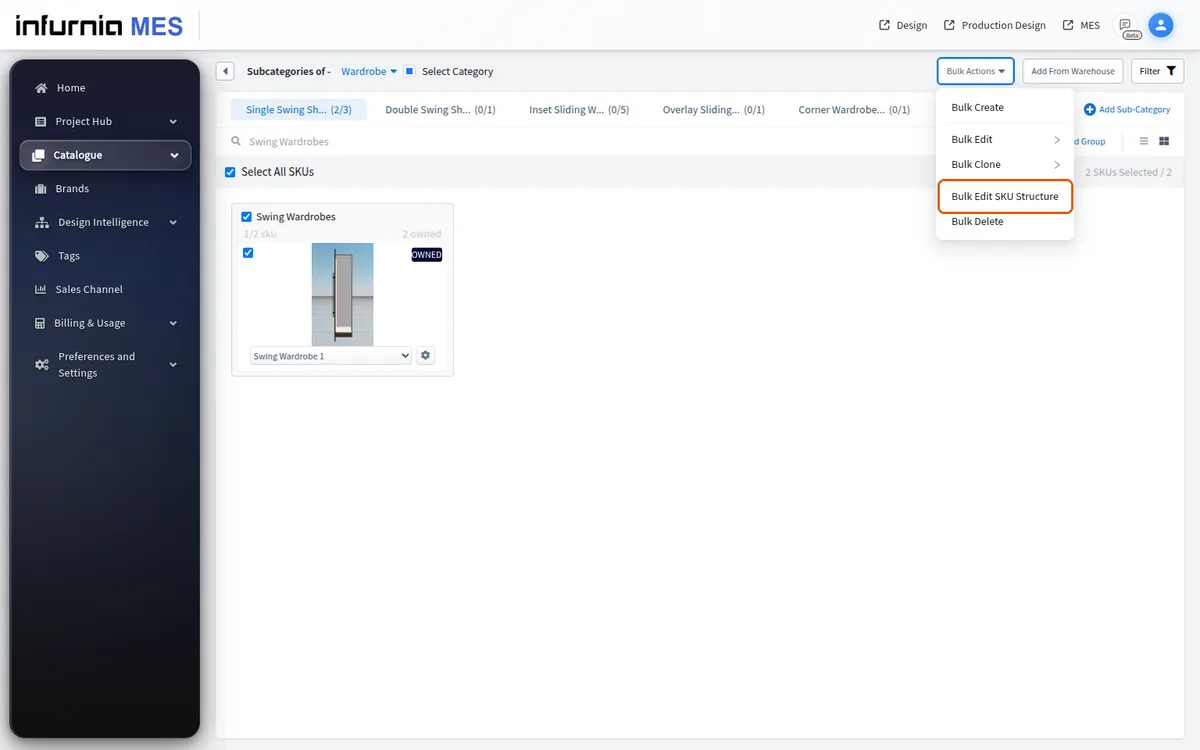
The structure editor lets you set values such as left reduction or right shutter gap.
✓ 19 ਅਕਤੂਬਰ 2026 ਨੂੰ ਪ੍ਰੋਡਕਟ ਵਿੱਚ ਜਾਂਚਿਆ ਗਿਆ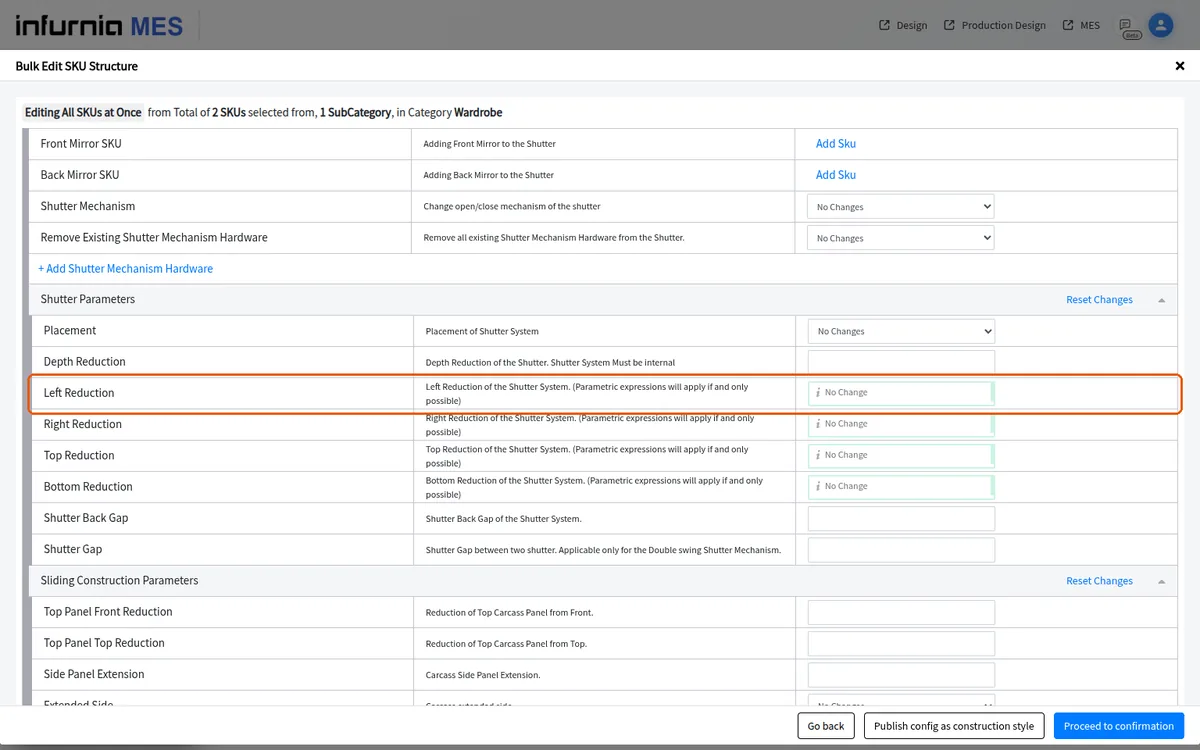
The structure fields you set in the catalog admin bulk structure editor include default base unit depth, back panel offset, back panel grooving, and shelf reveal for base and tall units, and the same values used in the design portal should be entered here.
When adding a partition in the bulk structure editor, entering the partition ID as the all-partitions value applies the reduction across every partition of the selected units.