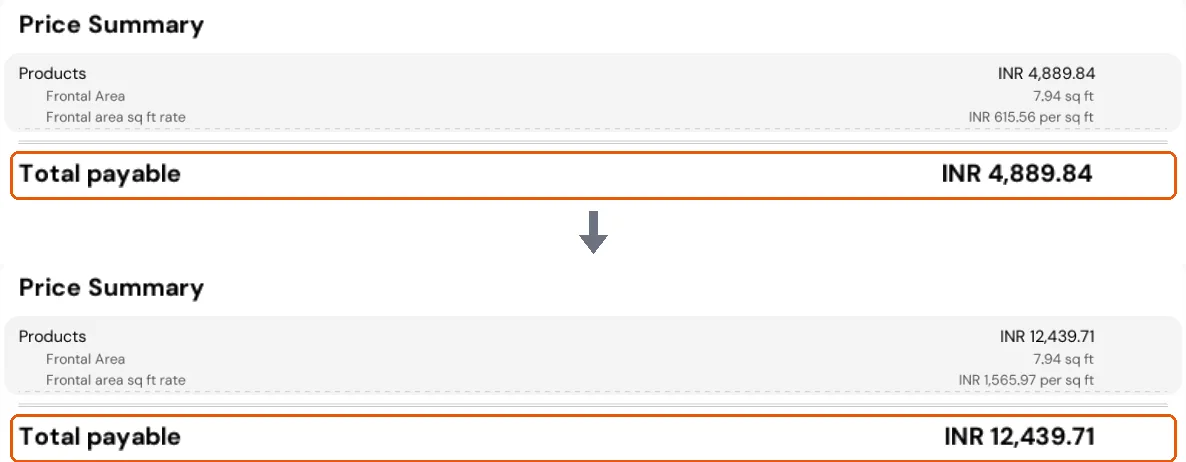
Enable board-based pricing in price settings
Turn on board-based pricing for a quotation and set the portion charge percentage so the design is calculated with board-based pricing.
To switch a quotation to board-based pricing, open Settings, go to Price Settings, turn on board-based pricing and click Apply, then Continue.
✓ ଅକ୍ଟୋବର 22, 2026 ରେ ପ୍ରଡକ୍ଟରେ ଯାଞ୍ଚ କରାଯାଇଛି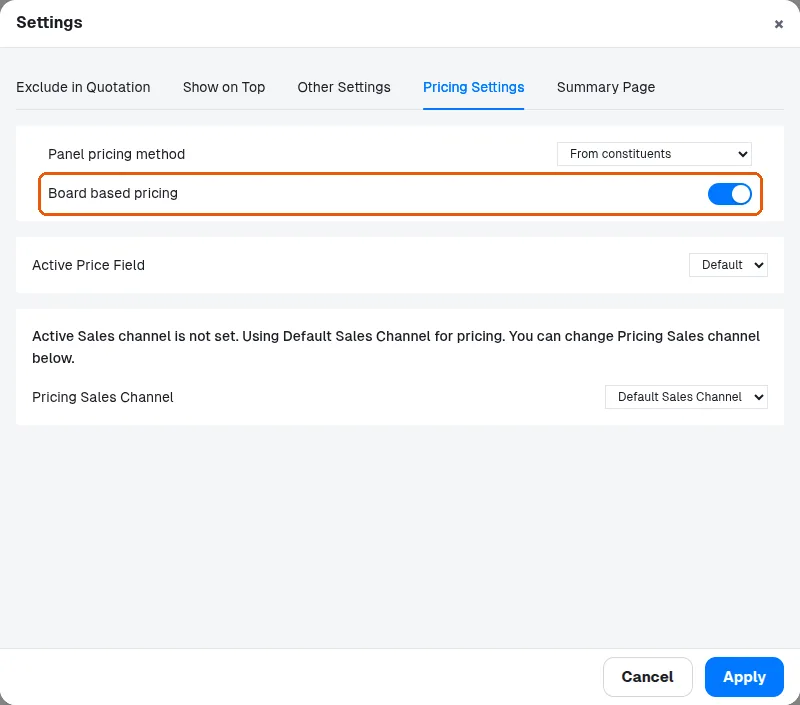
To apply board-based pricing, open the pricing/quotation settings and turn on the board-based pricing option, then update. Portion/service charges are configured separately under settings; enter the required percentage (e.g. 20%) and update. The same board-based pricing plus portion charge setup can be applied to other designs.
✓ ଅକ୍ଟୋବର 22, 2026 ରେ ପ୍ରଡକ୍ଟରେ ଯାଞ୍ଚ କରାଯାଇଛି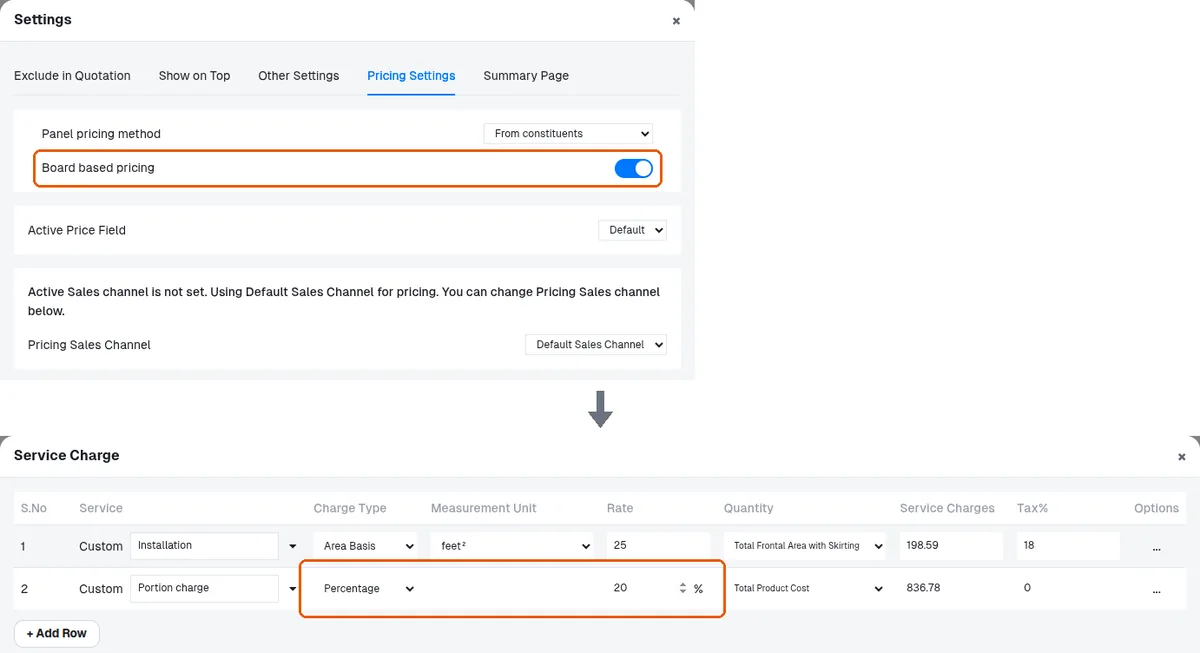
Board-based pricing changes how the quotation is calculated for the design.
✓ ଅକ୍ଟୋବର 22, 2026 ରେ ପ୍ରଡକ୍ଟରେ ଯାଞ୍ଚ କରାଯାଇଛି