Enable manual dimension panels in floor plan preferences
Turn on the manual dimension panels so you can dimension shutters yourself in a floor plan.
To dimension shutters manually in a floor plan, open Preferences and then Floor Plan Preference, and enable the panels for manual dimension distance.
After that, use the annotate align tool to pick and dimension the required element correctly.
✓ 2026 ഒക്ടോബർ 20-ന് പ്രോഡക്റ്റിൽ പരിശോധിച്ചു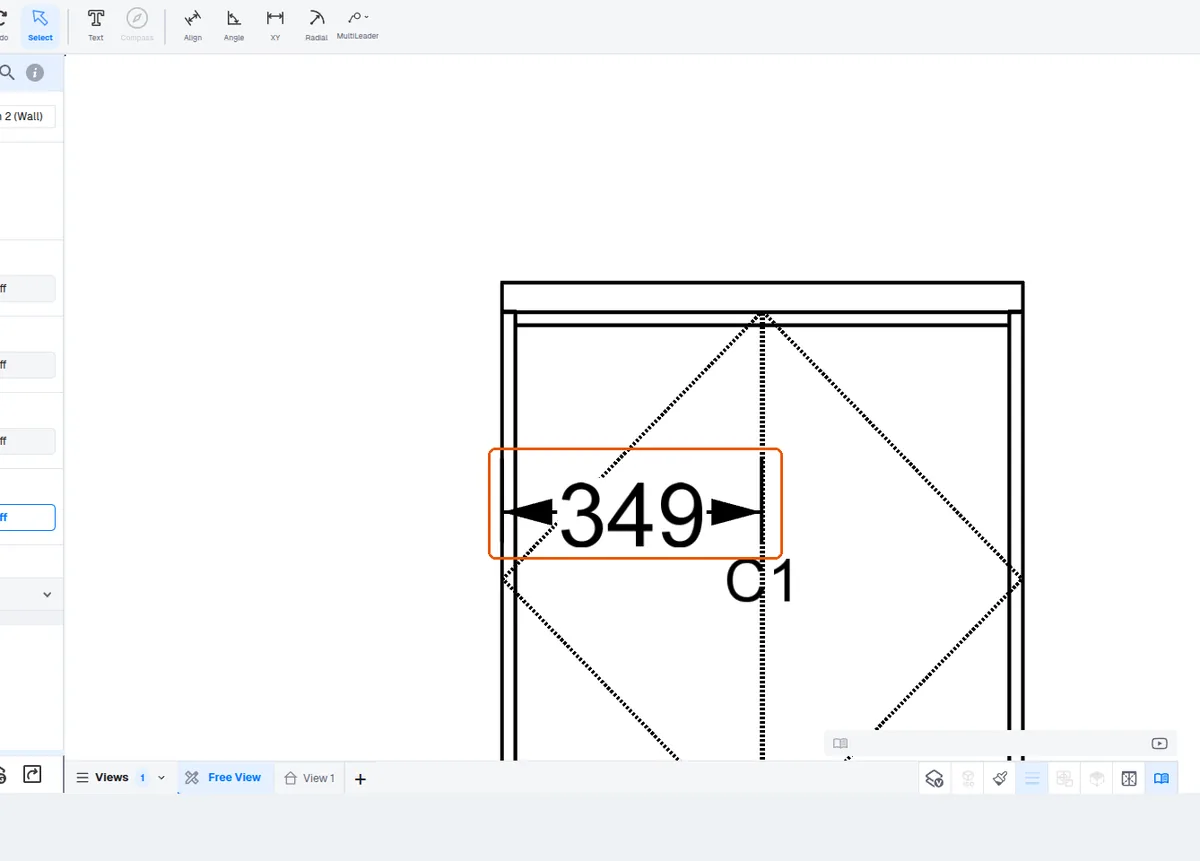
Dimension lines are drawn in the dimension layer's colour, black by default; a dimension's Line Color is 'By Layer' and can be changed in its panel.
✓ 2026 ഒക്ടോബർ 20-ന് പ്രോഡക്റ്റിൽ പരിശോധിച്ചു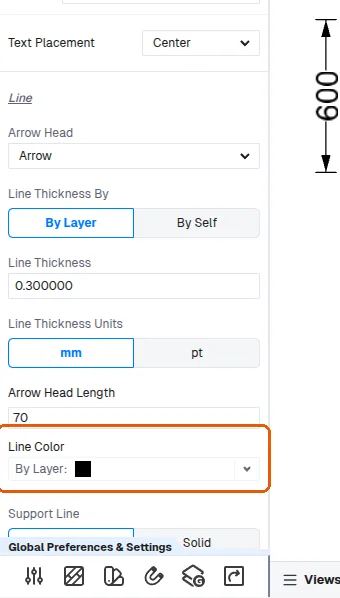
Dimension layers and annotations can be toggled from the floor plan view.
✓ 2026 ഒക്ടോബർ 9-ന് പ്രോഡക്റ്റിൽ പരിശോധിച്ചു