Add a border to a sheet
Turn on Add Border and set its thickness and colour under the sheet's Sheet Margin settings.
The border controls appear under the sheet's Sheet Margin settings.
✓ 2026 ഒക്ടോബർ 22-ന് പ്രോഡക്റ്റിൽ പരിശോധിച്ചു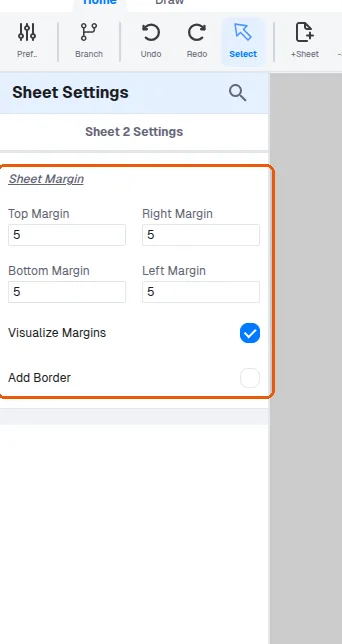
'Visualize Margins' is above the 'Add Border' checkbox.
✓ 2026 ഒക്ടോബർ 22-ന് പ്രോഡക്റ്റിൽ പരിശോധിച്ചു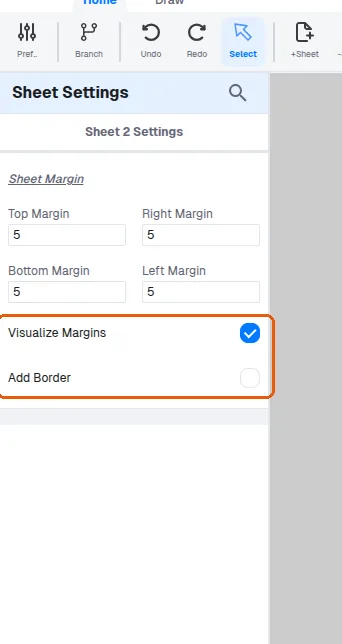
Enabling Add Border reveals the Thickness (mm) and Color fields.
✓ 2026 ഒക്ടോബർ 22-ന് പ്രോഡക്റ്റിൽ പരിശോധിച്ചു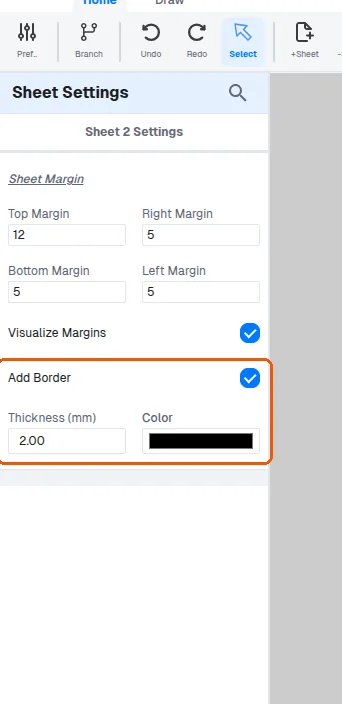
The border thickness is entered as a number in millimetres.
✓ 2026 ഒക്ടോബർ 22-ന് പ്രോഡക്റ്റിൽ പരിശോധിച്ചു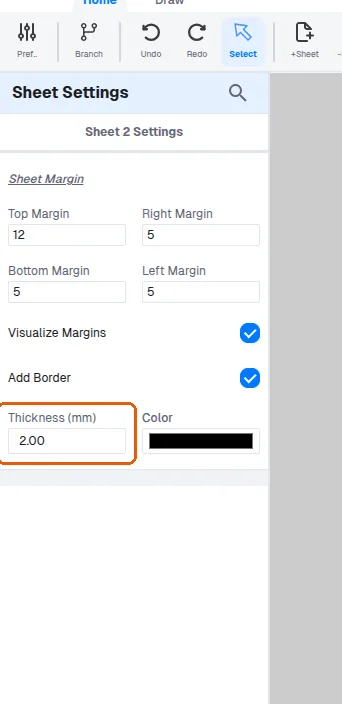
In the Sheet Settings panel, turning on Add Border reveals a Color picker for the border colour, alongside the Thickness (mm) field.