Update content across all sheets with Find and Replace
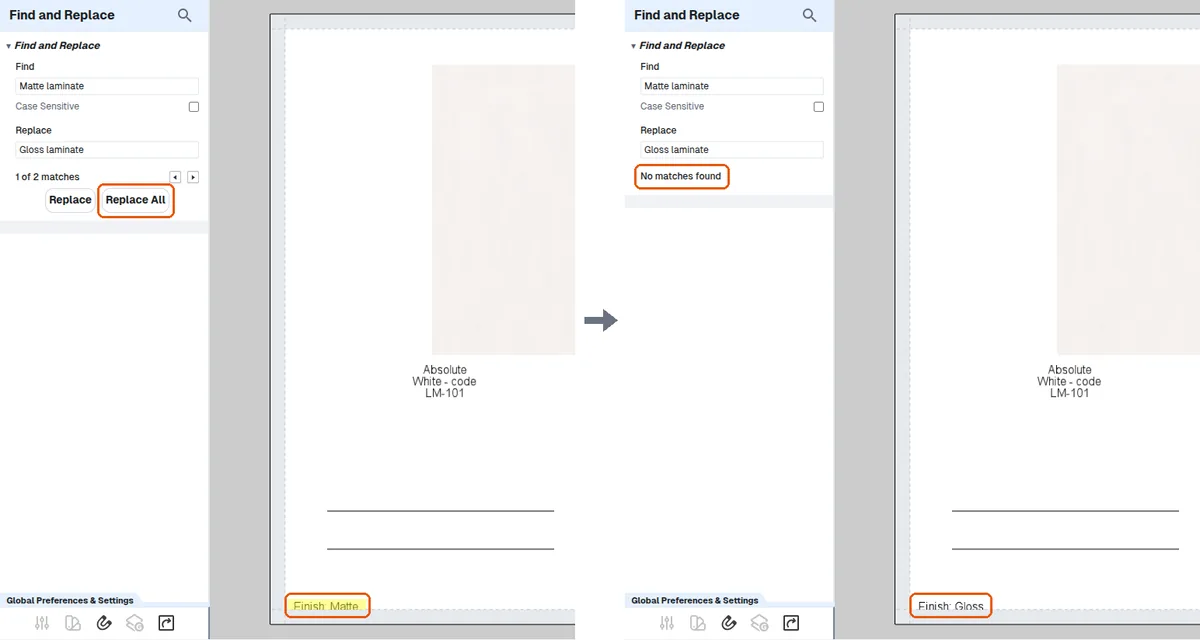
Copy the existing content, open the Find and Replace tool and enter the replacement text to update every sheet at once.
The Find and Replace tool performs global updates across multiple sheets in a presentation.
The Presentation tool includes a Find & Replace option that can be used while working on presentations. It is available in the tool and can be explored by users to locate and replace content.
✓ 2026년 10월 19일에 제품에서 확인됨Copy the existing content (for example a designer's name or a date), open the tool, and enter the replacement text.
The change is applied simultaneously throughout the entire document instead of sheet by sheet.
✓ 2026년 10월 21일에 제품에서 확인됨