Add, replace or remove users and edit access levels
Manage your organisation's users yourself by adding new users, changing access levels, and replacing or removing existing ones.
In the admin portal's User Management, a user row's menu offers Edit, Replace and Remove.
To add a new user, click Add user.
✓ 2026年10月10日に製品で確認済みFrom user management, use the three-dot menu against a user to replace the user, remove the user, or edit their access level.
✓ 2026年10月10日に製品で確認済みWhen a user is removed from an organisation, the software asks whether their designs should be transferred to another person. This allows designs created by the removed user to be reassigned rather than lost.
✓ 2026年10月20日に製品で確認済み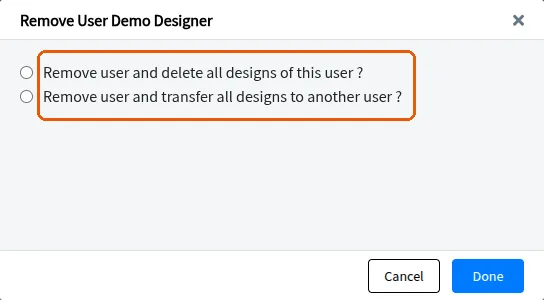
Clients can add or remove users themselves and change access levels at any time, rather than requesting Infurnia to do it. This keeps the client's team aware of how to manage access and user changes whenever required.
✓ 2026年10月10日に製品で確認済み