Merge shutters and drawer fascias
Make one shutter span several partitions or one fascia span several drawers, and learn what the merge requires.
A single drawer fascia can be made to span adjacent drawers of the same drawer system by merging their fascias with Merge in the 3D view.
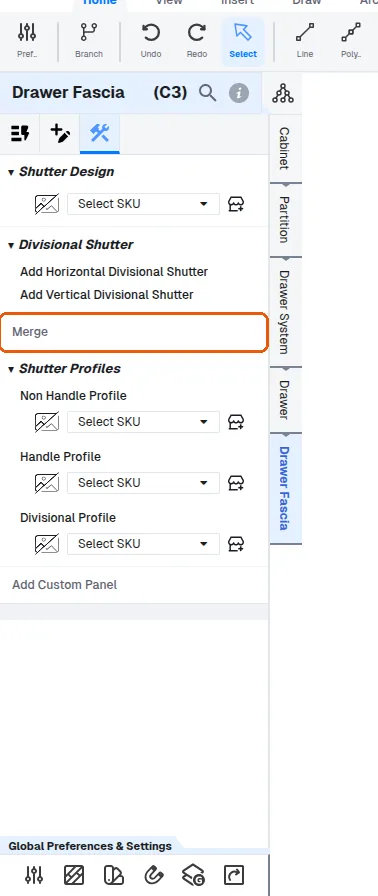
Merge is offered on drawer fascias: in the 3D view, select a fascia, choose Merge in its Construction tab, then double-click the adjacent fascia of the same drawer system to merge with.
A drawer fascia merges only with fascias of its own drawer system; double-clicking a fascia of another drawer system after Merge shows 'Cannot merge Drawer Fascia of different Drawer Systems' and nothing is merged.
Drawer fascias can only merge with fascias of the same drawer system (error: 'Cannot merge Drawer Fascia of different Drawer Systems').
✓ 2026年10月22日に製品で確認済みThe merged group must also be contiguous - if the two selections are not adjacent (or the span would skip a division), the merge silently does nothing.
After merging drawers, they act as one: opening any merged drawer opens all of them together, and the pull-out distance uses the deepest drawer in the group.
Split appears in the Construction tab of a merged shutter system, such as a fascia merged across drawers, and separates it again into the fascias it was merged from.
Changing the relevant partition's height updates the shutter accordingly.
✓ 2026年10月22日に製品で確認済み