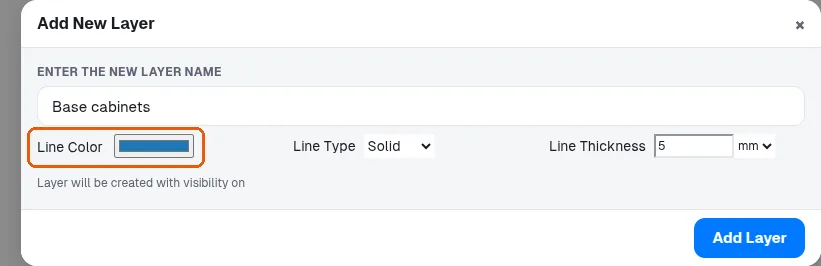
Create custom layers and assign items to them
Create your own layers in the custom section and move items onto them so you can show, hide and colour them together.
In layer sets, open the custom section and click the plus button to create any new layer (for example a wall unit layer).
✓ 2026年10月9日に製品で確認済みSelect the items, then change their layer from the layer dropdown to move them onto that layer.
✓ 2026年10月9日に製品で確認済みItems on a custom layer can then be shown or hidden together.
✓ 2026年10月9日に製品で確認済みItems on a custom layer can be given a distinct display colour in the floor plan.
✓ 2026年10月22日に製品で確認済み