Bulk delete copied catalogue items via search and Bulk actions
Isolate copied catalogue entries with a search and remove them together, then clean up duplicate units in a cabinet.
After cloning multiple catalogue items, search for the term "copy" to isolate all copied entries.
Use the "Bulk actions" menu to delete the copied entries together.
✓ 2026年10月9日に製品で確認済みIndividual unwanted SKUs can also be removed by selecting the item and using "Delete SKU" in the settings menu.
✓ 2026年10月19日に製品で確認済み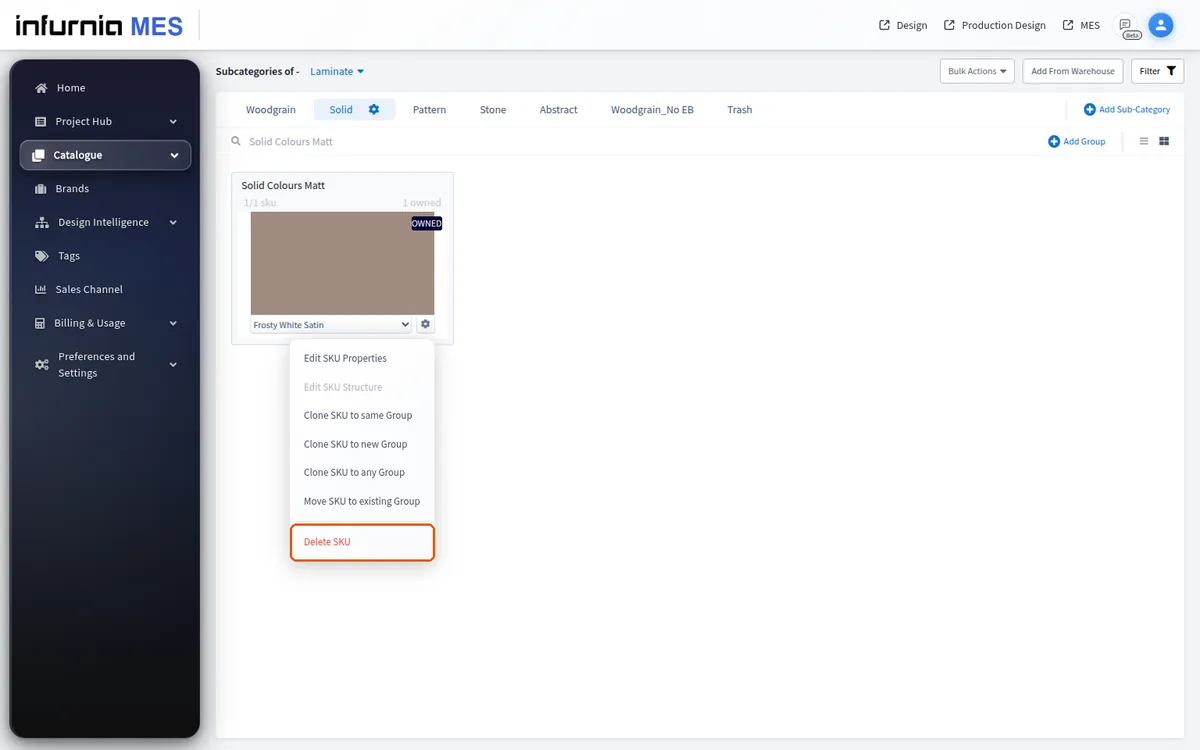
When a catalogue cabinet has accumulated duplicate or unwanted units, delete the extra units (bulk delete or remove group), keep one of each required part, and add the needed parts back from the warehouse so the cabinet structure is clean.