Set board sizes, quantities and force use
Give each board size its available sheet count and mark the sizes the optimizer must consume.
Quantity is the available sheet count for that size: -1 means unlimited.
✓ Diperiksa di produk pada 20 Oktober 2026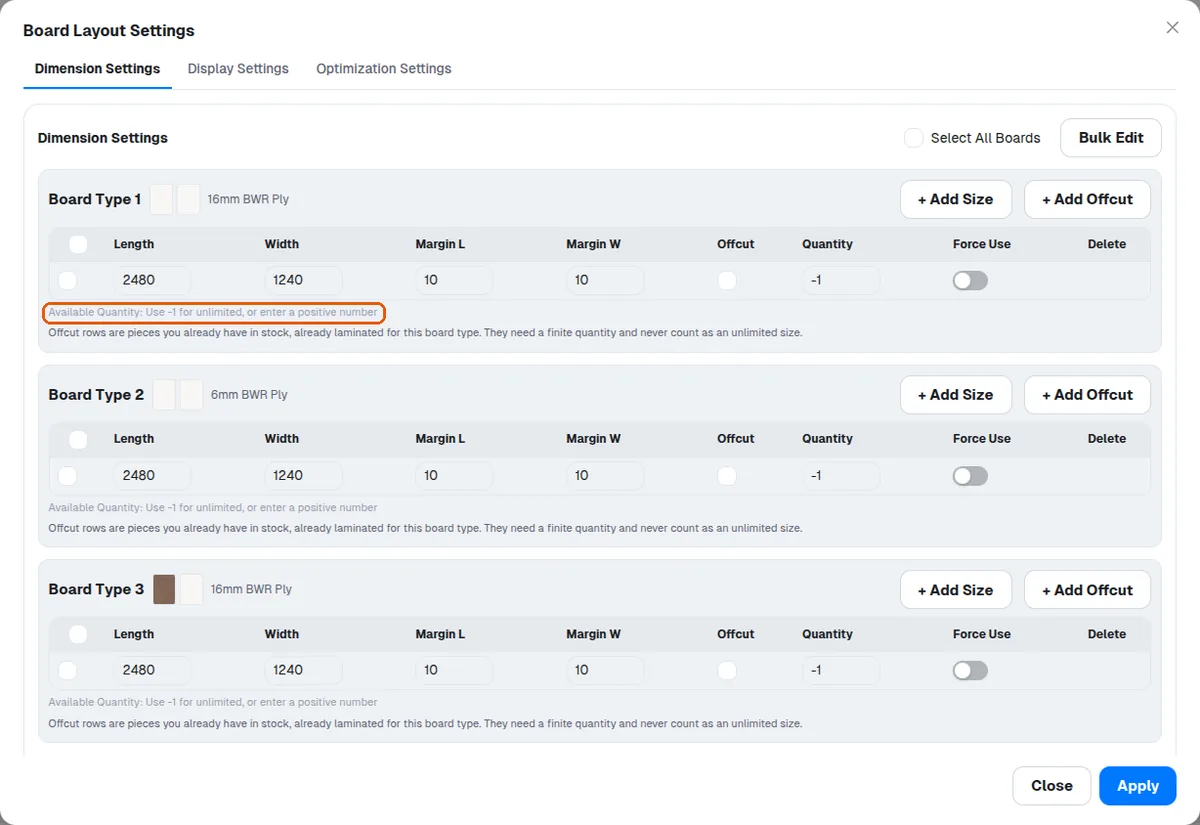
At least one size per board type MUST have quantity -1 - otherwise saving is blocked with 'Each board type needs at least one board size with unlimited availability (-1). Offcut rows are existing stock and cannot fill that role.'
Force Use makes the optimizer consume that size (e.g. use up existing stock) rather than treat it as optional.
Bulk Edit applies common values to all checked sizes; fields showing blank/'Mixed' mean the checked sizes differ.
✓ Diperiksa di produk pada 19 Oktober 2026When a board type has several sizes, the sheet listing shows size tabs and sheets are grouped per size.