Add hardware to a box and handle closed-box warnings
Select hardware with an unpacked remainder, enter a valid quantity, and reopen a closed box if the warning appears.
In Packaging, 'Add Hardware Item' only offers hardware that still has an unpacked remainder for the work order (remaining quantity greater than zero); fully packed SKUs do not appear in the dropdown at all (so 'my hardware isn't in the list' usually means it's fully packed).
Validations on Add: a hardware item must be selected and quantity must be non-zero.
For count-based hardware the quantity must be a whole number ('Quantity should be an integer for the selected hardware') — length- or set-based hardware may be fractional.
Adding to a box that is already closed triggers a warning ('This box is already closed, are you sure you want to add hardware?').
Proceeding adds the item and reopens the box, so it must be closed again afterwards.
The user selects the hardware and enters the quantity manually.
✓ Diperiksa di produk pada 19 Oktober 2026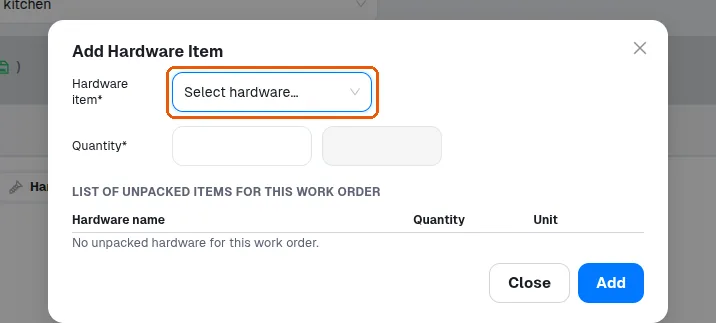
The system validates only that the quantity is non-zero and does not exceed the remaining unpacked amount.