Set margins and the margin guide on a sheet
Open a sheet's settings block and set its margins and grey margin guide.
Unlike page size (presentation-wide), each sheet has its own settings block: Top/Right/Bottom/Left margin values, a 'Visualize Margins' checkbox, and an 'Add Border' checkbox which reveals border Thickness (mm) and Color.
✓ Diperiksa di produk pada 22 Oktober 2026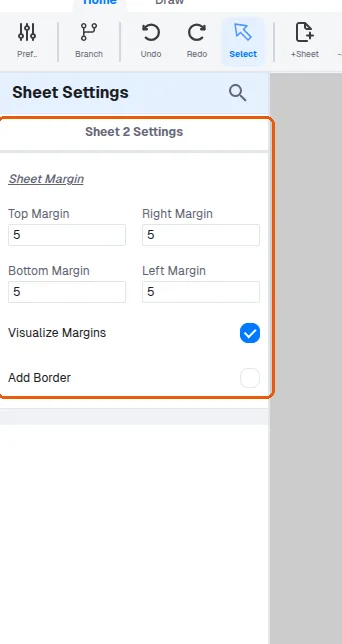
The sheet's settings block is reached from the sheet's settings entry in the sheets panel (it switches to that sheet first, then opens 'Sheet N Settings').
✓ Diperiksa di produk pada 22 Oktober 2026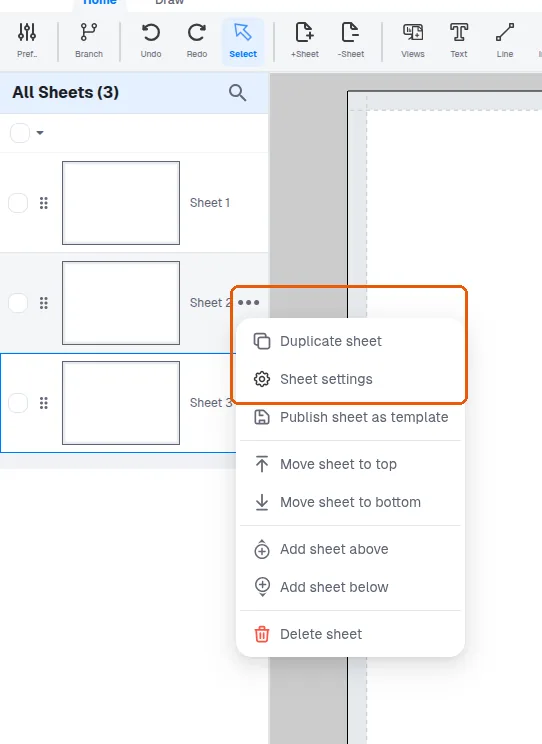
When the presentation page size changes, margins are scaled proportionally with the new width/height, so previously round margin numbers may become fractional.
✓ Diperiksa di produk pada 22 Oktober 2026Margins are a visual guide plus border reference - objects are not blocked from being placed outside them.
The margin fields accept zero, so setting a margin to 0 removes that margin.
✓ Diperiksa di produk pada 22 Oktober 2026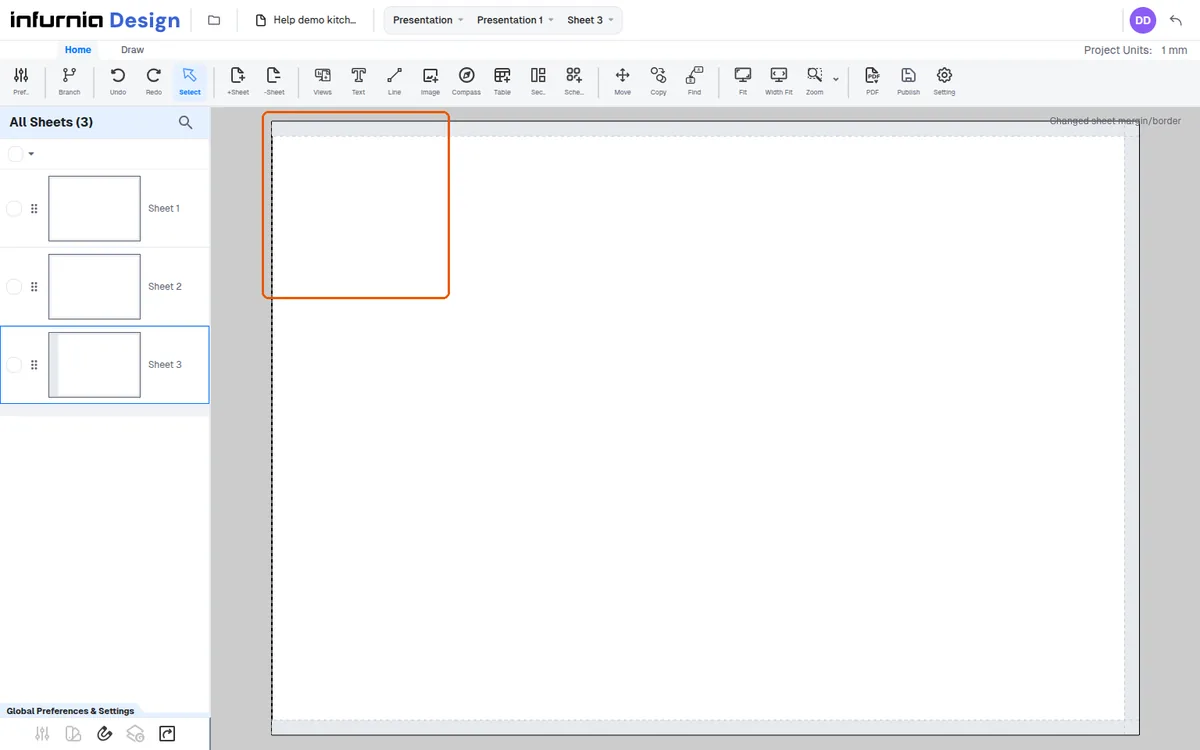
The Visualize Margins guide is what draws the grey border showing the current margins.
✓ Diperiksa di produk pada 22 Oktober 2026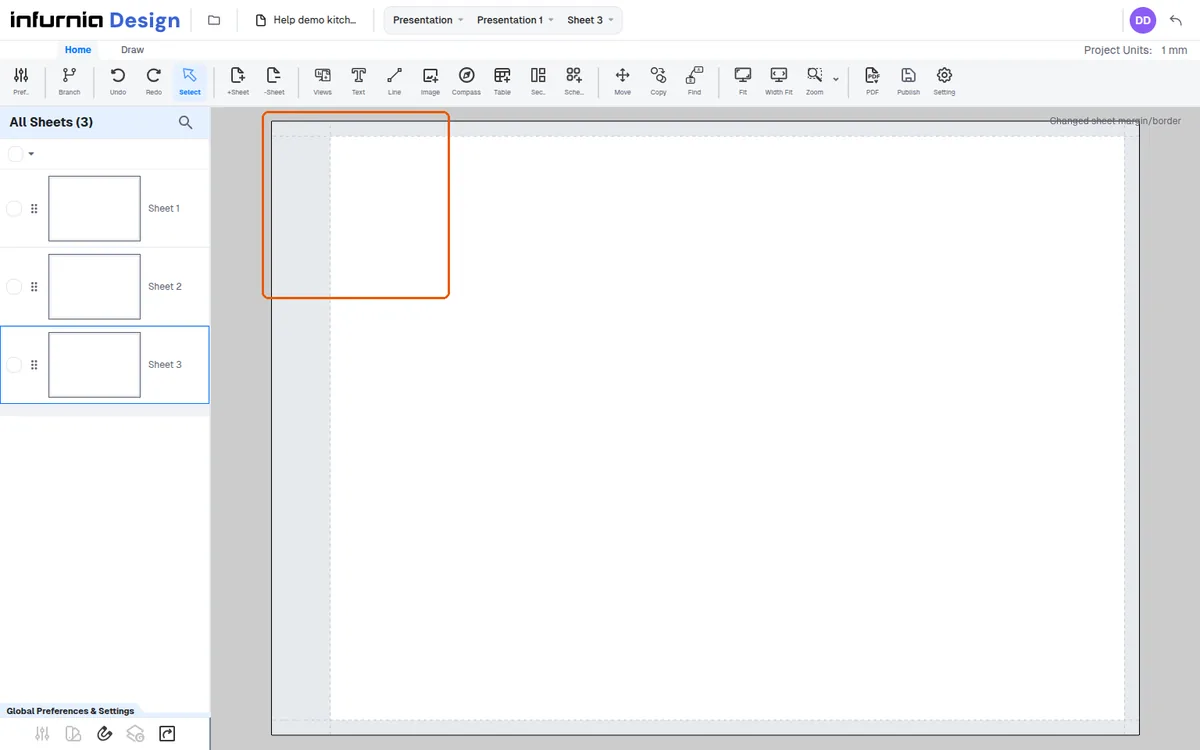
Page margins start at 5 mm on all four sides.
✓ Diperiksa di produk pada 22 Oktober 2026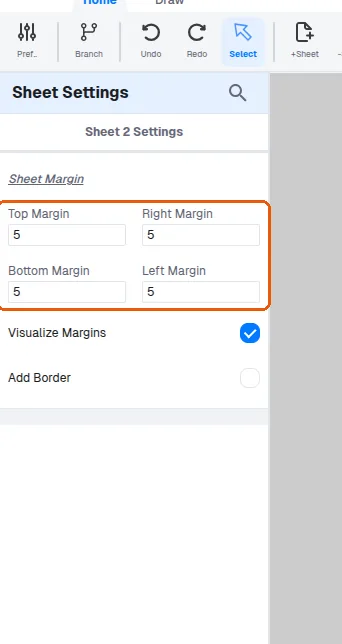
The margin guide can be turned off with the Visualize Margins checkbox.
✓ Diperiksa di produk pada 22 Oktober 2026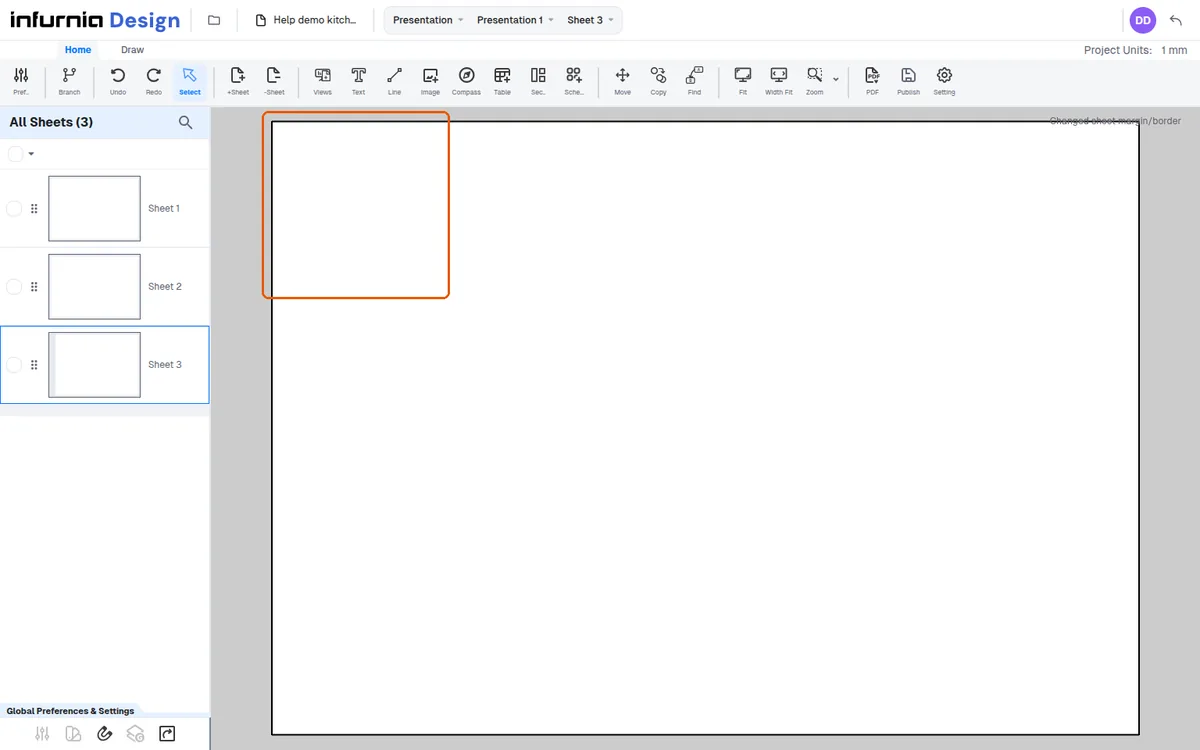
The grey margin guide is drawn by the Visualize Margins checkbox rather than by the Left Margin field itself.
✓ Diperiksa di produk pada 22 Oktober 2026