Configure prelaminated and post-laminated plies
Set Prelam Both and link the laminate for prelaminated plies, and leave post-laminated materials without extra linking.
For prelaminated plies, set the lamination type to Prelam Both in the Lamination Type tab.
✓ נבדק במוצר ב-20 באוקטובר 2026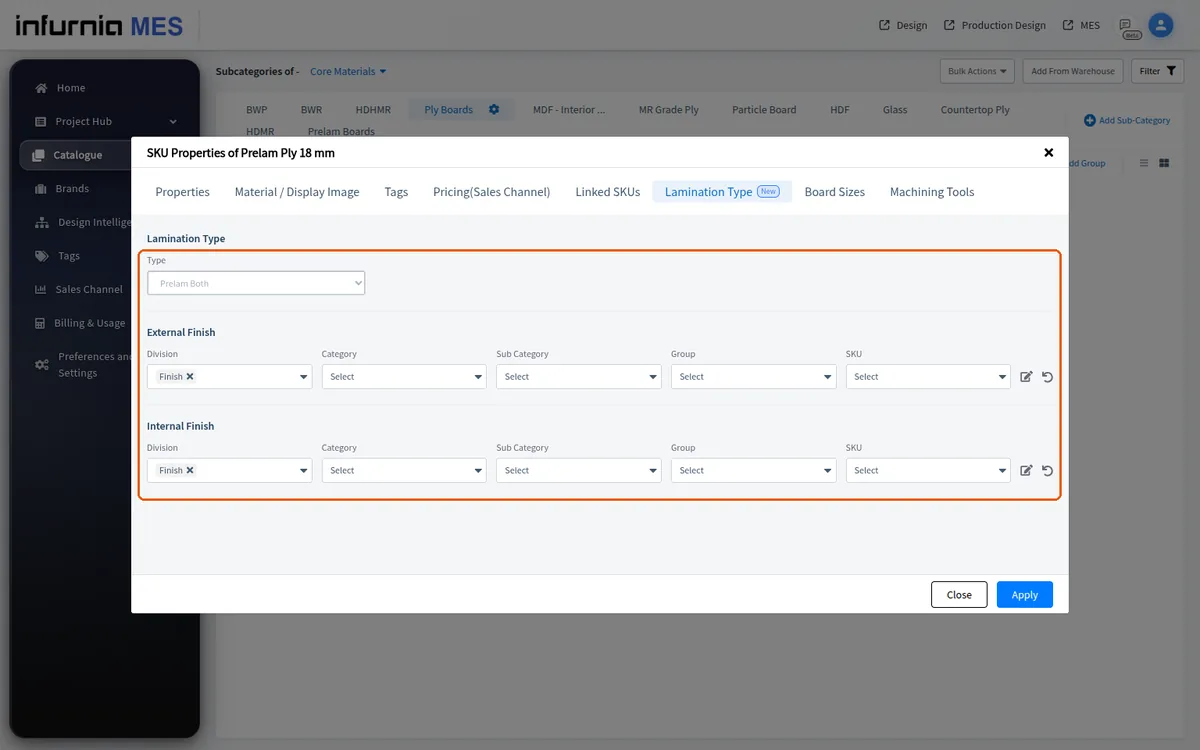
For prelaminated plies, link the laminate so it appears automatically as the internal and external finish when the ply is used.
Post-laminated materials need no additional properties or laminate linking.
✓ נבדק במוצר ב-20 באוקטובר 2026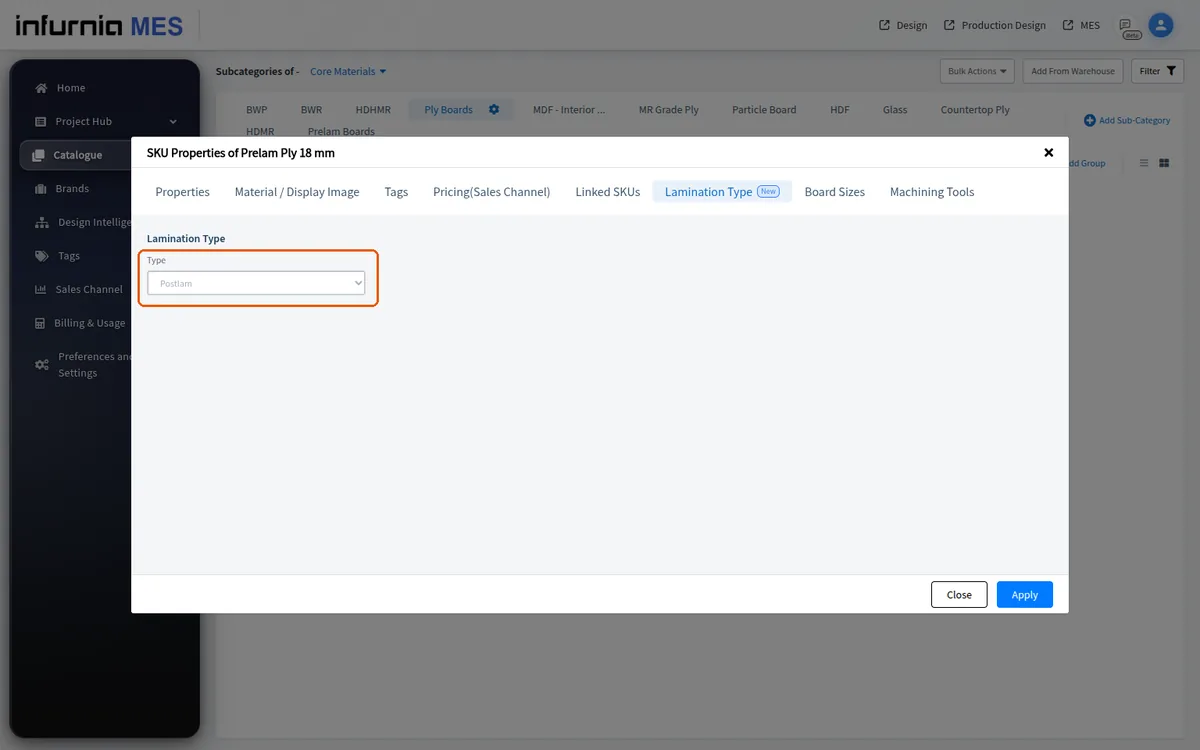
A prelaminated board should be created as its own core material SKU with the prelam lamination type set, rather than as a plain board with the laminate added as a separate finish.
When a core material has no lamination type and is therefore treated as postlam, the laminate on it is counted as a separately applied layer in outputs rather than being treated as baked into the board.