Set a SKU's price, tax and margin in the catalogue
Enter the default price, unit, tax percentage and margin percentage on a SKU so it can be used in designs.
To set a SKU's price, open its details (admin catalogue: Edit SKU Properties > Pricing (Sales Channel) > Manage Default Pricing), enter the default price and its unit (the units the SKU allows, for example per square foot, per unit or per set), set the tax percentage and the margin percentage, and click Update.
✓ 20 ઑક્ટોબર, 2026ના રોજ પ્રોડક્ટમાં ચકાસેલ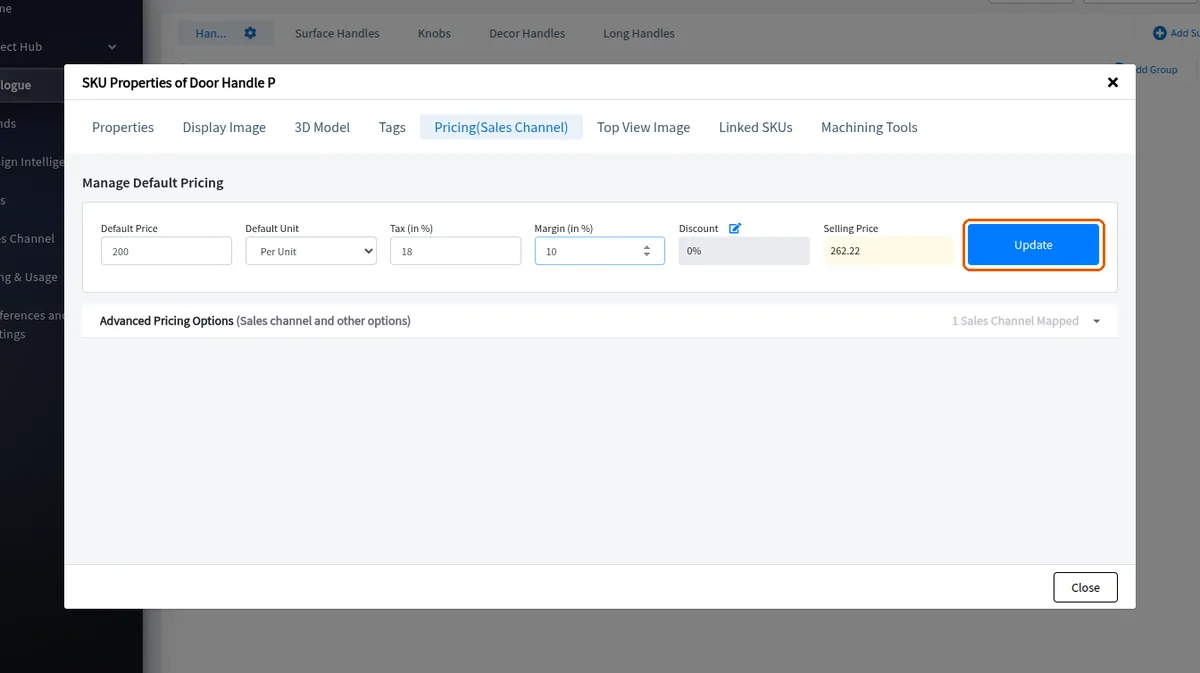
Once the price is applied the SKU can be used in designs.
✓ 20 ઑક્ટોબર, 2026ના રોજ પ્રોડક્ટમાં ચકાસેલPricing must be entered for every material used in a design — laminates and other finishes, core materials and edge bands — not only for the main panels.
✓ 20 ઑક્ટોબર, 2026ના રોજ પ્રોડક્ટમાં ચકાસેલ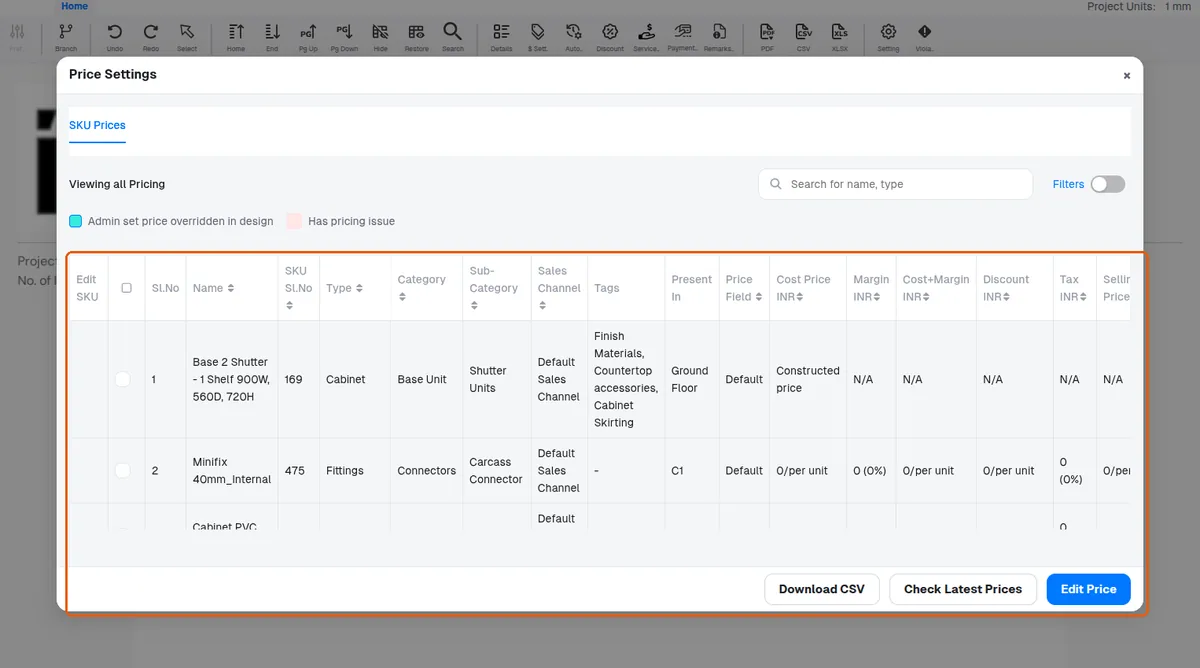
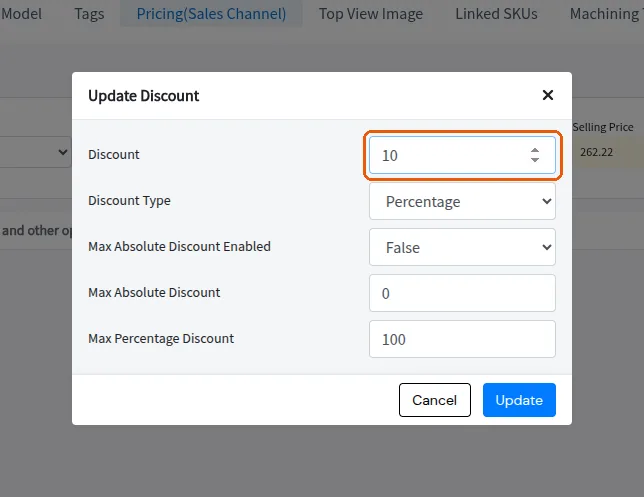
A discount percentage can also be entered on the item if discounts are to be shown to clients.
✓ 20 ઑક્ટોબર, 2026ના રોજ પ્રોડક્ટમાં ચકાસેલ