How output quantity above 1 duplicates panels with _1/_2 labels
Set a cabinet's output quantity above one and see how its panels are laid out and labelled as copies while sharing a single CNC file per panel.
The output quantity is set from the cabinet's Customize option (Output quantity > Quantity) in the design or in the production design; the board layout then lays out each copy's panels.
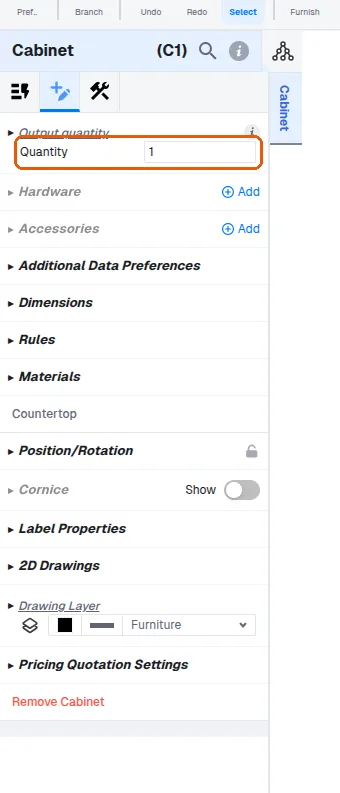
When a cabinet is placed with a quantity greater than one, the software does not create separate copies of the unit. The cutlist, panel labels and board layout make it look as though the design contains multiple copies, but this is handled artificially. Only one CNC file is generated per panel and that file is shared by all quantity copies.