Change the cabinet code label in cutlist preferences
Choose the Cabinet Code field for cutlist output and set its display name on the Homag, Biesse or Basic tab.
The cutlist field "Cabinet Code " is one of the fields you can choose for cutlist output.
In the Admin portal, open "Preferences and Settings" → "Preferences" → "Cutlist Preferences", then open the "Homag", "Biesse" or "Basic" tab and use the rows of fields there to set which fields appear and what they are called.
✓ Comprobado en el producto el 21 de octubre de 2026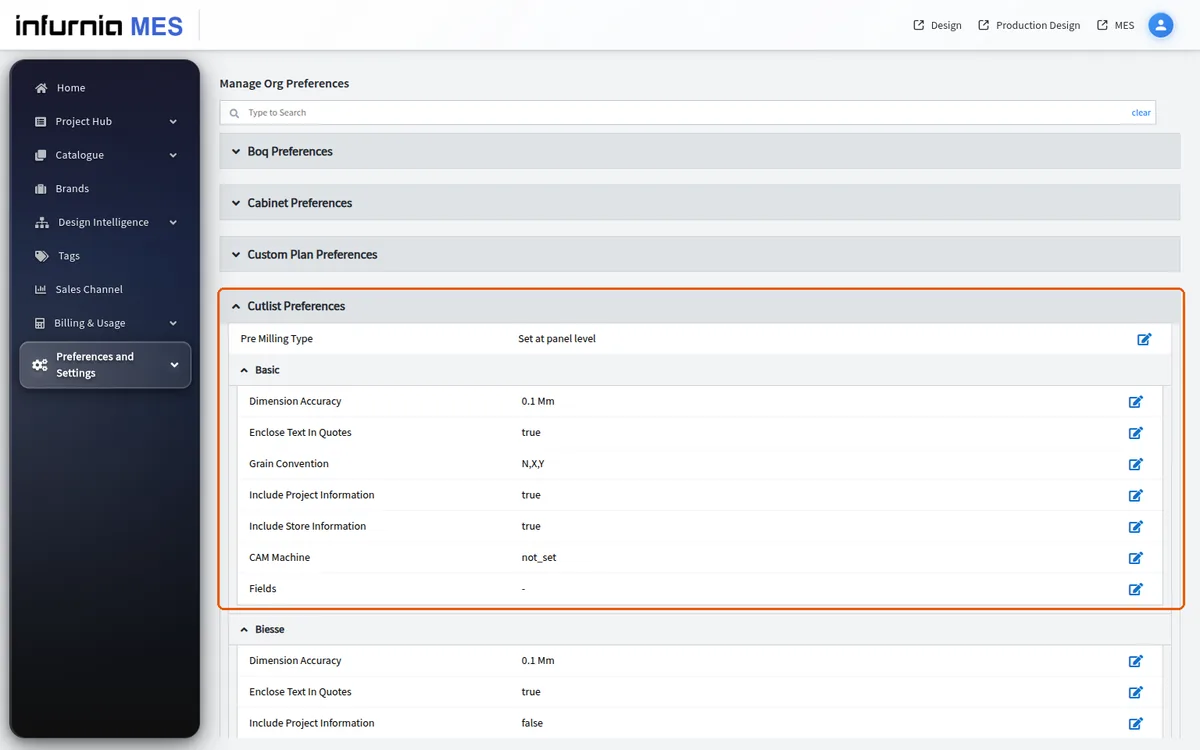
The field is offered as "Cabinet Code " on the "Homag" and "Basic" tabs.
The field is offered as "Cabinet_Code" on the "Biesse" tab.
✓ Comprobado en el producto el 10 de octubre de 2026The field names appear as the column display names in cutlist outputs.
✓ Comprobado en el producto el 10 de octubre de 2026