Map price types to users at org and BU level
Assign price types per user at org and business-unit level so each designer sees the right prices and quotations default correctly.
Price-type visibility is assigned per user by admins, not self-served. Org level: store add_user / update_user (requires accounts_manager or mes_admin role) accepts price_type_ids plus preferred_price_type_id; the preferred must be inside price_type_ids or the call fails with 'preferred_price_type_id must be included in price_type_ids'. BU level: business-unit user endpoints take the same pair per BU. Org-level and BU-level mappings are independent rows, so mapping or preferring a price type at org level does not carry into a business unit — a frequent cause of 'works in one workspace but not the other'. Re-mapping is a diff operation: any price type missing from the submitted list is unmapped from the user, which is also the supported way to clear a stale preferred. The admin portal additionally insists that anyone given the designer role has a preferred price type at BU level, because the design tool uses it to initialize the pricing view. Typical ticket — 'user cannot see our Dealer price list': verify the price type is mapped to the user at the right level AND attached to the sales channel they are designing in; both are required for it to appear.
A price field must be assigned to the designer for it to appear at all.
✓ Comprobado en el producto el 20 de octubre de 2026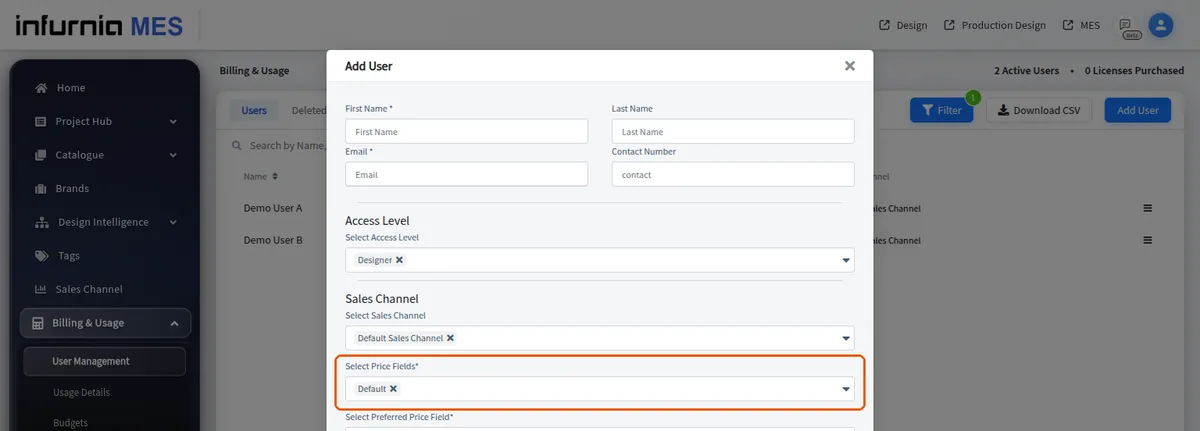
If a field shows zero or the default price, first confirm the field is assigned to that designer, then set the value under Settings > Price Settings and apply.
Sales-channel access is granted per user in user management.
✓ Comprobado en el producto el 10 de octubre de 2026Only users with the designer (or production designer) role can be mapped to sales channels.
✓ Comprobado en el producto el 20 de octubre de 2026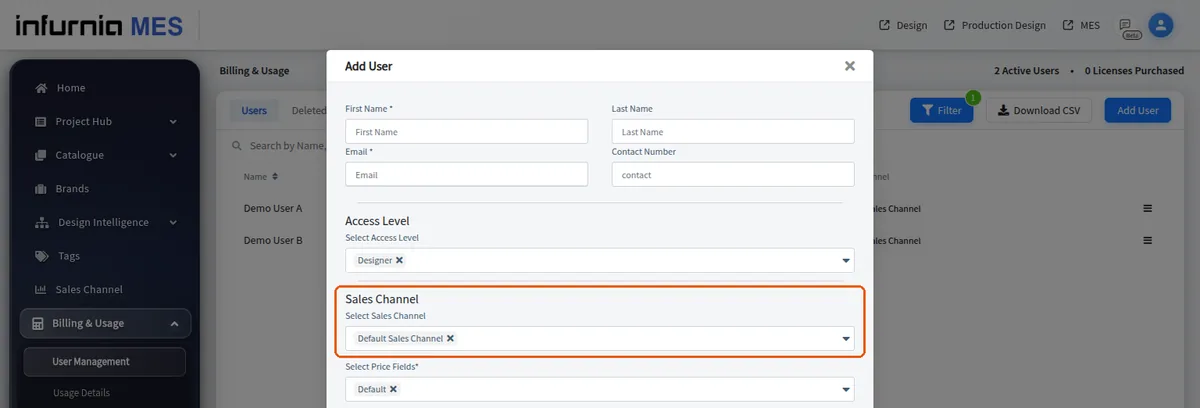
To change which price a designer sees, add the channel holding that price to their mapping and remove the other channel.
A user can be mapped to a single price type (for example only the franchise price) or to multiple price types at once (for example an in-house team that sees both).
Quotations default to the user's preferred/default price type.