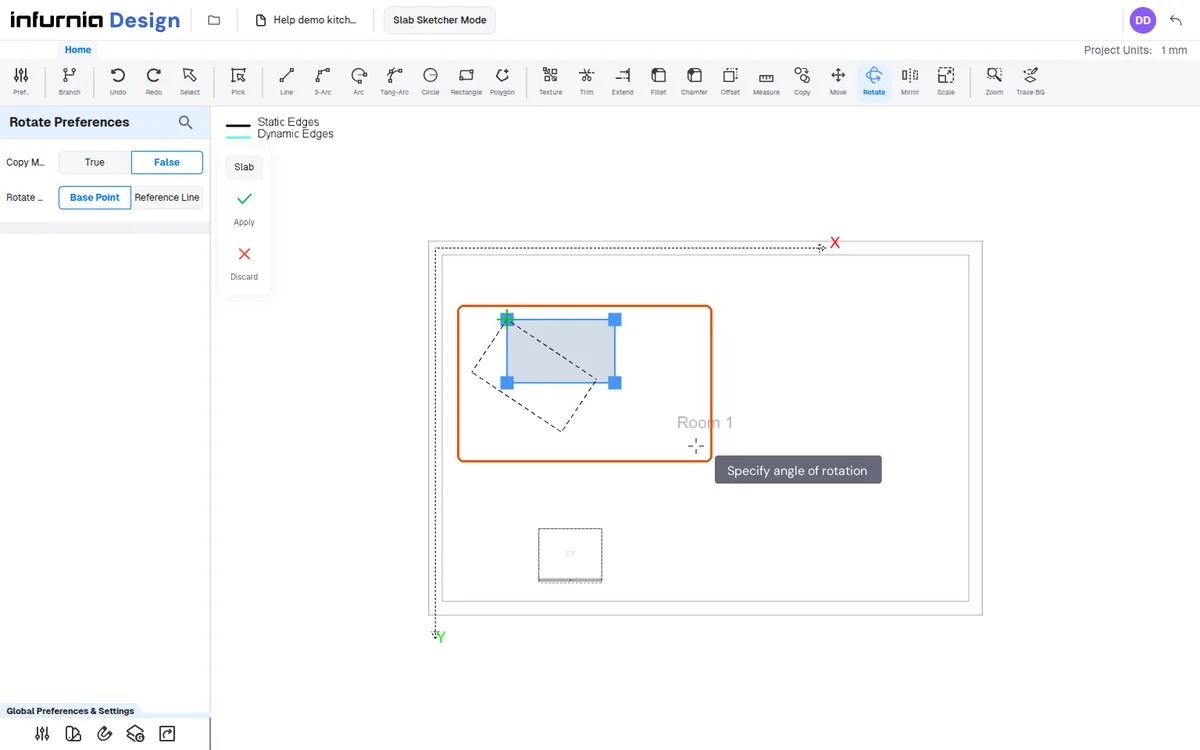
Pick an object and set its rotation
With the tool active, select the object and rotate it by dragging or typing the angle.
With the tool active, pick the object and set the rotation as you drag or type the angle.
✓ Comprobado en el producto el 22 de octubre de 2026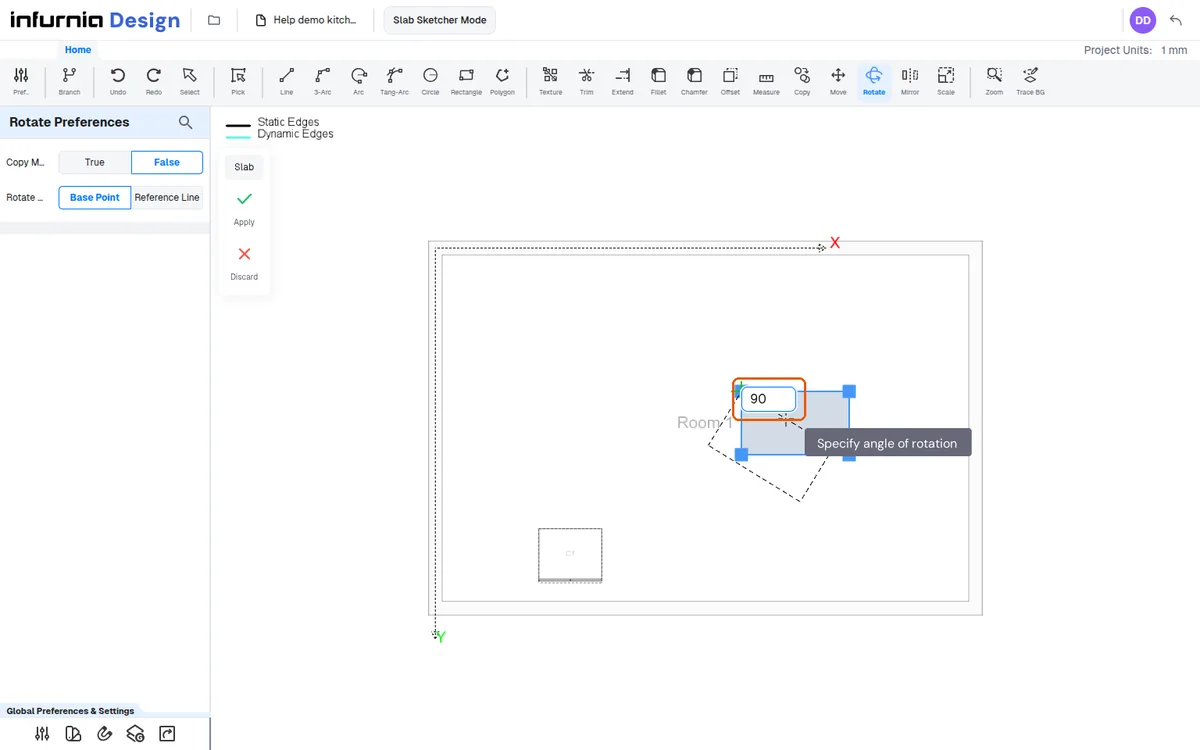
Select the "Rotate" tool, then pick the object you want to turn and rotate it.
Select the object you want to turn, then use "Rotate" to turn it.
✓ Comprobado en el producto el 22 de octubre de 2026