Dimension internal cabinet partitions with skeleton mode
Turn on skeleton mode to add internal partition dimensions, or dimension partitions by hand instead.
When skeleton mode is turned on for the elevation, auto dimensioning also adds width/height dimensions of the internal partitions inside each cabinet, which it does not do in normal mode.
✓ Comprobado en el producto el 20 de octubre de 2026For internal cabinet dimensions, turn on skeleton mode (the cabinet symbol at the bottom-right corner) and dimension inner-to-inner, panel-to-panel.
Cabinet partitions can be dimensioned manually with the dimension tool instead of relying on auto-dimensioning, which is a matter of user preference.
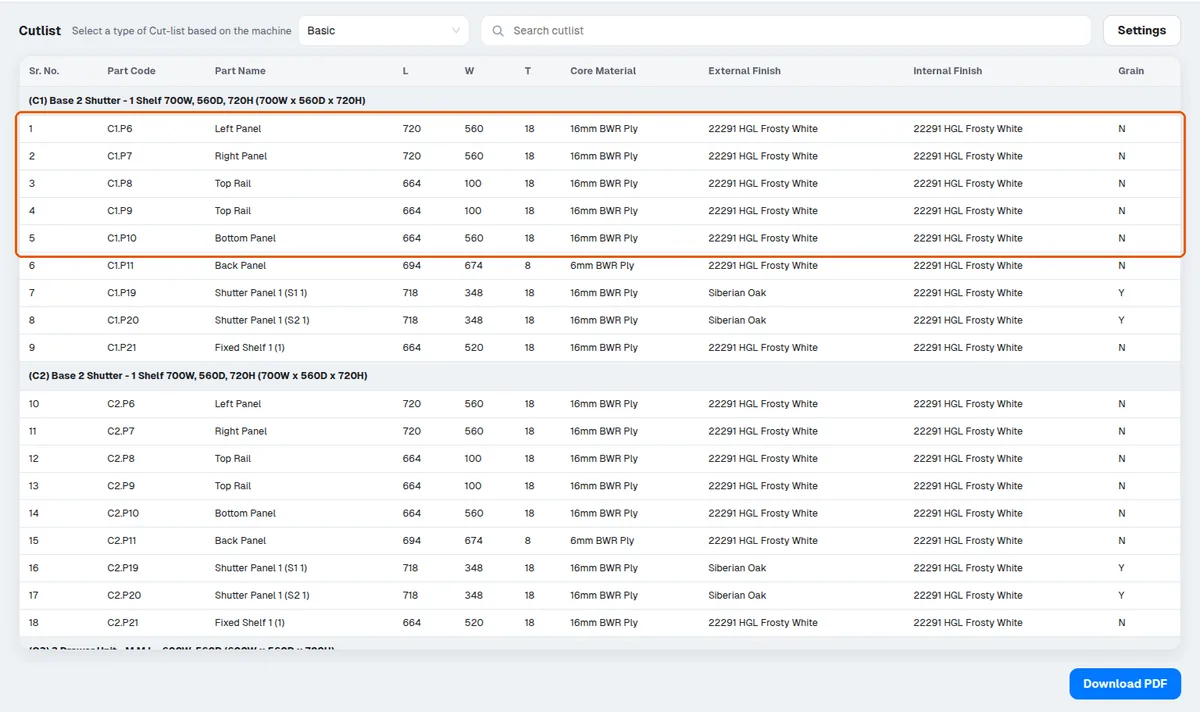
To check the internal distance between panels, you can also read it at the partition level or from the cut list.
The cut list gives the correct size after the carcass construction is subtracted.
✓ Comprobado en el producto el 19 de octubre de 2026