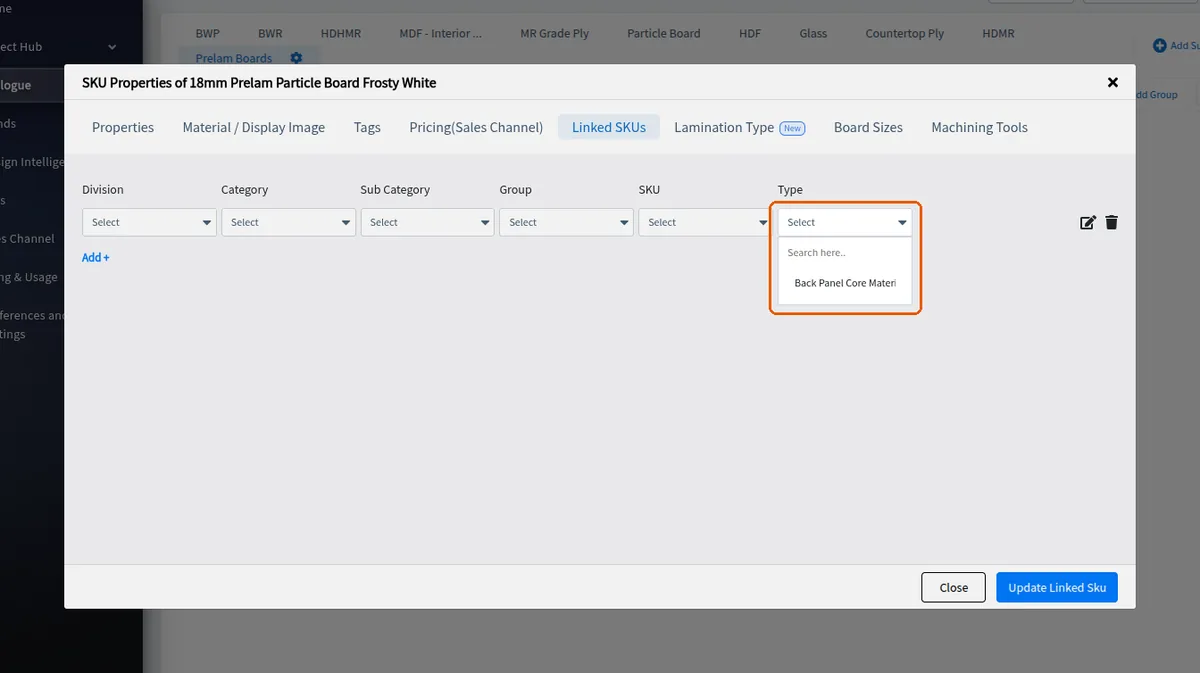
Link internal and external finishes to a core material
Attach the finishes that show on a core material's internal and external surfaces from its Lamination Type tab.
A core material's finishes are attached on its Lamination Type tab (Edit SKU Properties > Lamination Type), not under Linked SKUs.
✓ Comprobado en el producto el 21 de octubre de 2026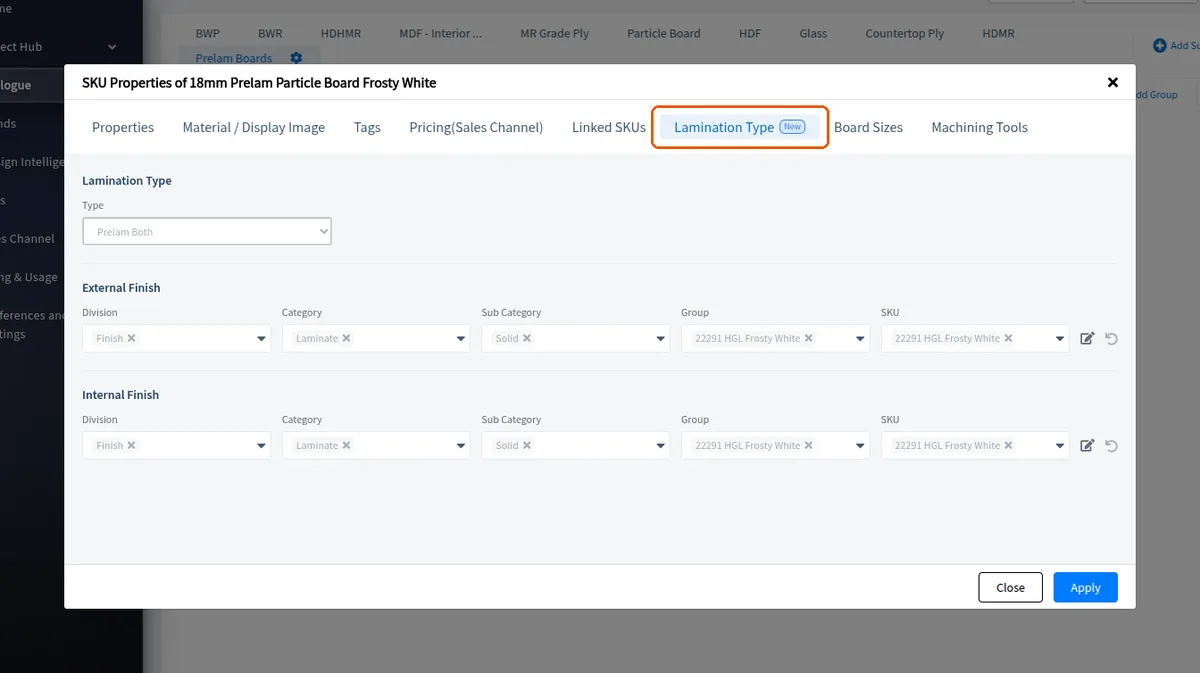
Choose a prelam lamination type (e.g. Prelam Both); the tab then shows an External Finish and an Internal Finish picker, each with the division (Finish), category, sub category (e.g. melamine), group and SKU (e.g. black).
✓ Comprobado en el producto el 21 de octubre de 2026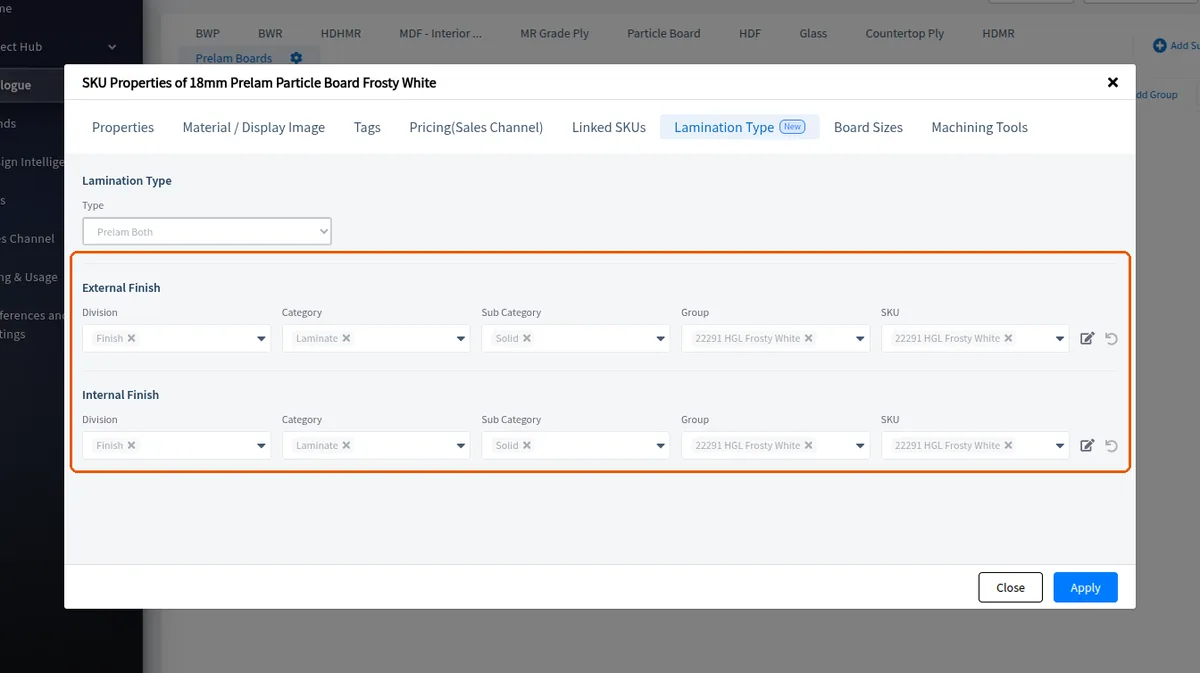
If different colours are wanted for the internal and external surfaces, pick them separately; otherwise the same finish can be picked for both.
Apply saves them as the core's linked external and internal finishes.
✓ Comprobado en el producto el 16 de octubre de 2026The Linked SKUs tab of a core material is for its Back Panel Core Material.
✓ Comprobado en el producto el 21 de octubre de 2026