Why panels come out rotated (or not) in CNC outputs
Learn how the Always Rotate setting, Maximum Machine Depth and Min Panel Width decide whether a panel is turned in CNC output, and what to check when drilling lands mirrored or on the wrong edge.
Three machine settings govern workpiece orientation in CNC outputs.
✓ Checked in the product on 19 October 2026A machine's 'Rotate panel to get Larger Dimension along X-axis' set to True forces every panel to lie with its longest side along the machine's X axis - if the current orientation is shorter along X than the rotated one would be, the panel is rotated.
With 'Rotate panel to get Larger Dimension along X-axis' set to False (the default), Infurnia keeps the panel's natural orientation unless it violates the machine limits: the panel's depth (dimension going into the machine, along the bed's Y axis) must not exceed 'Maximum Machine Depth (Y-axis) (mm)', and its width along X must be at least 'Minimum Panel Width (X-axis) (mm)'.
If the current orientation violates a limit but the 90-degree rotation fits, the panel is rotated automatically.
✓ Checked in the product on 19 October 2026'Maximum Machine Depth' constrains the panel's depth-into-machine dimension, never its thickness.
✓ Checked in the product on 19 October 2026On Biesse machines the depth limit may be overridden per size-range via the origin table, so the same panel can pass on one machine profile and warn on another.
✓ Checked in the product on 19 October 2026If drilling appears mirrored or on the wrong edge, check whether the panel was auto-rotated to satisfy these limits.
The rotation setting only needs to be changed when the machine has a size restriction in one direction that forces the panel to be rotated; if the machine has no such restriction, leave the setting as it is.
Setting a Biesse CIX machine's Maximum Machine Depth (Y-axis) to 0 does not turn panels so that their larger side runs along X: no orientation fits a zero depth, so every panel keeps its default orientation in the machine files and each one gets a 'Machine Limits Violated' warning in the Postprocessing Errors list (e.g. 'depth 560 > max Y 0'); Continue still downloads the files. To put every panel's larger side along X, set 'Rotate panel to get Larger Dimension along X-axis' to True instead.
✓ Checked in the product on 19 October 2026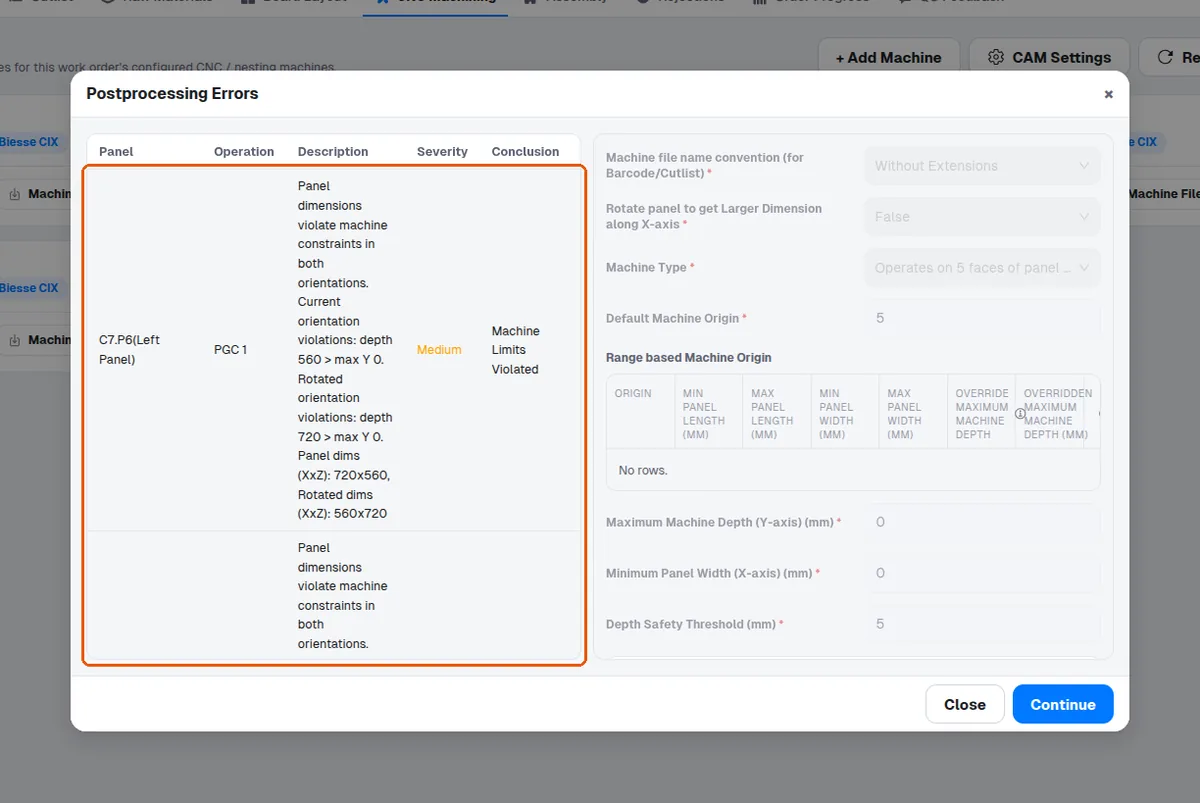
The option is labelled 'Rotate panel to get Larger Dimension along X-axis'.
✓ Checked in the product on 19 October 2026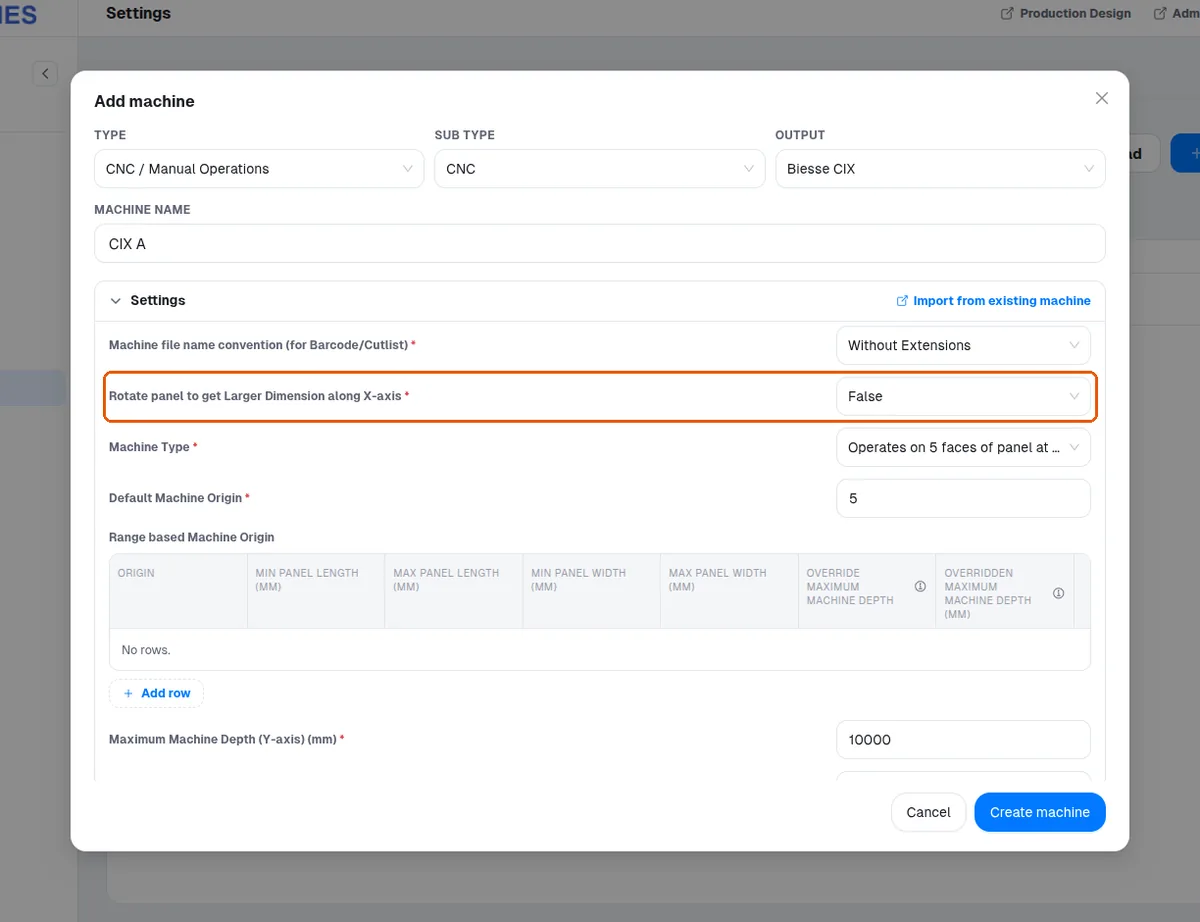
The option appears in the machine's settings form when adding or editing a CNC machine (Type 'CNC / Manual Operations', Sub type 'CNC'). A Manual machine (Sub type 'Manual') has no such option: its form says 'This machine type has no configurable CAM settings.'