Check why an element is excluded from all outputs
Work through the exclusion reasons one by one to find why an element is missing from every output.
The element or its unit was explicitly disabled in outputs by the designer — there is a per-element toggle for this.
Work scope: the active work scope excludes the unit, either switched off individually or because its room/floor/building is not included in the scope — this is the most common cause; switch to a scope that covers it.
✓ Checked in the product on 18 October 2026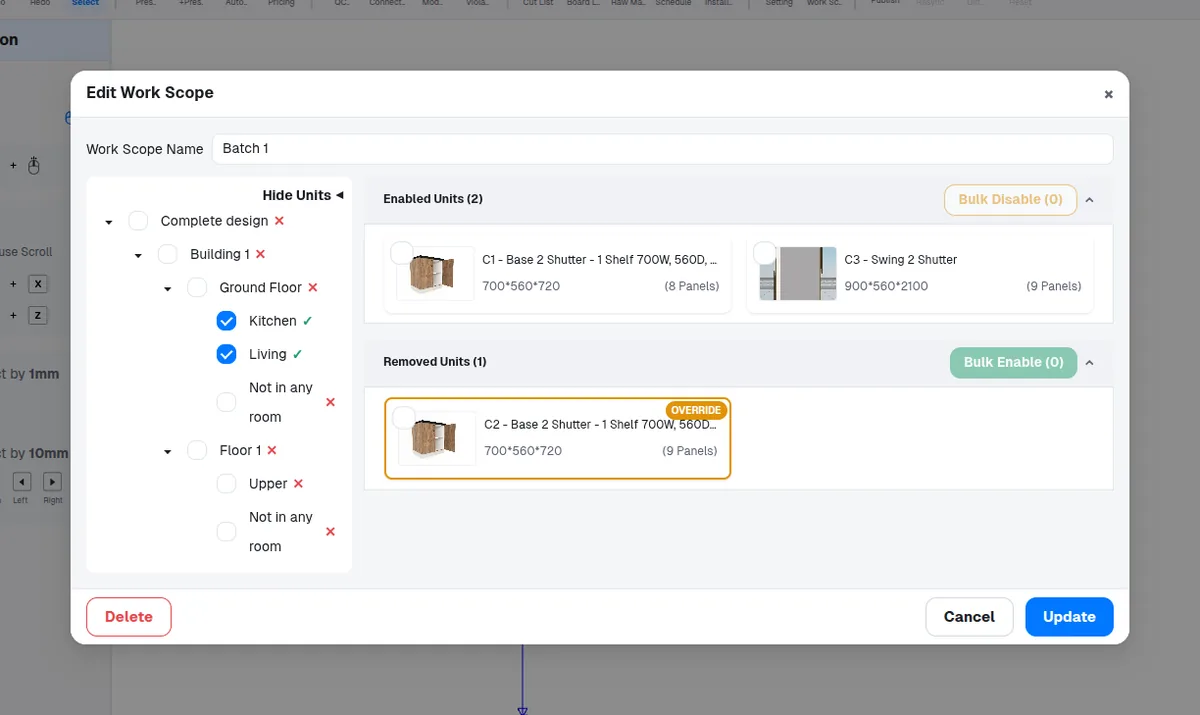
The panel is an auto-generated helper panel (derived or dummy geometry) — these never appear in outputs by design.
✓ Checked in the product on 18 October 2026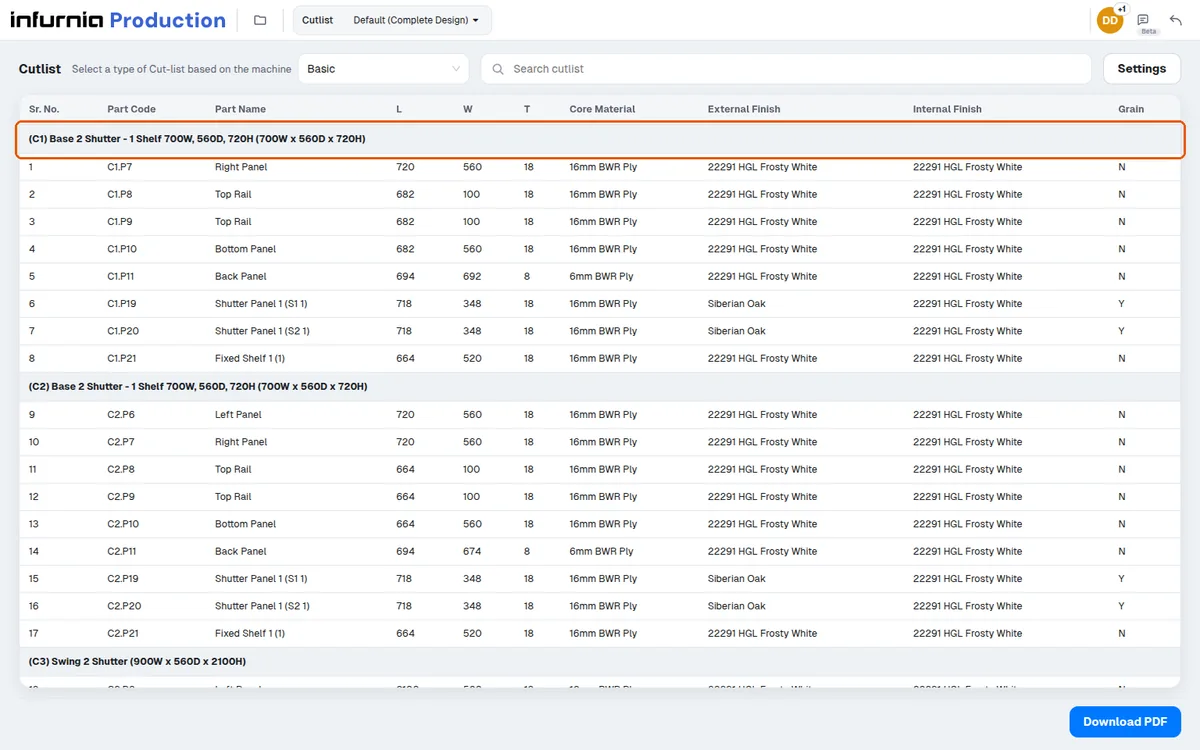
A countertop set to take its thickness from itself (not inherited) is excluded from outputs.
✓ Checked in the product on 18 October 2026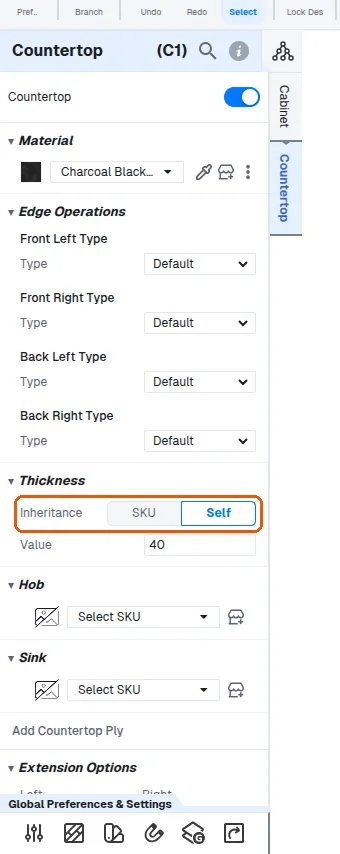
The element was hidden (visibility off) at generation time.
✓ Checked in the product on 18 October 2026Hardware with quantity 0 produces no row at all — setting a cabinet hardware item's quantity to 0 removes it.
✓ Checked in the product on 18 October 2026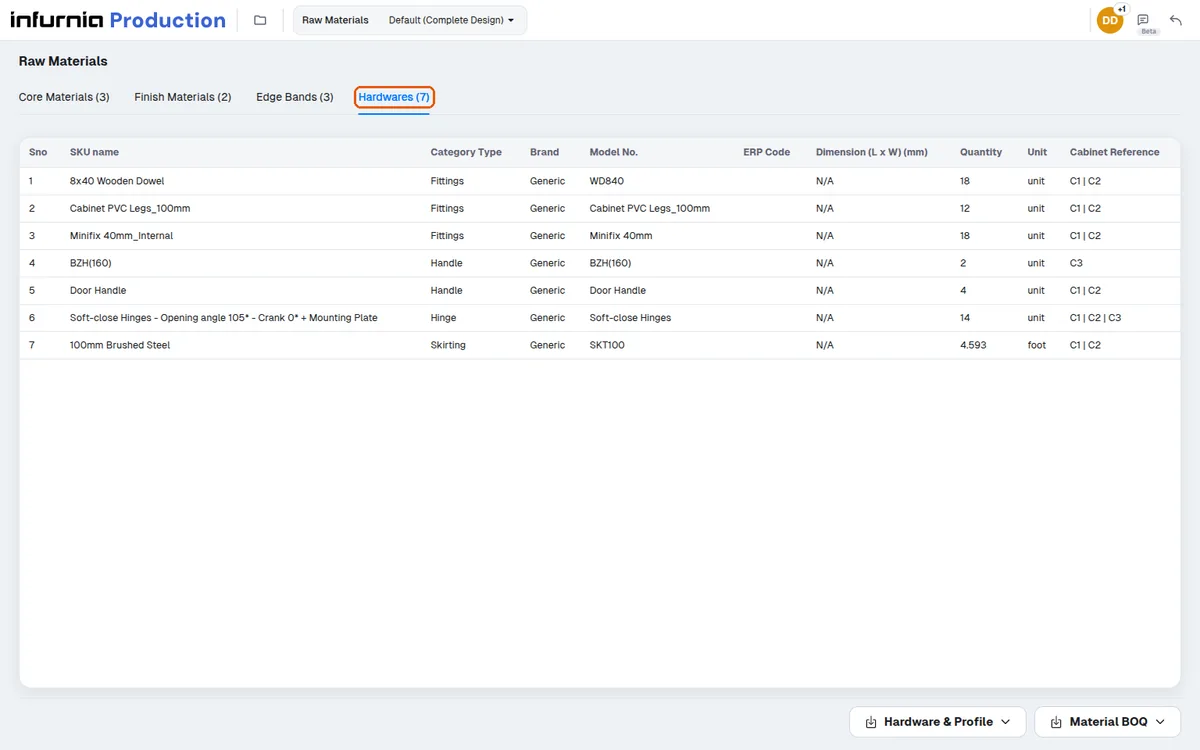
A panel subset is active and the panel is outside the selected subset — only the selected panels are output.
All schedules, cutlists, hardware lists and quotations share this same gate, so an element excluded for one of these reasons disappears from every output consistently, which is itself a useful diagnostic: missing everywhere means exclusion, missing in one output means a different problem.