Understand how multiple quotation discounts stack
See how ordered discount rows apply one after another to the remaining amount, so two 10% discounts give 19% rather than 20%.
Quotation discounts are entered as an ordered list of rows per item type (Woodwork, Hardware, Services).
Discount rows are added per item type — woodwork, hardware and accessories, or services.
✓ Checked in the product on 20 October 2026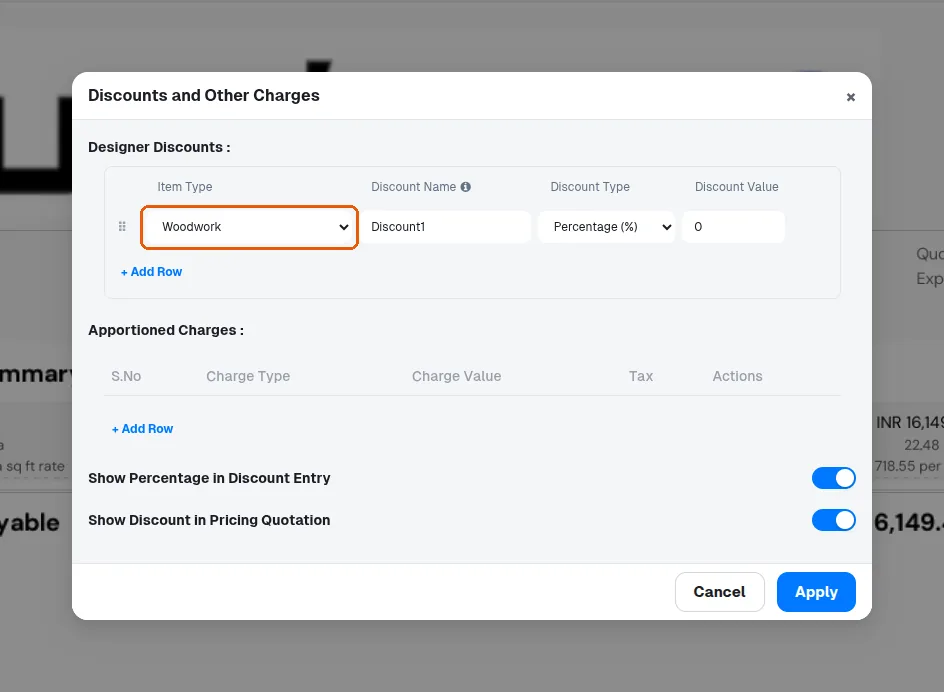
Rows apply in the order entered.
Each percentage row is computed on the amount remaining after all previous rows AND after SKU-level discounts are first subtracted from the base.
✓ Checked in the product on 20 October 2026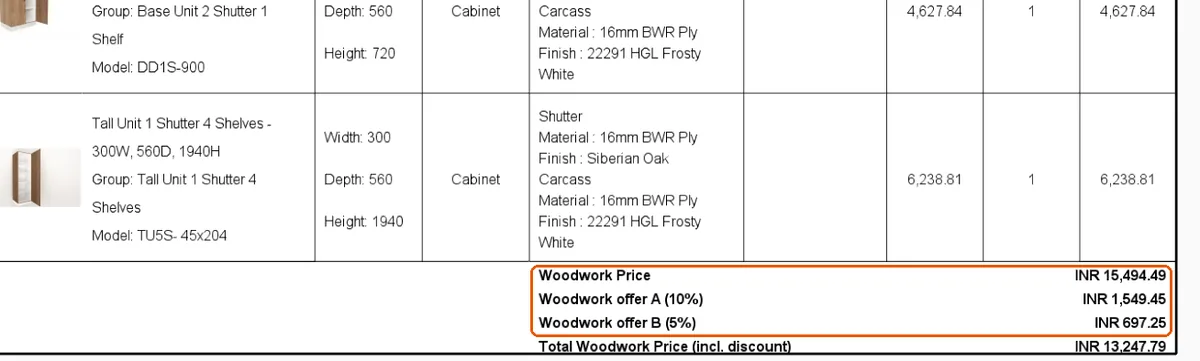
All bases are pre-tax totals.
✓ Checked in the product on 20 October 2026Absolute rows subtract their fixed amount from the running balance.
✓ Checked in the product on 20 October 2026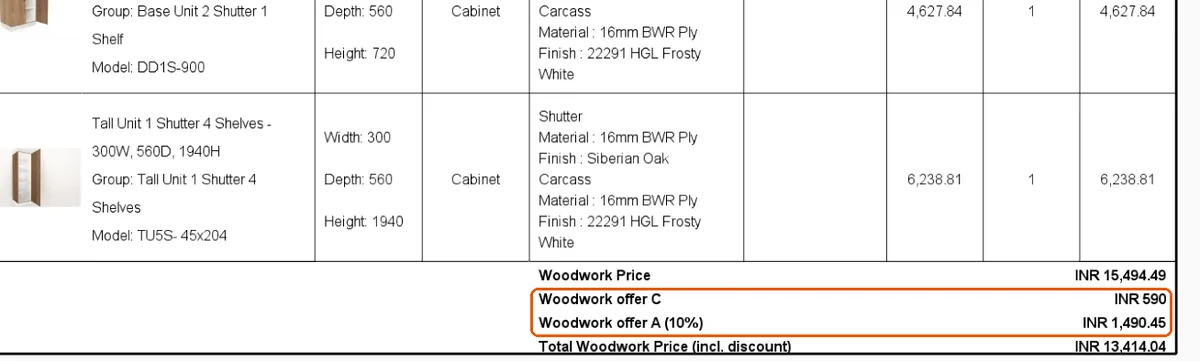
Two 10% woodwork discounts on a 100,000 woodwork total give 10,000 + 9,000 = 19,000 (19%), not 20,000.
✓ Checked in the product on 10 October 2026Order is irrelevant for pure percentages but changes the result when absolute and percentage rows are mixed.
✓ Checked in the product on 20 October 2026With more than one row each named row prints separately, with its percentage in brackets when the 'show percentage in discount entry' preference is on.
✓ Checked in the product on 20 October 2026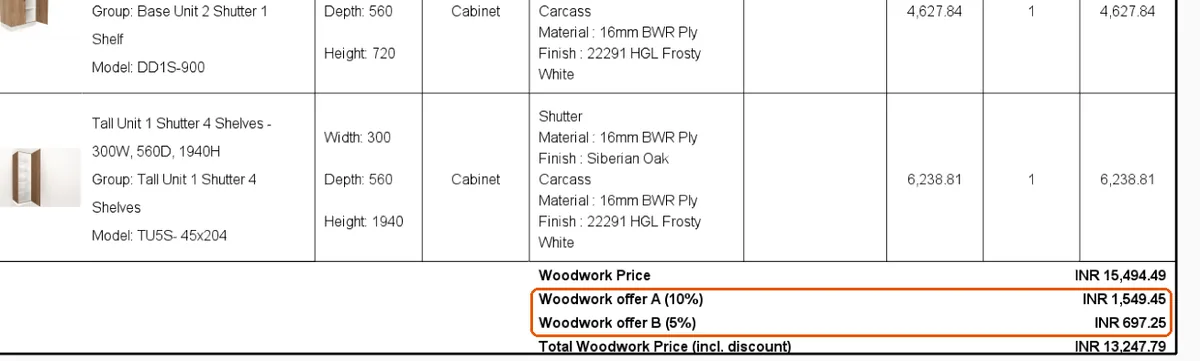
The 'show percentage in discount entry' preference controls whether each row's percentage is printed in brackets next to its name.
✓ Checked in the product on 20 October 2026