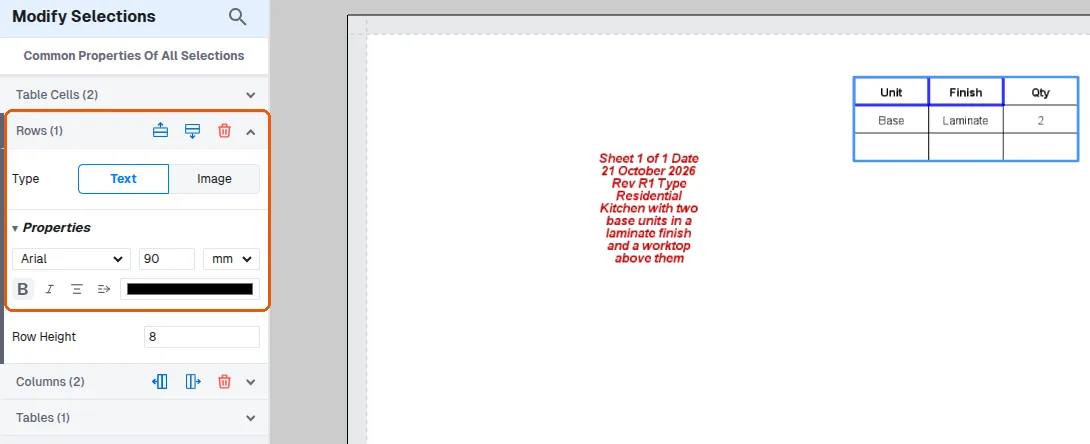
Why table column header cells cannot be edited
Learn why header row options are limited to dynamic tables and how to edit whole rows or columns instead.
In presentation tables, the header row is only meant for dynamic tables; for non-custom tables the header row option has been removed.
✓ Checked in the product on 21 October 2026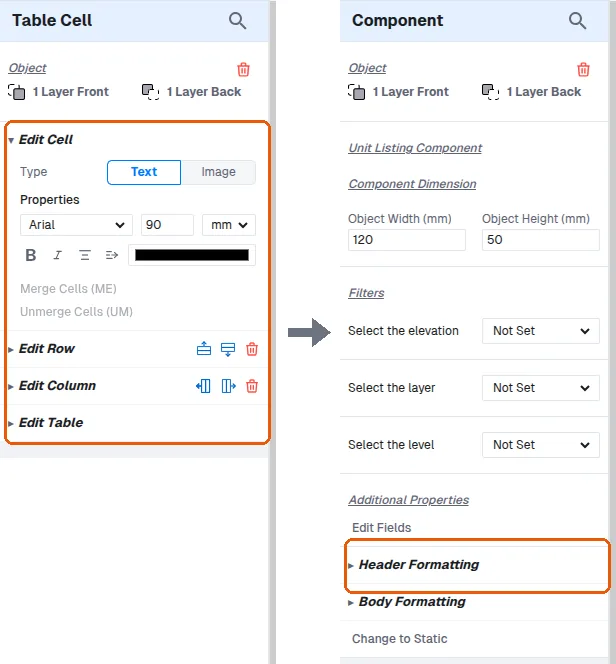
Even in dynamic tables, header cells are not editable, so text cannot be typed into a column header cell.
✓ Checked in the product on 21 October 2026To edit whole rows or columns, select multiple cells and use the modify menu's row/column dropdowns.
✓ Checked in the product on 21 October 2026