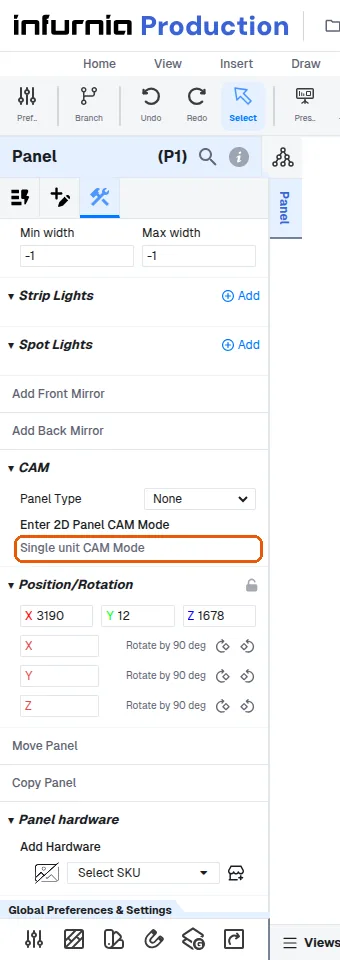
Enter Single Unit CAM Mode with the SU shortcut
Use the SU keyboard shortcut in the production design to open Single Unit CAM Mode for a panel.
In the production design (Infurnia Production), the keyboard shortcut "SU" is listed for "Single Unit CAM Mode"; the design portal's Keyboard Shortcuts list does not show it.
✓ Checked in the product on 19 October 2026To check the shortcut list yourself, open the "Keyboard Shortcuts" list in the production design, where "SU" appears next to "Single Unit CAM Mode".
✓ Checked in the product on 19 October 2026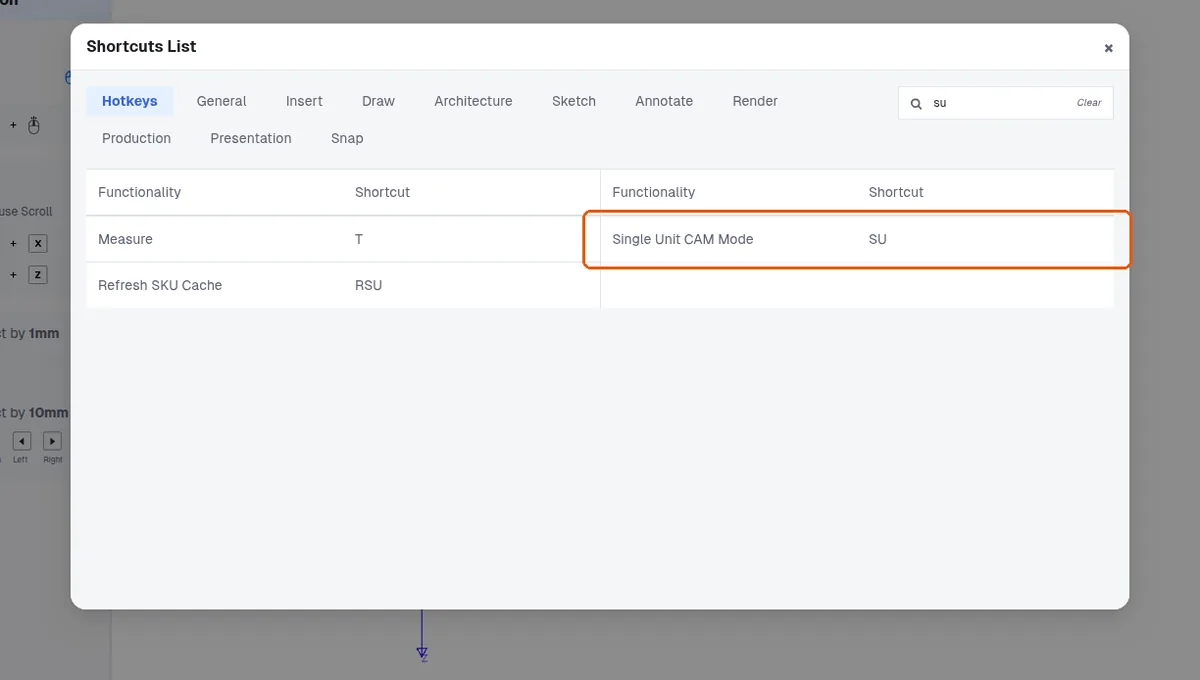
You can also enter CAM mode from a selected panel's panel in the production design: select a panel and use "Enter 2D Panel CAM Mode" (under CAM).
✓ Checked in the product on 19 October 2026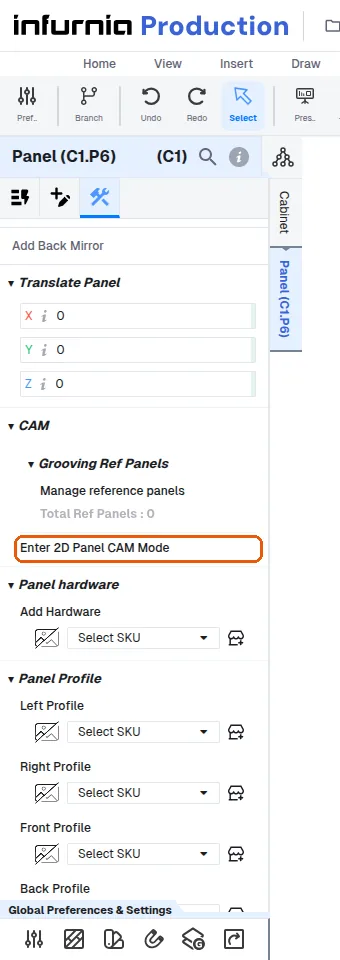
In the production design, a standalone custom panel also offers "Single unit CAM Mode" (under CAM).
✓ Checked in the product on 19 October 2026