Upload CSV for Bulk Create: attempt name, errors vs warnings, 5MB image limit
Upload a CSV or Excel file with an optional assets ZIP for Bulk Create SKUs, and see which validation results block the upload and which only warn.
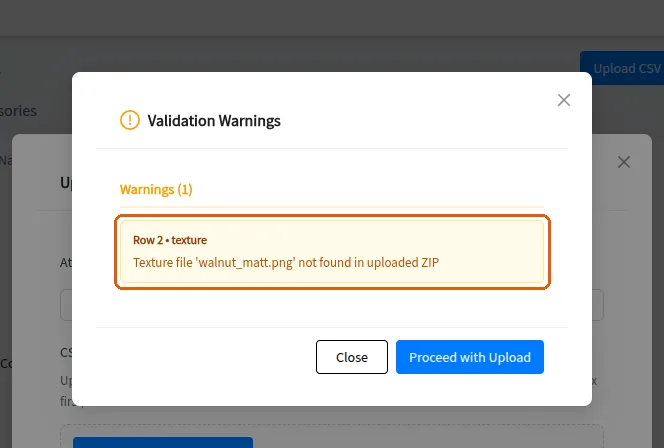
The 'Upload CSV' modal on Bulk Create SKUs requires an Attempt Name and a CSV/Excel file before the Upload & Process button enables (a disabled button usually means the attempt name is empty). Excel uploads must contain the 'To be Filled' sheet (legacy .xls must be re-saved as .xlsx); the sheet is converted to CSV in the browser and the configuration (material fields, linking columns) is auto-inferred from headers rather than asked again. An optional assets ZIP supplies display images and textures; filenames are matched case-insensitively and only files actually referenced in the CSV are processed. Validation results split into Errors (red - block upload: missing required fields, providing both or neither of group_id/group_name, invalid linked SKU types, wrong column counts) and Warnings (yellow - e.g. a referenced file missing from the ZIP; the dialog offers 'Proceed with Upload'). Images over 5MB are hard errors; accepted images are compressed client-side to max 1400px before upload, so slight quality reduction on very large images is expected. On success the job runs asynchronously ('Successfully initiated bulk create') and completion is announced by a toast - see the bulk-create polling unit for its limits.
When a finish's texture file named in the CSV is not found inside the uploaded ZIP, the uploader reports it as a warning (yellow) with the message that the texture file was not found in the uploaded ZIP, and the upload can still proceed.
✓ Checked in the product on 19 October 2026