Read the machine list and handle unsupported output formats
Read the machine list columns and, when a format is missing, test with a CSV cutlist or confirm the format with the vendor.
The machine list in MES Settings → Machines shows each machine's name, type, sub-type and output format as columns.
✓ Am 18. Oktober 2026 im Produkt geprüft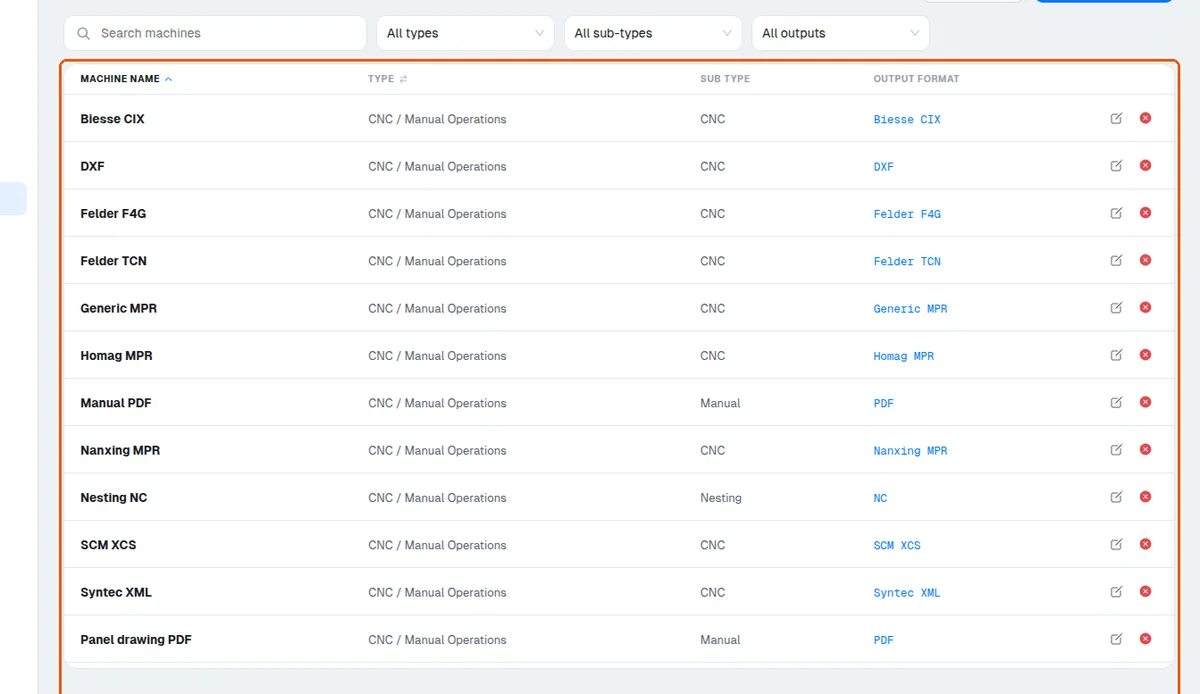
For a beam saw machine, the Output dropdown offers a fixed list: Biesse XML, Homag Saw Cadmatic 4 Only, KDT XML, Ruei XML, Pattern Exchange (PTX), SCM (Icut/Titanium) cutplanning and SCM XPRG.
✓ Am 18. Oktober 2026 im Produkt geprüft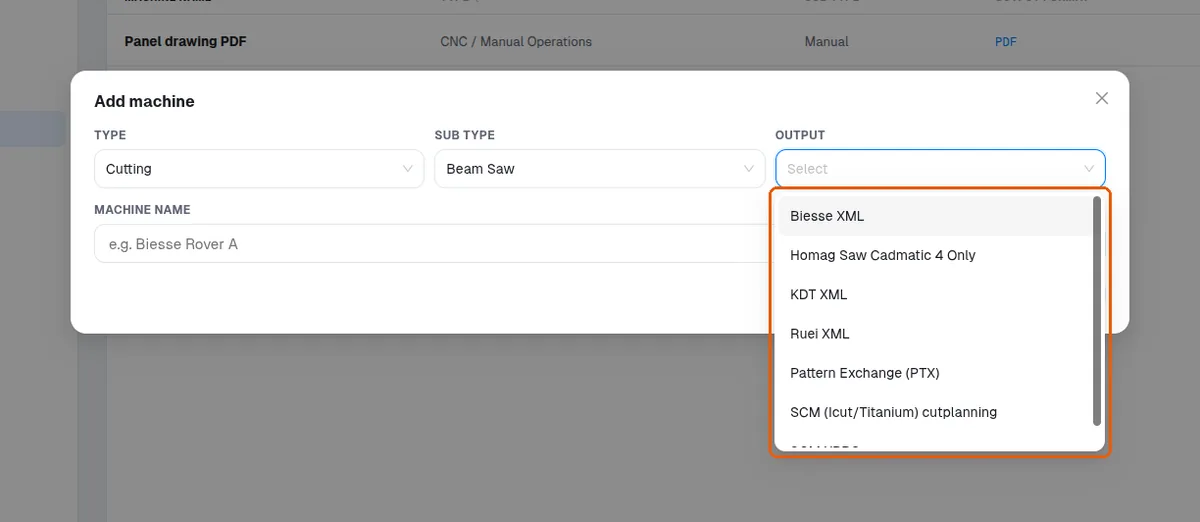
If the machine's native format is not in the list, download the cutlist as CSV and upload it to the machine to test compatibility.
When the machine's accepted output format is not known, confirm it with the machine or its software vendor and share that format with Infurnia so it can be checked against the formats the platform can export.