Keep generated sheets in sync with the design
Let linked views refresh automatically and regenerate to pick up new walls and units.
The generated boards stay linked to the design: 3D views, schedules and elevations refresh automatically when the design changes, so a later cabinet-size change is reflected without redrawing the 2D layouts.
✓ Am 20. Oktober 2026 im Produkt geprüft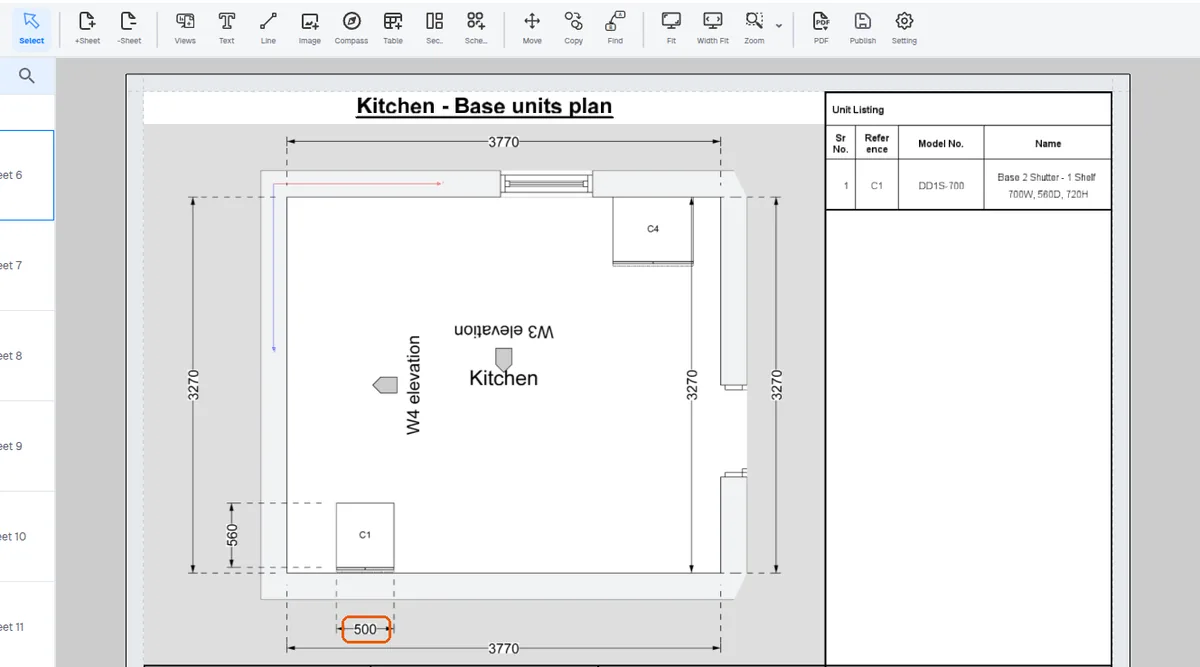
A finish changed in DESIGN shows at once in the generated presentation (for example in an elevation's Shutter Materials schedule), and a unit added in DESIGN is drawn at once on the generated plans. The plan's Unit Listing table lists the added unit only after the presentation is regenerated; until then the unit is also drawn on the room's wall units plan.
On re-generation, a wall that has received units since the last generation gets its own elevation and skeleton elevation pages. An elevation view added by hand on a wall with no units does not get a page.
When the presentation is regenerated, a wall that has received units since the last generation gets its own elevation and skeleton elevation pages. An elevation view added by hand on a wall with no units does not get a page.
Keeping the drawings consistent across the project.