Why a shelf or partition cannot be deleted
Learn why a shelf or partition panel may be protected from deletion and how to work around it.
A catalog manager (seller account with the 'plank deletion by designer' feature) can mark a shelf or partition panel as 'Disallow deletion by designer'.
The disallow-deletion setting is what protects the shelf from being deleted by a designer.
For a regular designer the delete button on that shelf is then disabled with the tooltip 'Shelf cannot be deleted because it has been blocked by the catalog manager. You can mark shelf for deletion using Bulk Edit.'
Independently of protection, deleting the vertical panel of a wardrobe's default partition is blocked while conflicting settings exist; the tooltip lists the fix: go to Wardrobe -> Default Partition, set the vertical partition panel count to 1, and merge the top and bottom panels.
✓ Am 22. Oktober 2026 im Produkt geprüft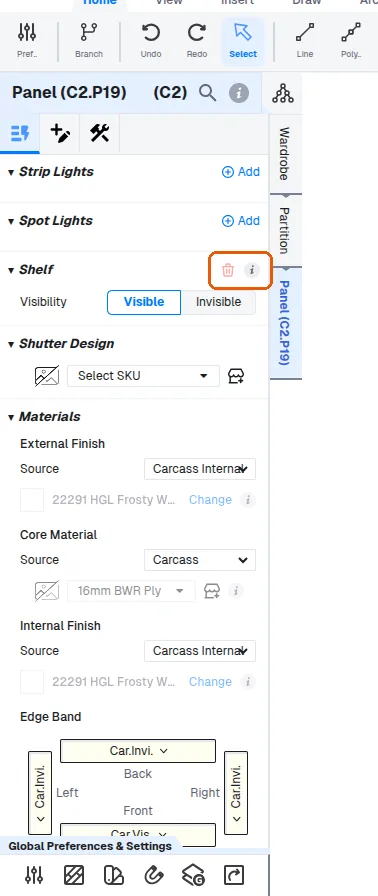
Hiding a panel is a separate, viewing-only control: the panel stays in the design and is only removed from the cutlist and production outputs.
✓ Am 9. Oktober 2026 im Produkt geprüft