Add manual dimensions and measure balance space
Place dimensions by hand between touching elements and measure the leftover space around placed units.
The dimension tool can place a dimension between any two touching elements such as carcass and countertop.
✓ Am 20. Oktober 2026 im Produkt geprüft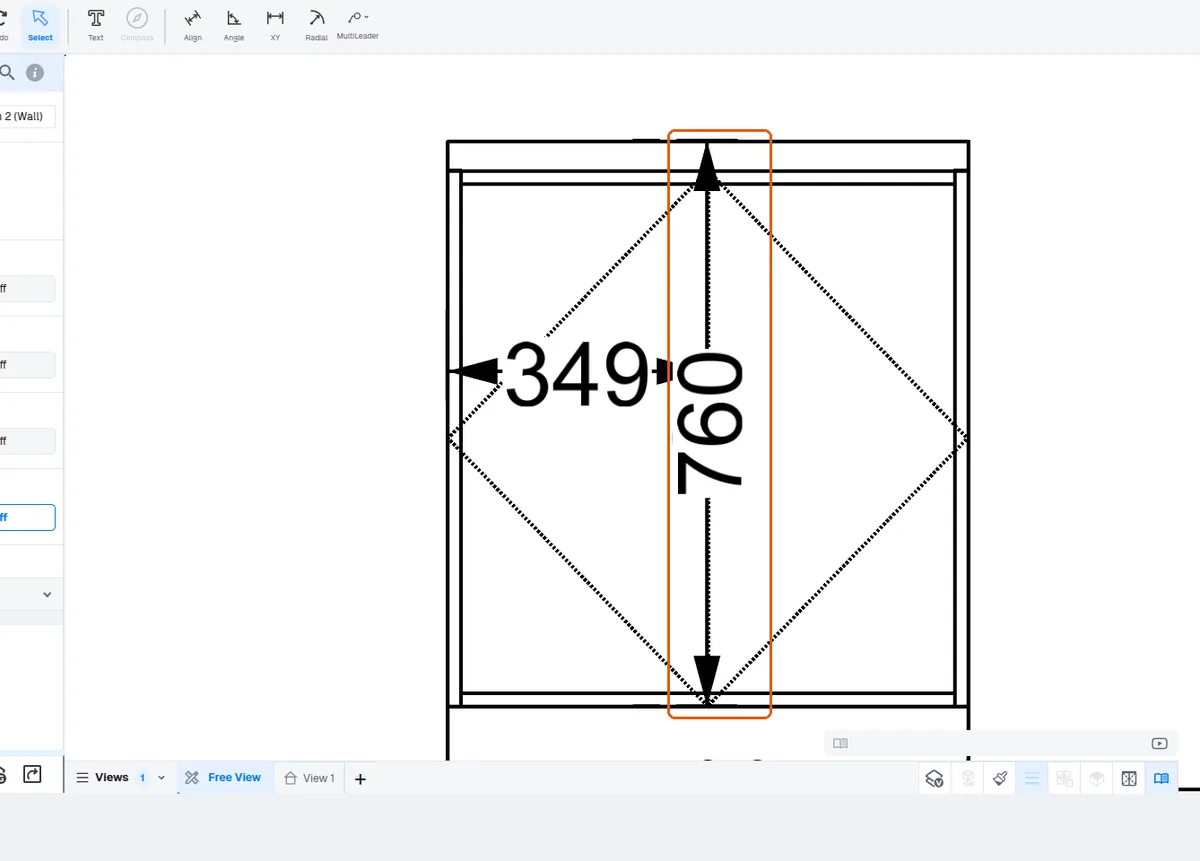
When dimensioning an elevation, dimensions can be placed manually by picking the specific points to measure — for example from the countertop to a chosen point, or from the unit carcass to the countertop — rather than relying on auto dimensioning.
Balance-space measurements around placed cabinets are likewise not generated by auto dimensioning and must be added manually with the dimension tool.
✓ Am 19. Oktober 2026 im Produkt geprüftTo check the leftover or balance space after placing a unit, use the dimension/measure tool and select any two points; it reports the distance between them, so you can size the next unit to fit the remaining space.
To find the gap left between two placed units, click the measure tool, then click one edge and then the other edge; the distance between them is displayed. This lets a designer confirm the remaining space before placing another unit.
✓ Am 11. Oktober 2026 im Produkt geprüft