Modify countertop and handles from the properties panel
Select units to change their countertop material and thickness or swap their handles from the properties panel.
With several cabinets selected, Modify Countertop sits in the properties panel under the 'Cabinets/Wardrobes (N)' group > Countertop (the group may be folded), not under 'Common Modular Unit Actions'. With one cabinet selected, its own Countertop item (Customize tab, also on Quick Access) is shown instead.
✓ Am 20. Oktober 2026 im Produkt geprüftTo edit countertops, select the units and choose Modify Countertop in the properties panel (with a single cabinet selected the panel shows its Countertop menu instead), set the material and thickness (e.g. 20 mm marble), and apply the change.
✓ Am 20. Oktober 2026 im Produkt geprüft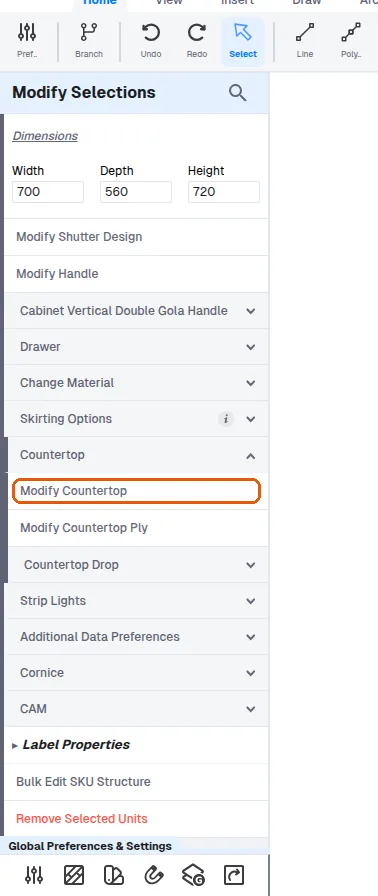
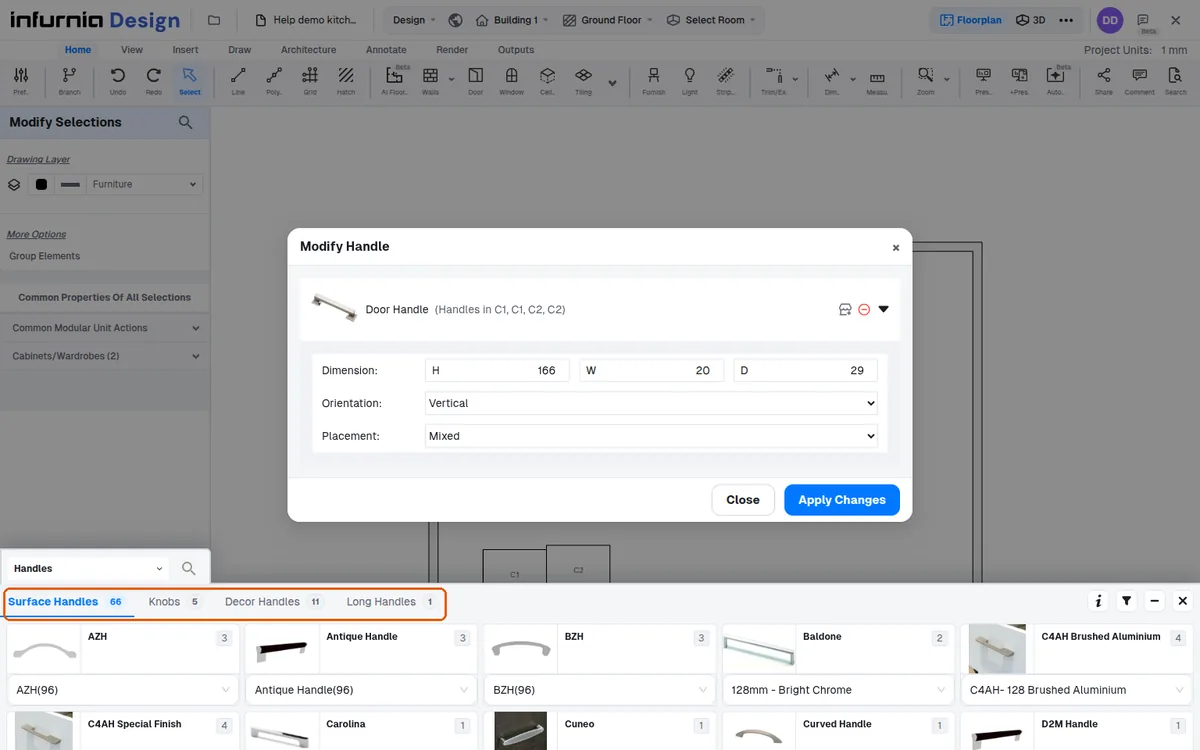
Handles are changed by selecting the units, opening Modify Handle, choosing the handle category such as profile handles, picking the specific handle, and applying.
Do not click outside the panel until all edits are finished.