Organise categories, sub-categories and groups for ranges and materials
Lay out ranges, unit types and material lists as categories, sub-categories and groups that designers can navigate.
A catalogue can be organised with categories for ranges (for example economic, mid-range and premium), sub-categories for unit types (for example shutter units, drawers, pull-outs, corner units and appliance units), and groups that hold the different sizes; the same scheme can be applied separately to kitchens and wardrobes.
For laminates specifically, one main category can hold several subcategories — for example a colour family as the main category with wood textures and other finishes as its subcategories — rather than one category per item type.
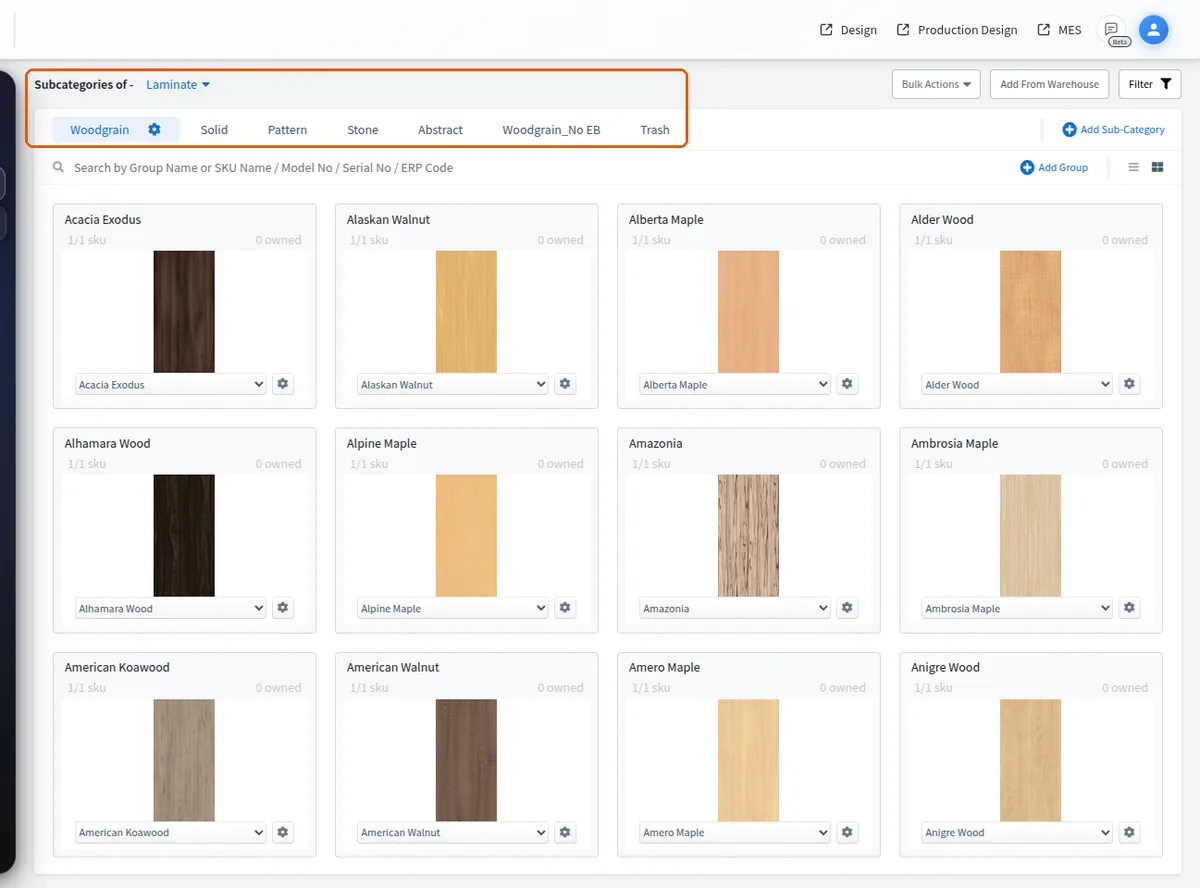
For laminate SKUs, subcategories can be named by thickness (for example 1 mm, 6 mm, 8 mm) and the SKUs moved into the matching subcategory, which keeps large laminate lists easier to upload and manage.
Each group is created with a name and an order number, and the order number sets the group's sequence (1, 2, 3 …) inside its sub-category.
✓ Am 20. Oktober 2026 im Produkt geprüft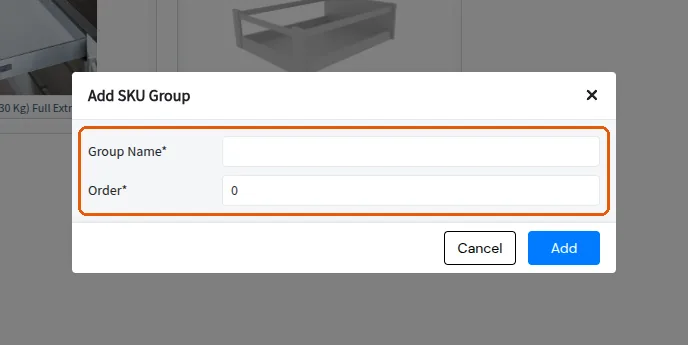
To change which group appears first, open the group's three-dot menu, choose Edit Group Properties, set the order number (1 for first, 2 for next, and so on) and click Update to save.
A group can be cloned as a whole from its Edit Group menu via Clone Group, and the clone is named in the clone dialog (its SKUs default to 'copy of <original>' with model number '<original>_1').
✓ Am 20. Oktober 2026 im Produkt geprüft